How to Pause and Activate an Automation?
Introduction: This documentation will guide you through the process of pausing and activating an automation in Agiled. 1. Navigating to Automations Page: - Go t
Updated 1 min read
Introduction:
This documentation will guide you through the process of pausing and activating an automation in Agiled.
1. Navigating to Automations Page:
- Go to the automations page in Agiled.

2. Pausing an Automation:
- Locate the automation you want to pause.
- Click on the three dots in the actions column.
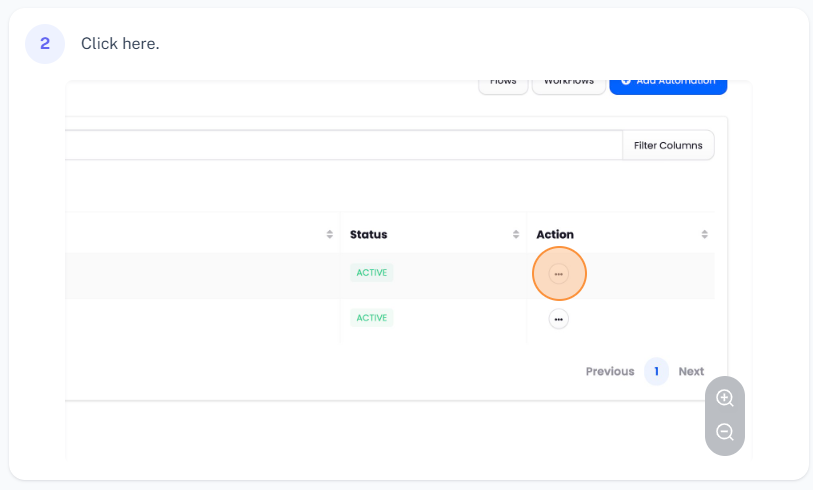
- Select the "Pause" button to pause the automation.
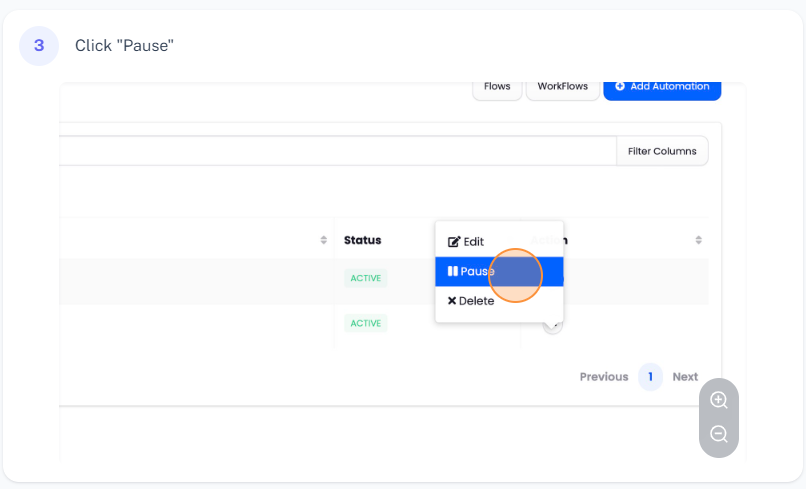
3. Activating an Automation:
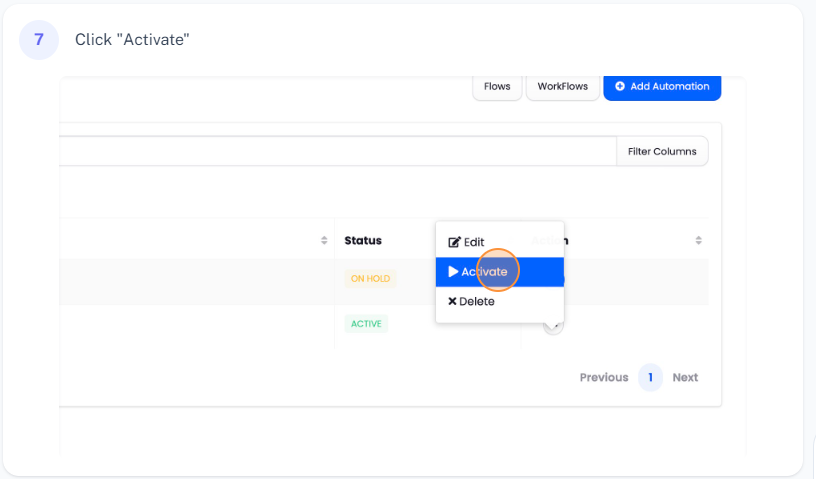
- Click on the paused automation.
- Select the "Activate" button to resume the automation.
Conclusion:
By following these steps, you can easily pause and activate automations in Agiled as needed. Thank you for reading the documentation.
Was this article helpful?
More in Docs
- Agiled Docs Overview : Creating Contracts & Proposals in AgiledAgiled has introduced a comprehensive and improved Docs experience based on user feedback and suggestions. This enhanced feature includes a wide range of improv
- How to add a cover pageIntroduction: In this tutorial, we will show you how to add and customize a cover page for your documents, proposals, or contracts in Agiled Docs. Cover pages c
- How Clients Can Sign Documents in AgiledIntroduction: In this tutorial, we will guide you through how your clients can sign the documents you sent them using Agiled. Signing documents in Agiled is a s
- How to use Merge Tags in Agiled DocsIntroduction In this tutorial, we'll show you how to use merge tags in Agiled Docs to personalize your contracts or proposals with client data from the CRM. Mer
Questions about this? Agiled Assist answers from these articles.