How to use Pricing Table Widget in Agiled Docs
Introduction This tutorial will demonstrate how to add a pricing table to your Agiled contracts and proposals. The pricing table is a useful feature that allows
Updated 2 min read
Introduction
This tutorial will demonstrate how to add a pricing table to your Agiled contracts and proposals. The pricing table is a useful feature that allows you to present a clear breakdown of costs, pulling data from your saved products in Agiled. This ensures you provide accurate and consistent pricing information across all your documents.
Adding a Pricing Table
- Open the document builder in Agiled.
- Locate the pricing table widget and drag it onto your proposal or contract.
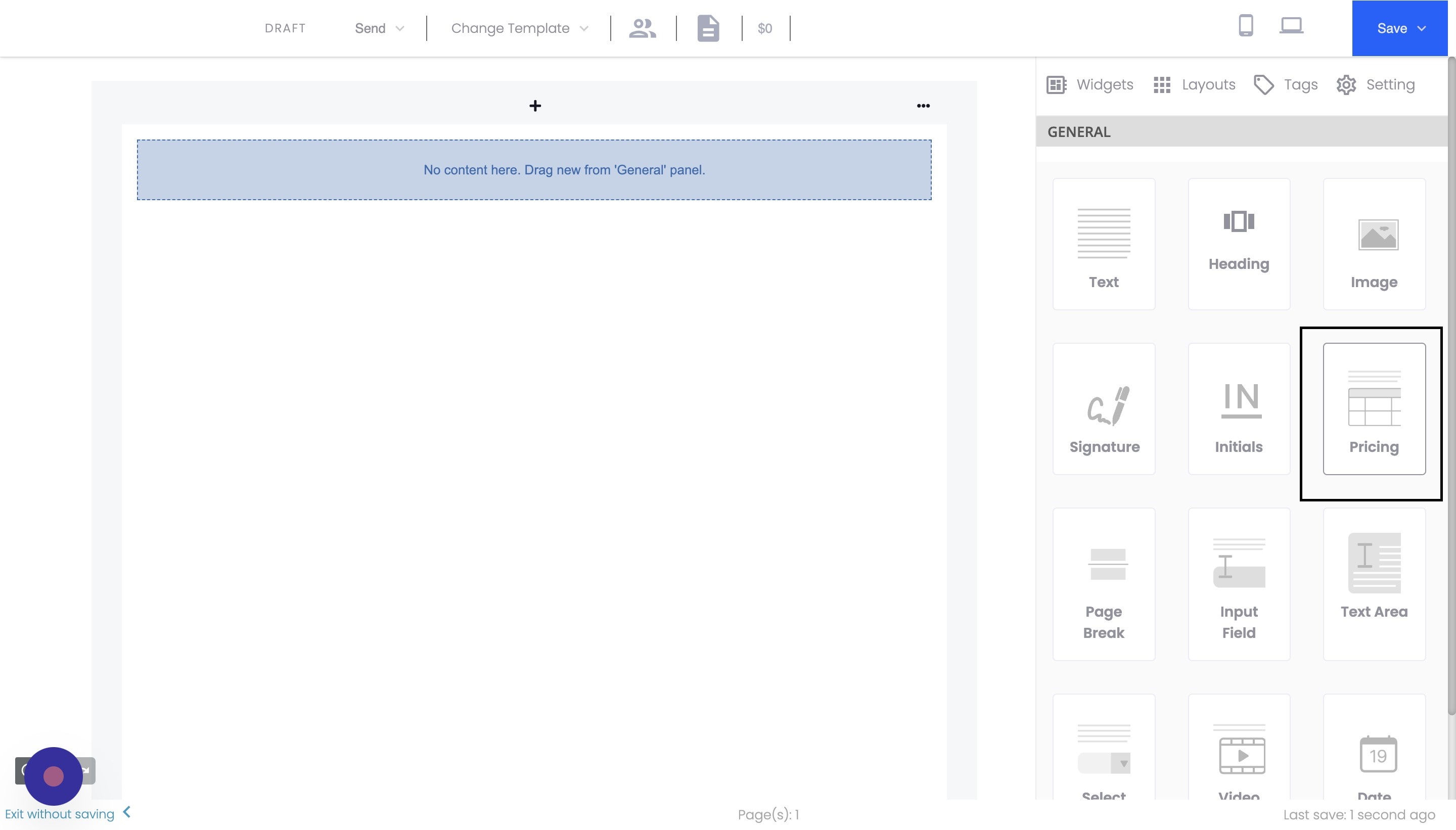
- Customize the table's appearance by changing the title, font, and other settings as desired.
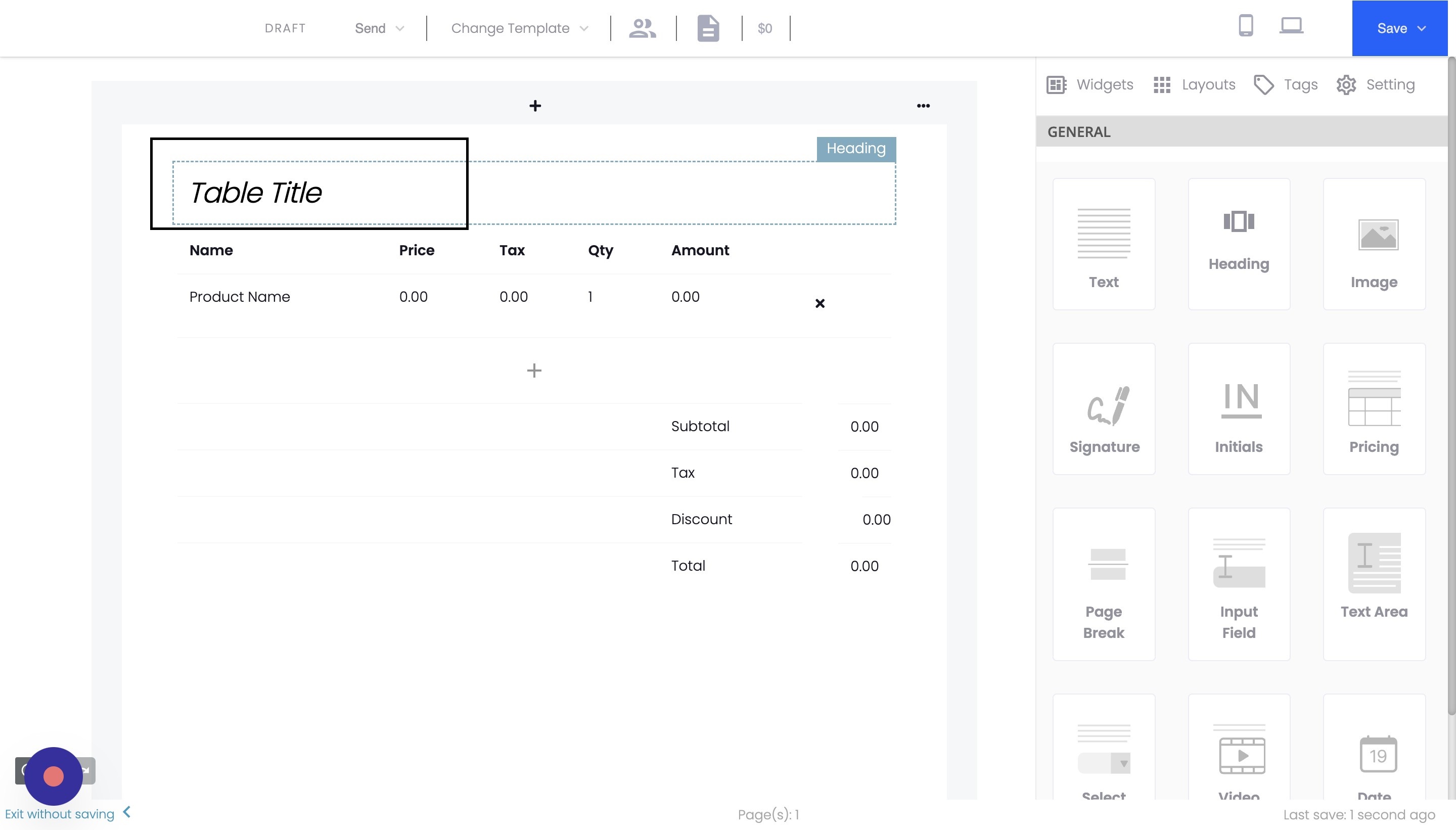
Adding Products to the Pricing Table
- To add a product to the pricing table, click the "Product" button in a table row.
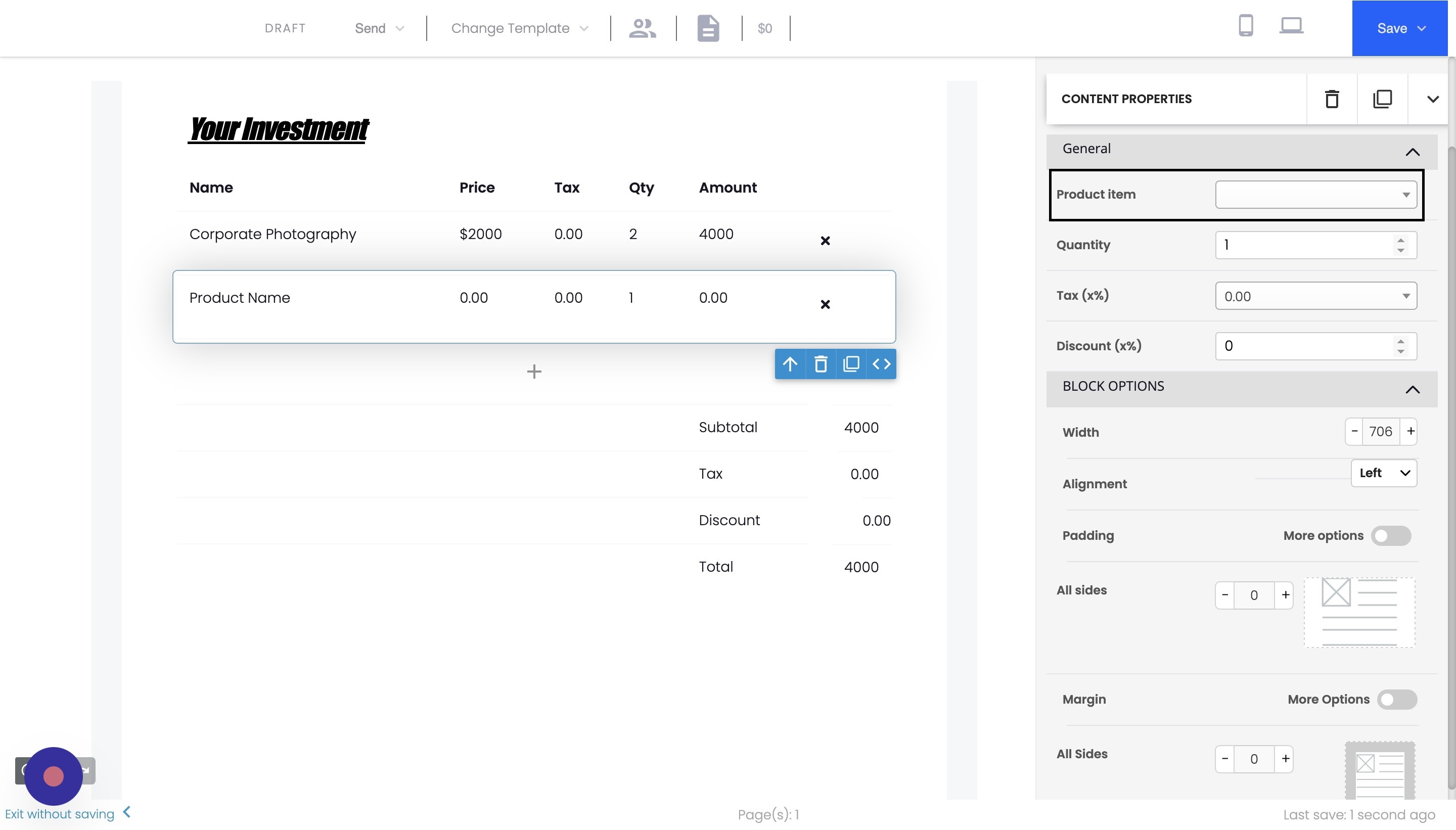
- In the product selection window, browse your saved products in Agiled and choose the desired item (e.g., Corporate Photography).
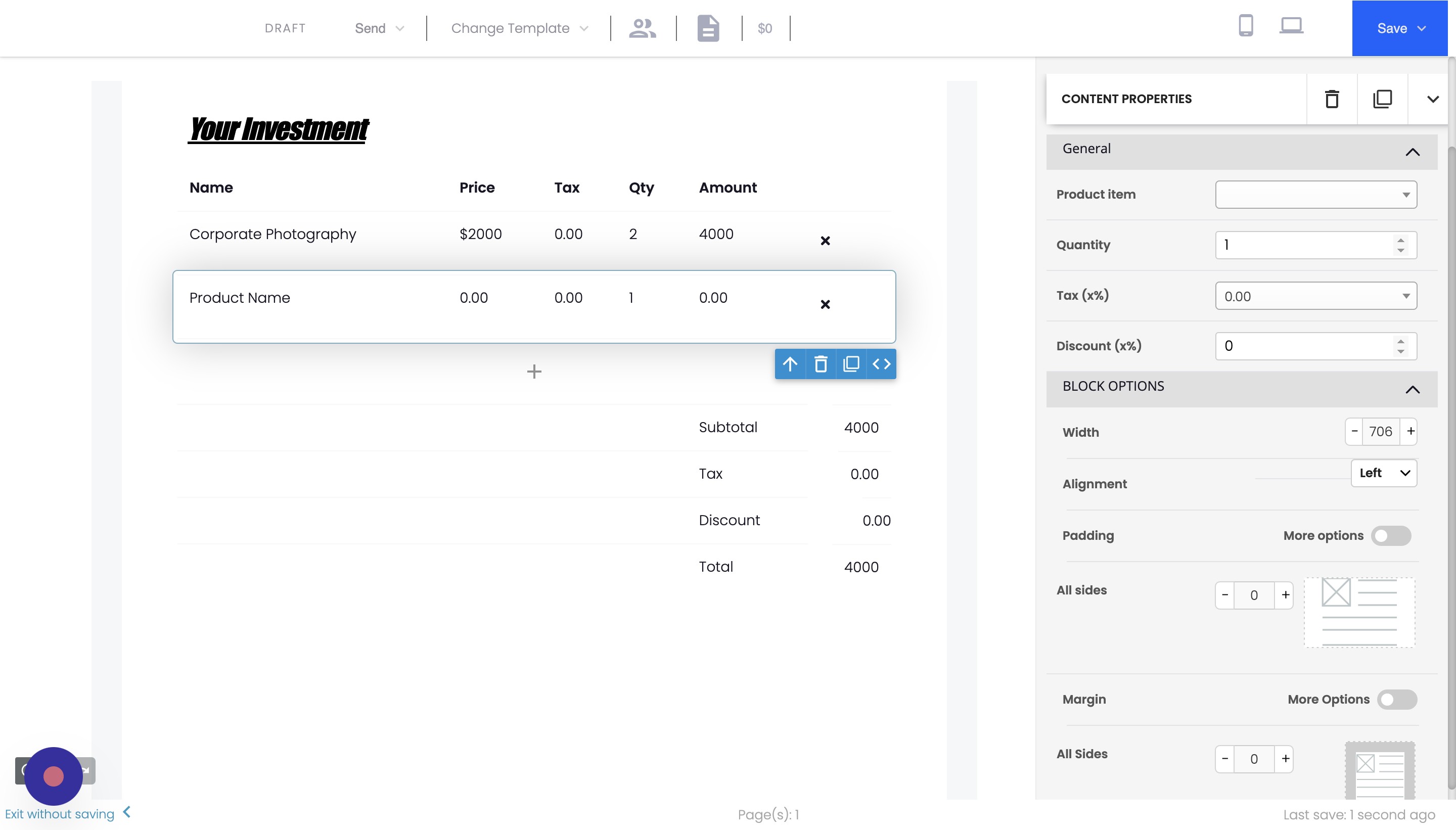
- Adjust the quantity, tax settings, and discounts as needed.
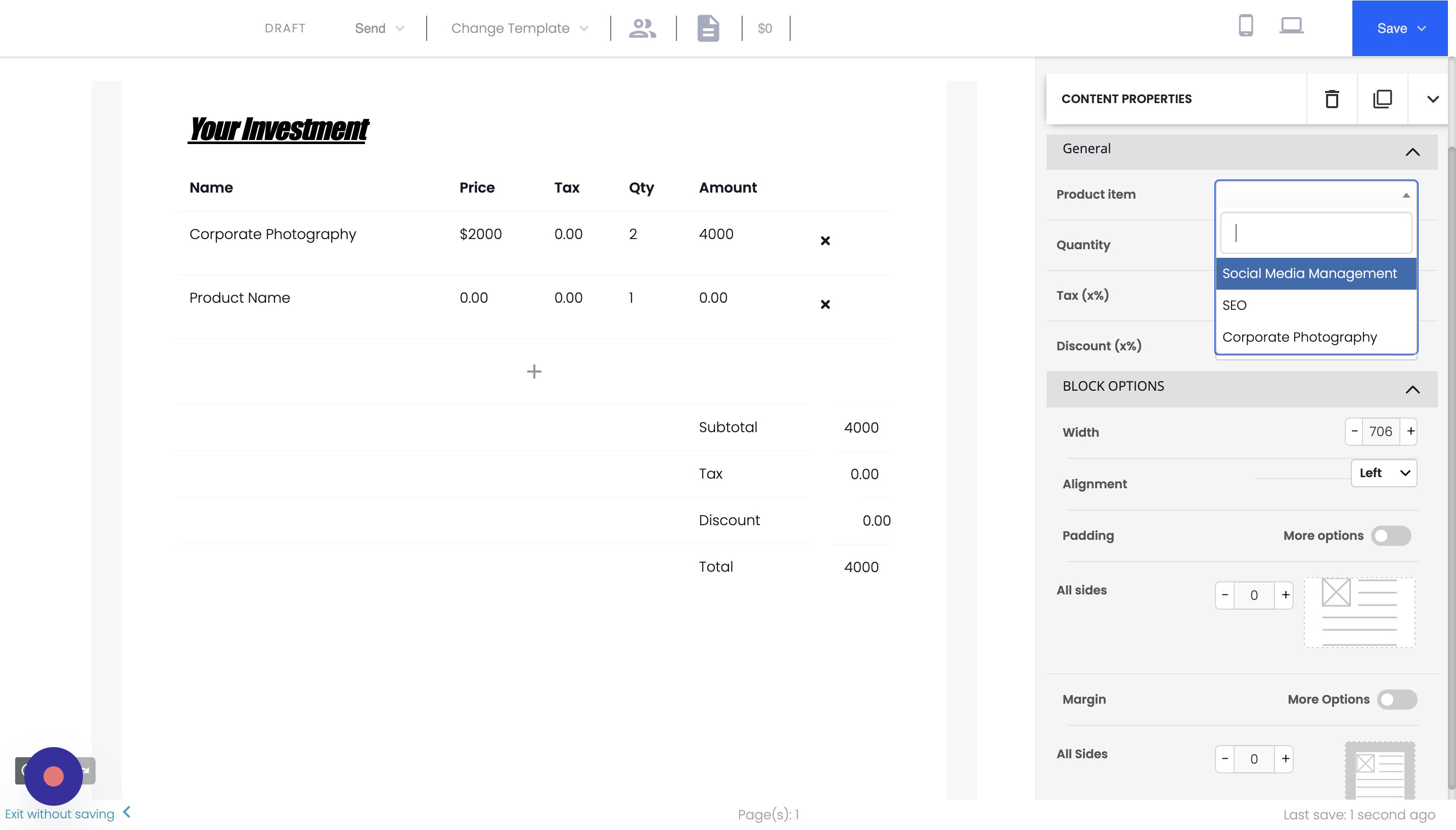
- If you want to add more products to the pricing table, simply repeat the steps above for each additional product.
Conclusion
By following these steps, you can easily add a pricing table to your Agiled contracts and proposals, ensuring that your clients clearly understand the costs associated with your services. Utilizing the saved products in Agiled allows consistent pricing information across all your documents. Thank you for using Agiled!
Frequently Asked Questions
Can I customize the appearance of the pricing table?
Yes, you can customize the appearance of the pricing table in your Agiled documents. After adding the pricing table widget to your document, click on it to access various settings, such as changing the title, font, and other design elements to match your branding.
How do I remove a product from the pricing table?
To remove a product from the pricing table, click on the trash bin icon at the end of the product row. This will delete the product from the table.
Can I add discounts to individual products in the pricing table?
Yes, you can add discounts to individual products in the pricing table. When adding or editing a product, you can apply a discount as a percentage or a fixed amount. This will automatically update the total cost for that product in the table.
Was this article helpful?
More in Docs
- Agiled Docs Overview : Creating Contracts & Proposals in AgiledAgiled has introduced a comprehensive and improved Docs experience based on user feedback and suggestions. This enhanced feature includes a wide range of improv
- How to add a cover pageIntroduction: In this tutorial, we will show you how to add and customize a cover page for your documents, proposals, or contracts in Agiled Docs. Cover pages c
- How Clients Can Sign Documents in AgiledIntroduction: In this tutorial, we will guide you through how your clients can sign the documents you sent them using Agiled. Signing documents in Agiled is a s
- How to use Merge Tags in Agiled DocsIntroduction In this tutorial, we'll show you how to use merge tags in Agiled Docs to personalize your contracts or proposals with client data from the CRM. Mer
Questions about this? Agiled Assist answers from these articles.