How clients can sign the doc
Introduction: In this tutorial, we will guide you through how your clients can sign the documents you sent them using Agiled. Signing documents in Agiled is a s
Updated 2 min read
Introduction:
In this tutorial, we will guide you through how your clients can sign the documents you sent them using Agiled. Signing documents in Agiled is a simple process that provides a legally binding e-signature.
Signing by the clients.
Step 1: Share the document link with your client
First, could you copy the unique link for the document you want your client to sign (e.g., Pamela or Michael Scott)? Your client will use this link to access the document for signing.
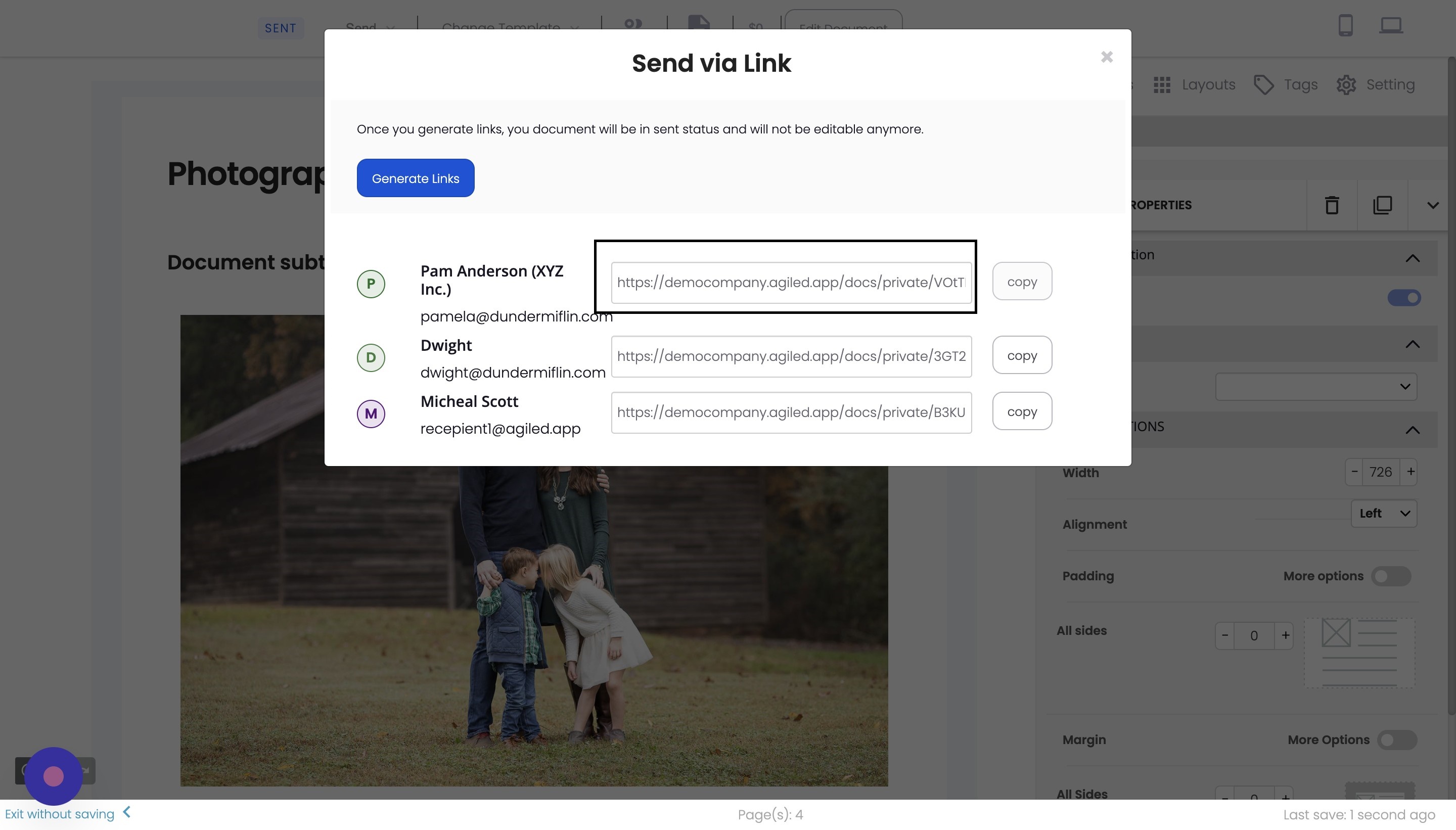
Step 2: Client opens the document link
When the client clicks on the link, they will be taken to the document page. They will see a notice indicating which fields are required to complete.
Step 3: Client reviews the document
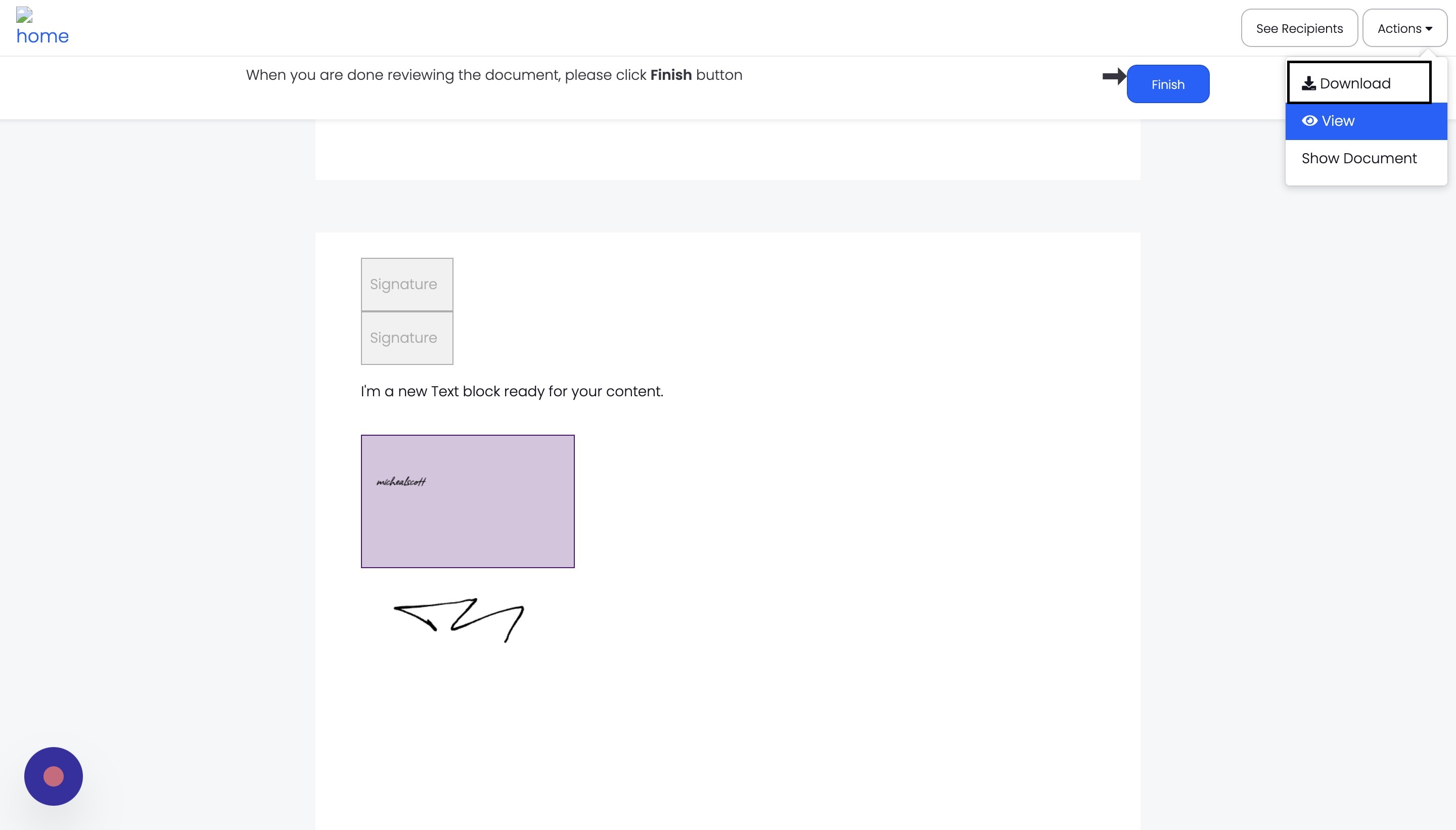
The client can download or view the document by clicking "Show Document." They can quickly switch between pages using the navigation options provided.
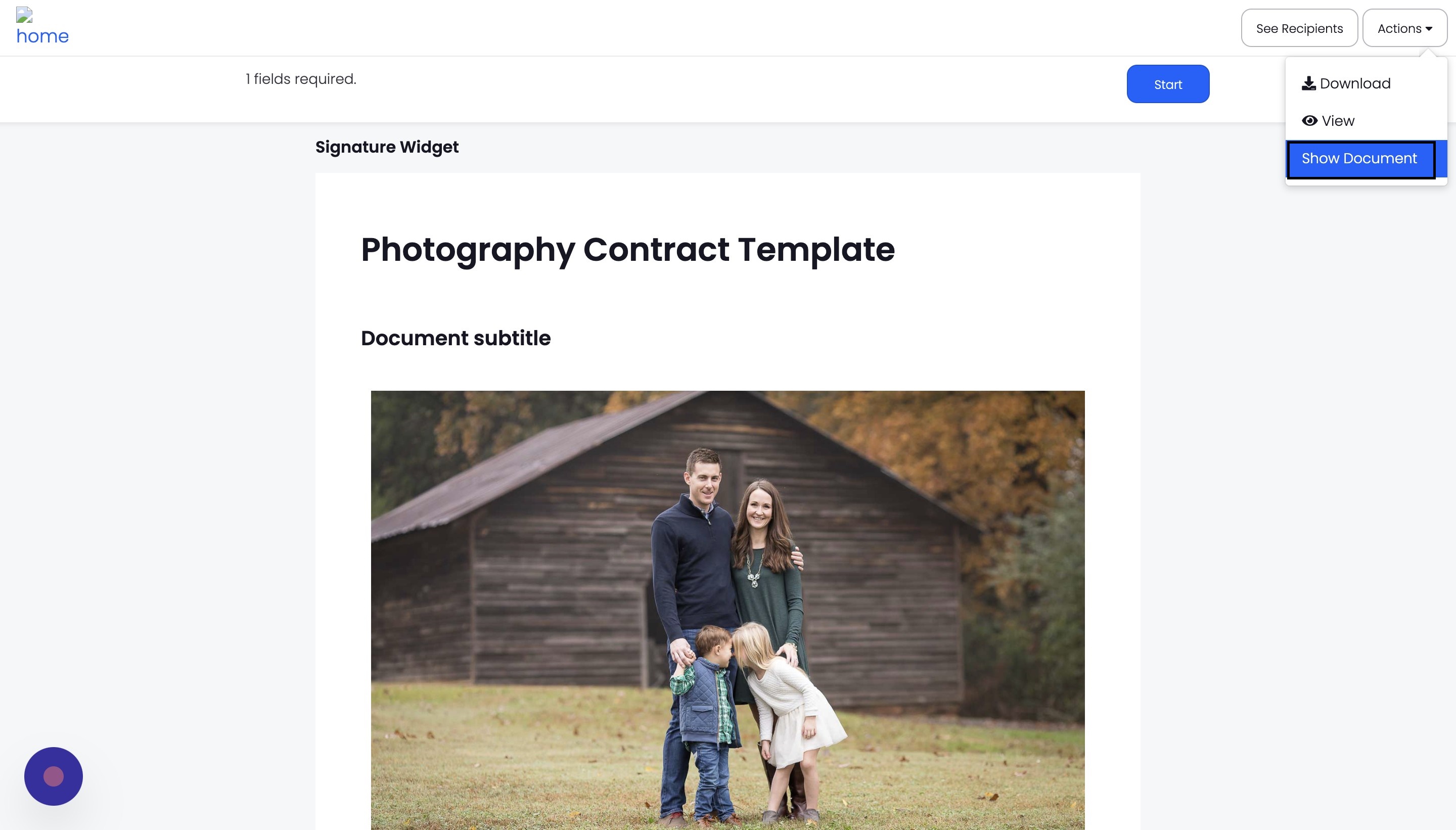
Step 4: Client signs the document
The client can click the "Start" button to sign the document. This will take them to the required signature field. They can then draw or type their signature as they prefer. Agiled also records the IP address, which adds to the legal validity of the e-signature.
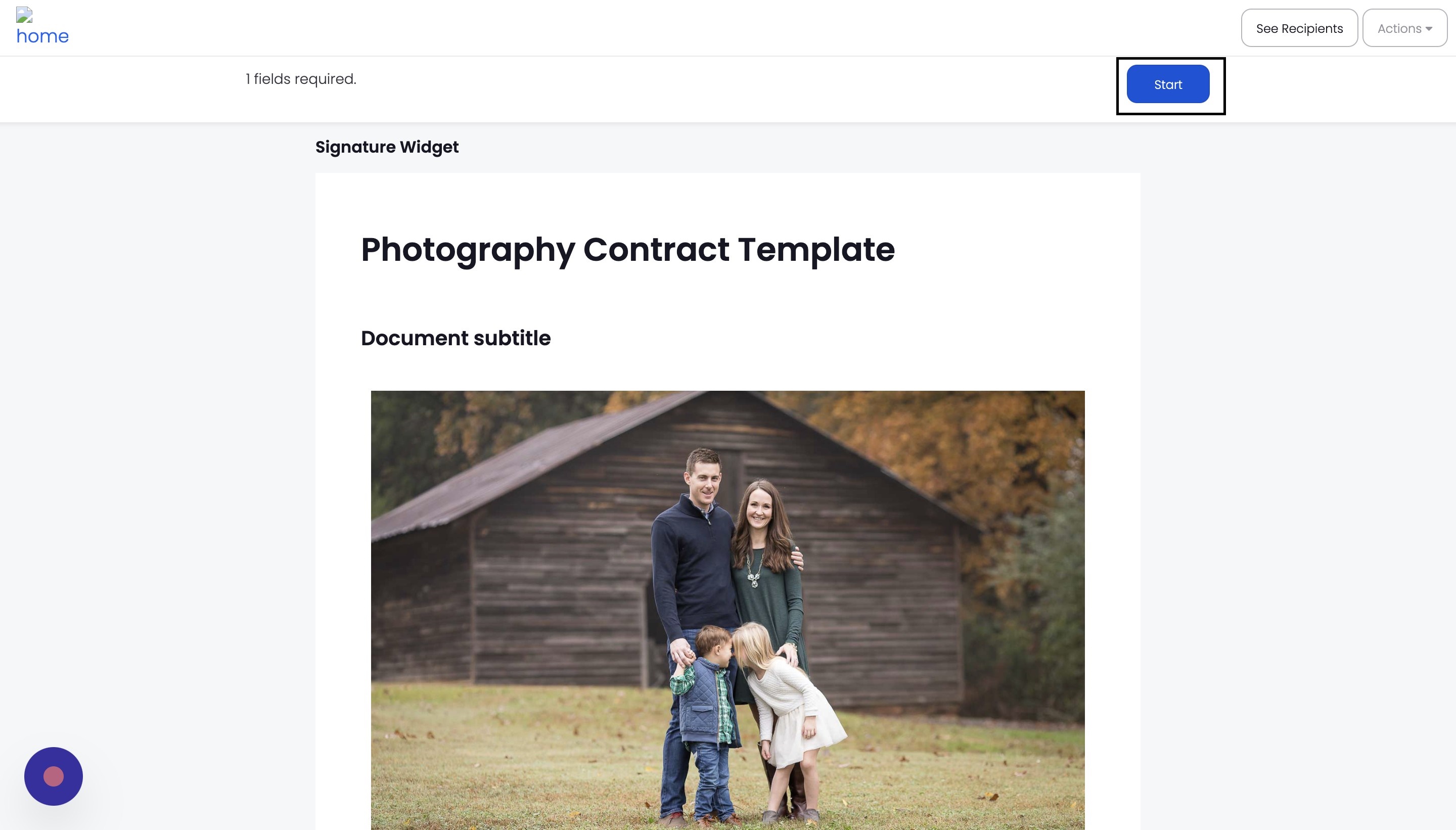
Step 5: Submitting the signed document
After signing the document, the client can click the "Finish" button to submit their signature. This will complete the signing process.
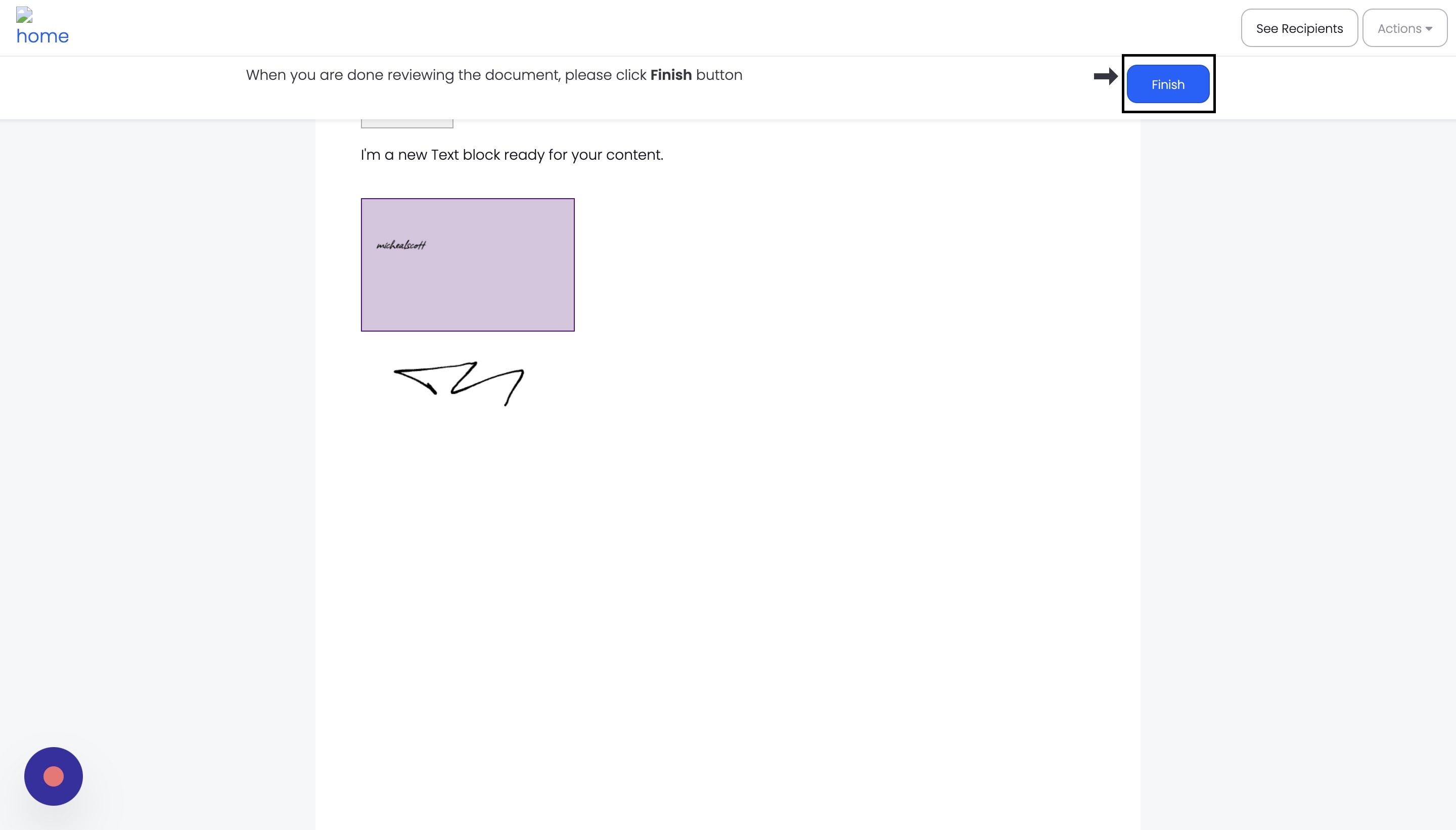
Step 6: Download or view the signed document
Once the document is signed, the client can download or view the signed contract. They will see their signature added to the contract and a signature certificate at the end of the document, confirming the signature's legal validity.
FAQs
Can my clients sign the document on their mobile devices?
Yes, Agiled is mobile-friendly, and your clients can sign documents using their mobile devices without any issues.
Is the e-signature legally binding?
Yes, the e-signature captured through Agiled is legally binding. The platform records the IP address of the signer and includes a signed certificate in the signed document for added legal validity.
Can I track the status of the document signing process?
Yes, you can track the status of the document signing process in Agiled. You will be notified when the document is signed, and you can view the signed document in your account.
Was this article helpful?
More in Docs
- Agiled Docs Overview : Creating Contracts & Proposals in AgiledAgiled has introduced a comprehensive and improved Docs experience based on user feedback and suggestions. This enhanced feature includes a wide range of improv
- How to add a cover pageIntroduction: In this tutorial, we will show you how to add and customize a cover page for your documents, proposals, or contracts in Agiled Docs. Cover pages c
- How Clients Can Sign Documents in AgiledIntroduction: In this tutorial, we will guide you through how your clients can sign the documents you sent them using Agiled. Signing documents in Agiled is a s
- How to use Merge Tags in Agiled DocsIntroduction In this tutorial, we'll show you how to use merge tags in Agiled Docs to personalize your contracts or proposals with client data from the CRM. Mer
Questions about this? Agiled Assist answers from these articles.