How to download a doc in Agiled
Introduction In this tutorial, we'll show you how to download a contract or proposal you created in Agiled as a PDF file. We'll also be able to show how your cl
Updated 2 min read
Introduction
In this tutorial, we'll show you how to download a contract or proposal you created in Agiled as a PDF file. We'll also be able to show how your clients can download the signed document.
Downloading a Contract as a PDF
- Open the contract you want to download in Agiled.
- Click on the "Actions" button at the screen's top right corner.
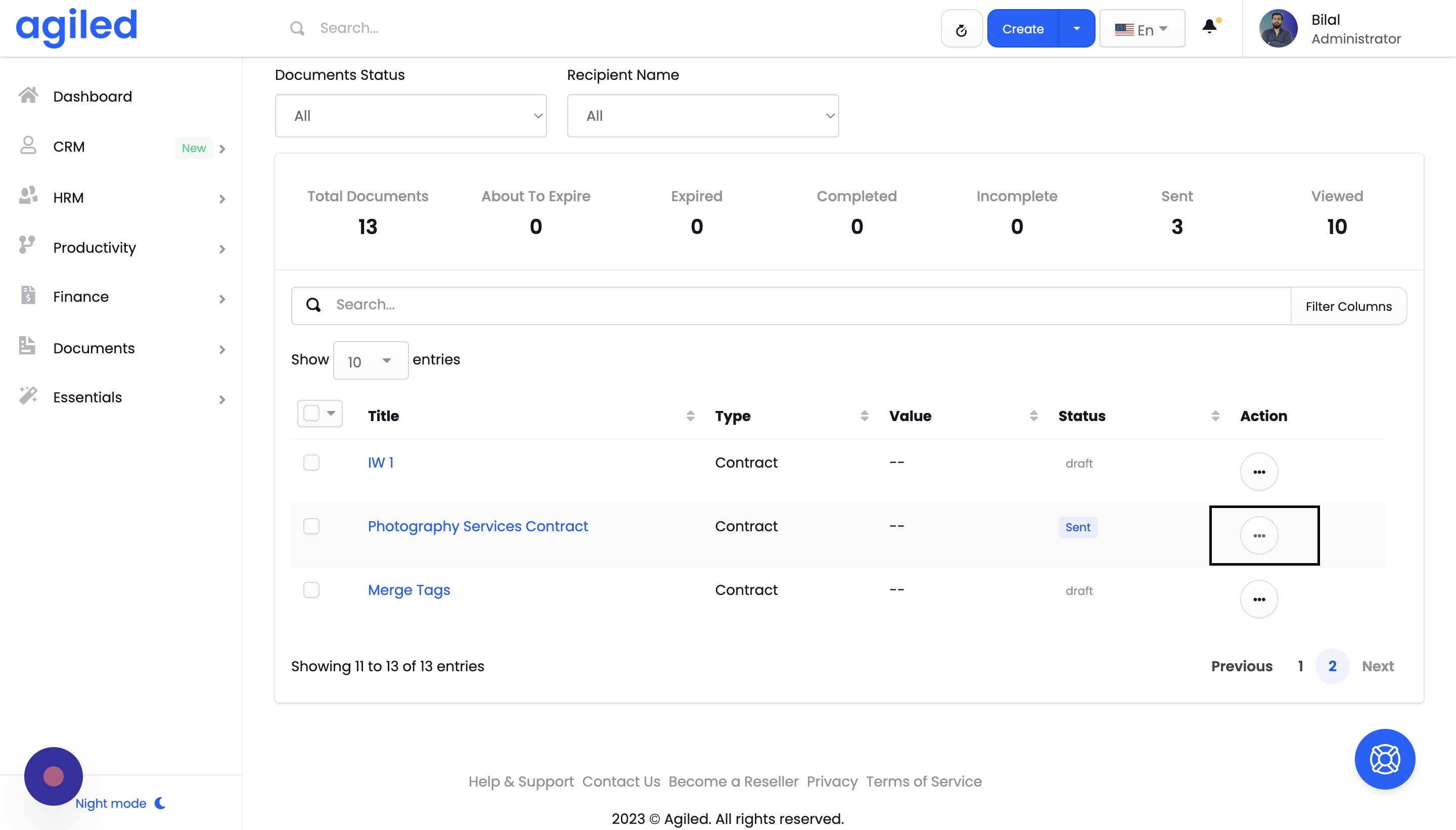
- Select the "Download" option from the dropdown menu.
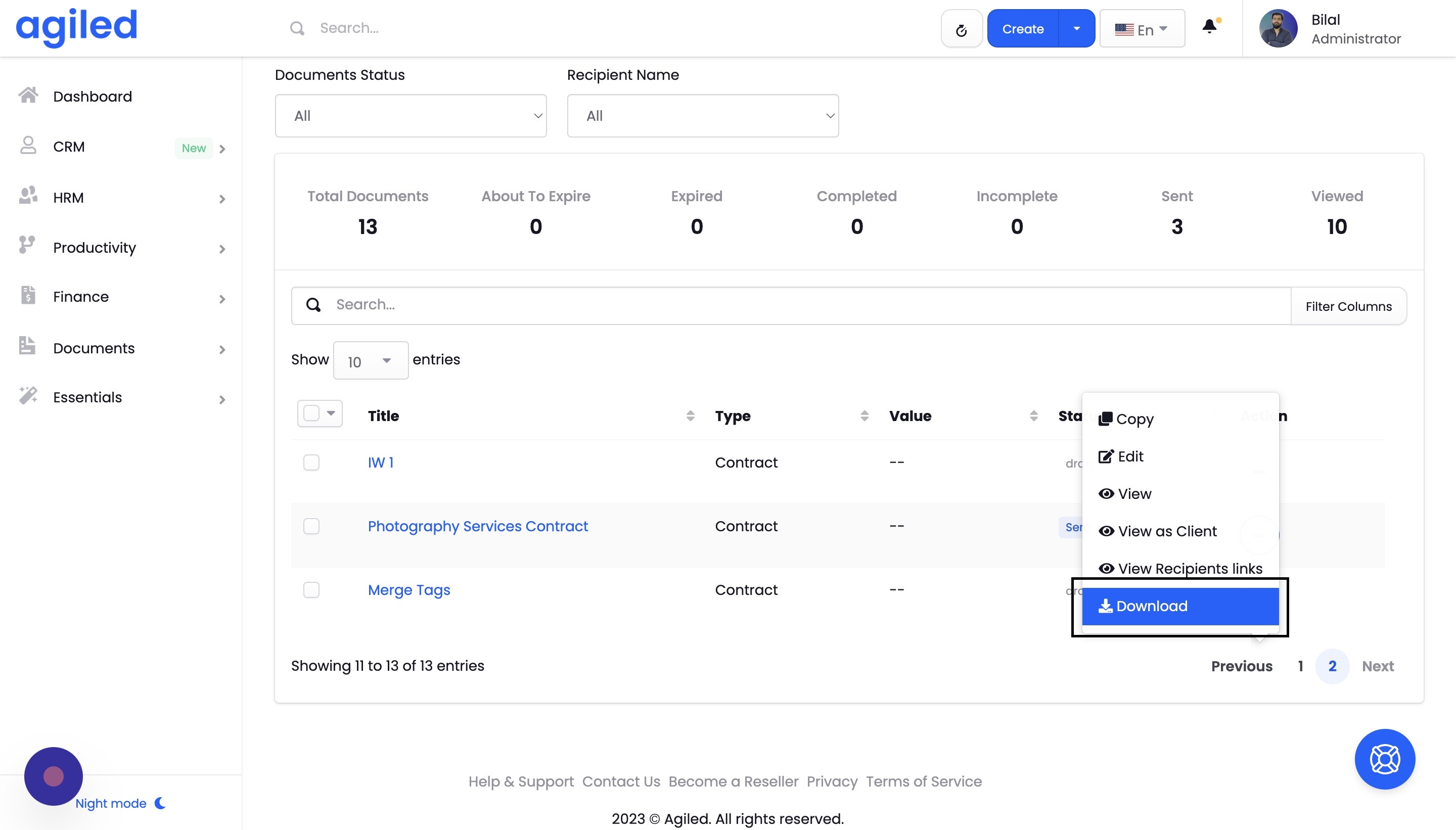
- Your document will be downloaded as a PDF file. You can find it in your browser's downloads folder or the location you've set for downloads.
How Clients Can Download the Signed Contract
- When clients access the contract or proposal through Agiled, they'll see it as you do.
- To download the signed document, they should click the "Actions" button in the top right corner of the screen.
- Then, they must select the "Download" option from the dropdown menu.
- The signed contract or proposal will be downloaded as a PDF file to their device.
Conclusion
Downloading contracts and proposals as PDFs in Agiled is a simple process for you and your clients. This feature allows you to have a digital copy of the signed document for your records, while your clients can easily access and download the document for their reference. Thank you for using Agiled!
Frequently Asked Questions
Can I download a contract or proposal before the client has signed it?
Yes, you can download a contract or proposal at any stage, even before the client has signed it. This can be useful if you need to share the document with others or keep a draft version for your records.
Can I download the contract or proposal in other formats besides PDF?
Currently, Agiled only supports downloading contracts and proposals as PDF files. This format is widely compatible and can be easily viewed and printed on various devices.
Will the downloaded PDF include all the formatting and styling of the original document?
Yes, the downloaded PDF will retain all the formatting, styling, and layout of the original document created in Agiled. This ensures that the downloaded document appears as intended and maintains a professional appearance.
Was this article helpful?
More in Docs
- Agiled Docs Overview : Creating Contracts & Proposals in AgiledAgiled has introduced a comprehensive and improved Docs experience based on user feedback and suggestions. This enhanced feature includes a wide range of improv
- How to add a cover pageIntroduction: In this tutorial, we will show you how to add and customize a cover page for your documents, proposals, or contracts in Agiled Docs. Cover pages c
- How Clients Can Sign Documents in AgiledIntroduction: In this tutorial, we will guide you through how your clients can sign the documents you sent them using Agiled. Signing documents in Agiled is a s
- How to use Merge Tags in Agiled DocsIntroduction In this tutorial, we'll show you how to use merge tags in Agiled Docs to personalize your contracts or proposals with client data from the CRM. Mer
Questions about this? Agiled Assist answers from these articles.