Creating and Sharing Forms in Agiled
Introduction Forms are an integral part of Agiled, allowing you to gather valuable information from leads, create questionnaires, establish client submission fo
Updated 2 min read
Introduction
Forms are an integral part of Agiled, allowing you to gather valuable information from leads, create questionnaires, establish client submission forms, and more. This guide will provide a quick overview of creating and sharing forms in Agiled.
Creating Forms
1. **Navigate to Forms**: On the Agiled dashboard, go to CRM and select Forms.
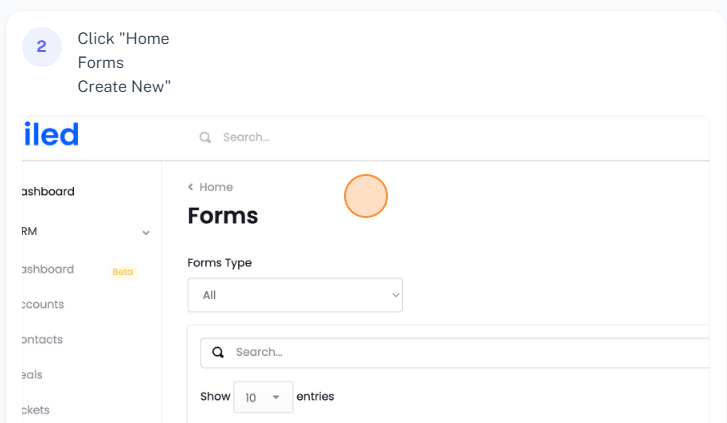
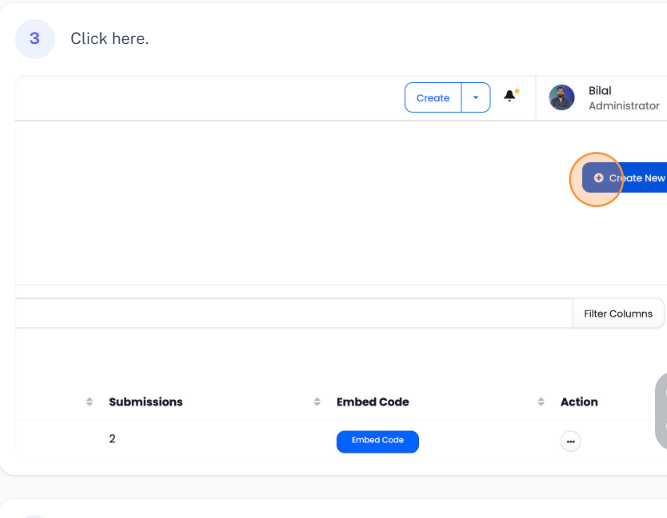
2. **Create a New Form**: Click on "New Form" and choose the type of form you wish to create.
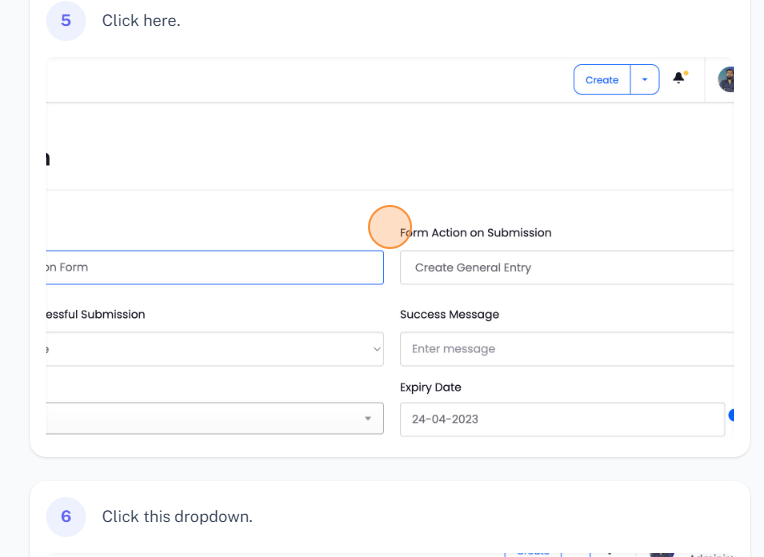
3. **Configure Form Settings**: Choose actions for form submission and successful submissions, assign a sales agent (optional), set an expiry date (optional), and connect workflows if necessary.
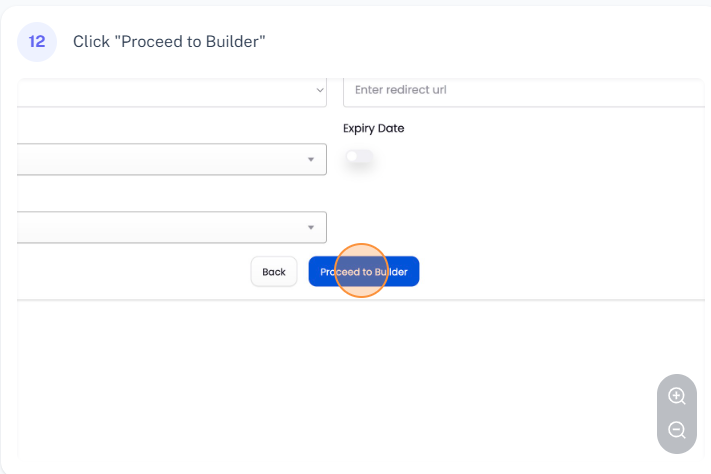
4. **Proceed to Builder**: Click "Proceed to Builder" to create your form.
Using Form Builder
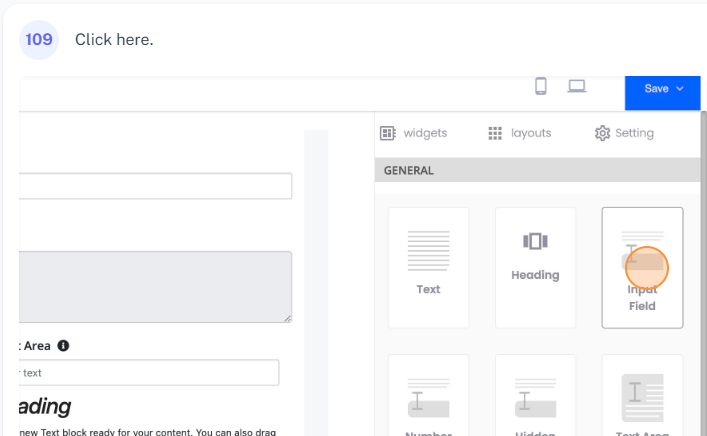
Form Builder in Agiled allows you to drag and drop widgets to create a form.
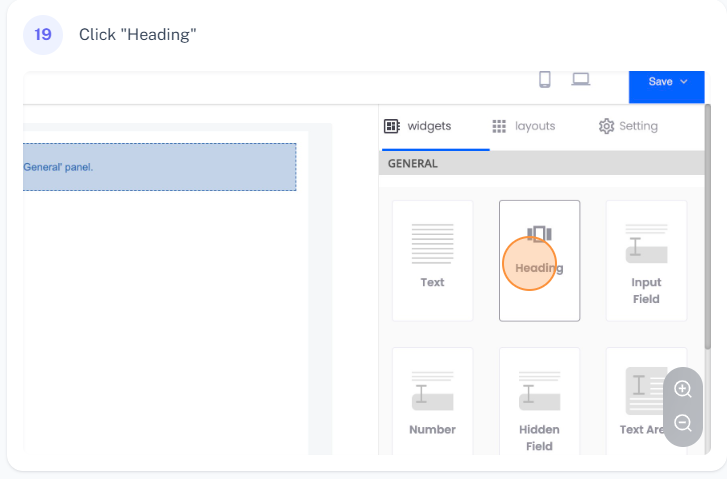
1. **Add Widgets**: Drag and drop widgets such as Heading, Text, Input Field, and Text Area to your form.
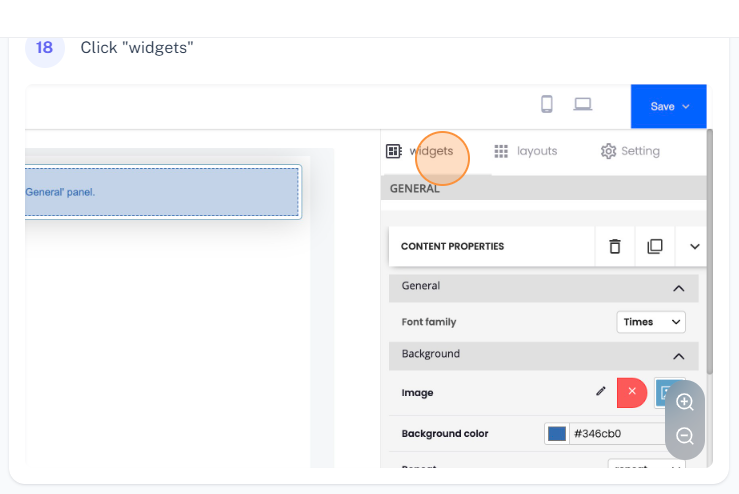
2. **Customize Widgets**: Customize each widget as per your requirement. You can change the style, color, size, alignment, and more.
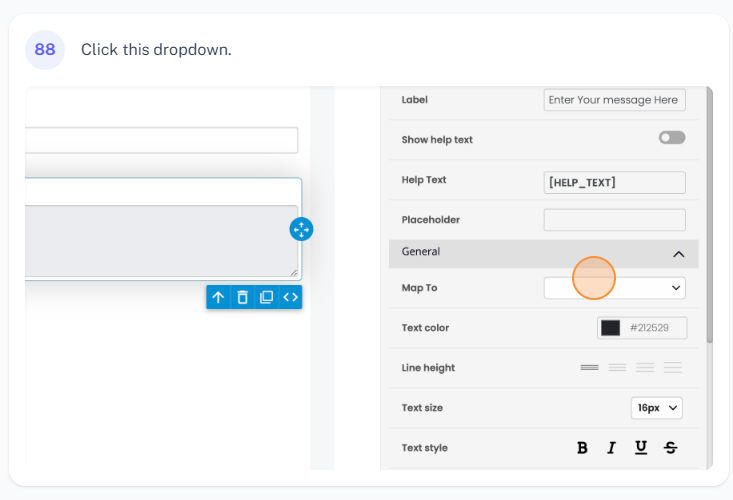
3. **Map Fields**: If you're creating a lead form, you can map the form fields to your CRM fields. For example, you can map the name field in your form to the name field in the CRM.
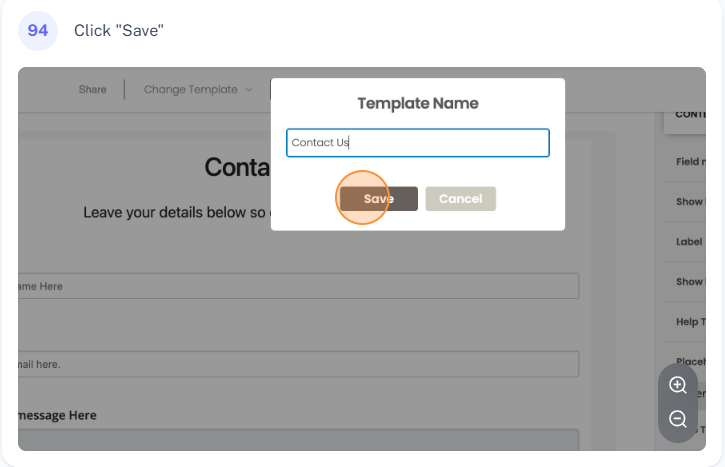
4. **Save Form as a Template**: You can save your form as a template for future use. Click "Save" and then "Save as Template". Provide a name for your template and click "Save".
Layout Options
Agiled offers various layout options. For instance, you can add a two-column layout to your form and add different input fields to each column.
Sharing Form
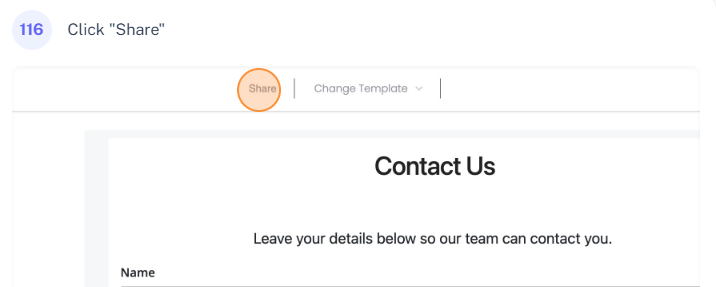
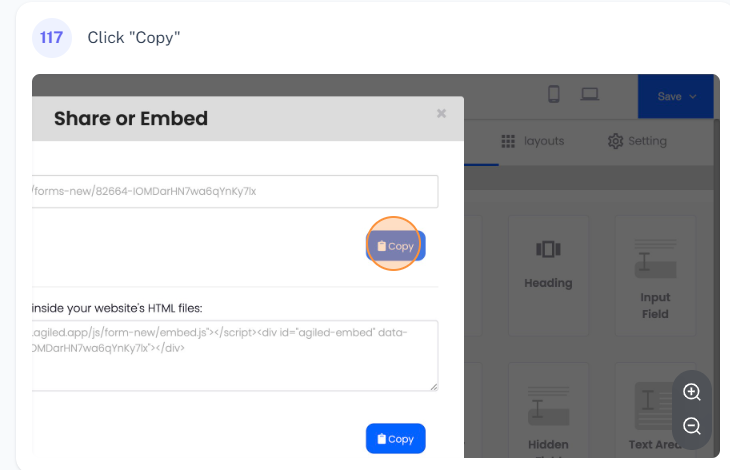
1. **Share Form Link**: To share the form link, click "Share", copy the link, and share it with your users.
2. **Embed Form**: To embed the form on your website, copy the embed code and paste it on your website or landing page.
Conclusion
Creating and sharing forms in Agiled is a simple and intuitive process. These forms can serve a variety of purposes, such as gathering information from leads, creating questionnaires, and more. If you have any questions related to forms, feel free to reach out to the Agiled support team at [email]. Thank you for following this guide.
Was this article helpful?
More in CRM
- How to add a new Client.You can add clients in Agiled to send them invoices, estimates, proposals, contracts, and to collaborate with them on projects. You can also invite them to the
- How to whitelist Agiled.app in G suite Admin panel?Owing to some API policy changes from Google you need whitelist Agiled by signing into your Google Admin console using an administrator account. If you don’t kn
- How to delete an account in CRMIt is very simple to delete an account in CRM. Follow the steps given below: 1. Click on 'CRM' and go to 'Accounts' on the toolbar. 2. You will find a list of a
- How to add notes for Account?Video tutorial on how to add notes for an Account. In Agiled you can add notes for Accounts to keep track of important things about Account in the CRM. You can
Questions about this? Agiled Assist answers from these articles.