How to log E-mail for an Account?
Can't log email for an Account? No problem! Just follow the given simple steps and you will be able to log email for your account. 1. The first step is to login
Updated 1 min read
Can't log email for an Account?
No problem! Just follow the given simple steps and you will be able to log email for your account.
1. The first step is to login to your Agiled Account and then the dashboard will open. You can see a sidebar menu on the left side, click on the "CRM" tab.
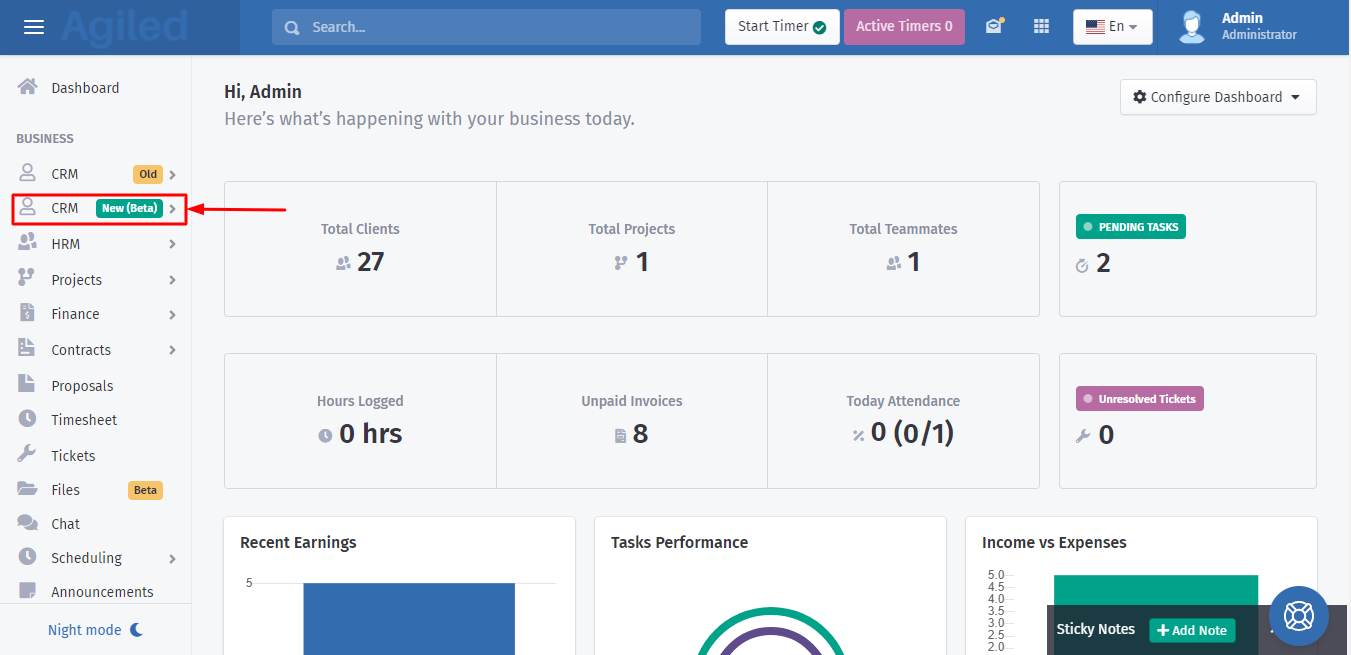
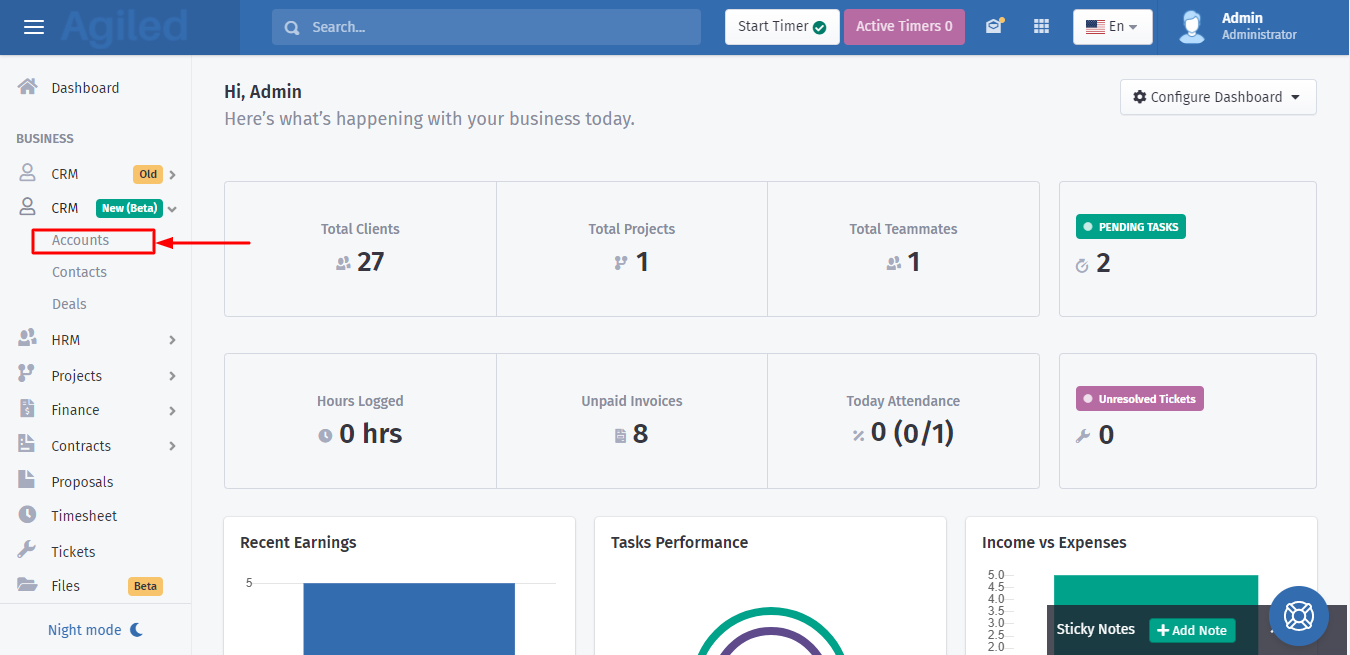
2. A dropdown menu will appear after clicking on the "CRM" tab. Now click on the "Accounts".
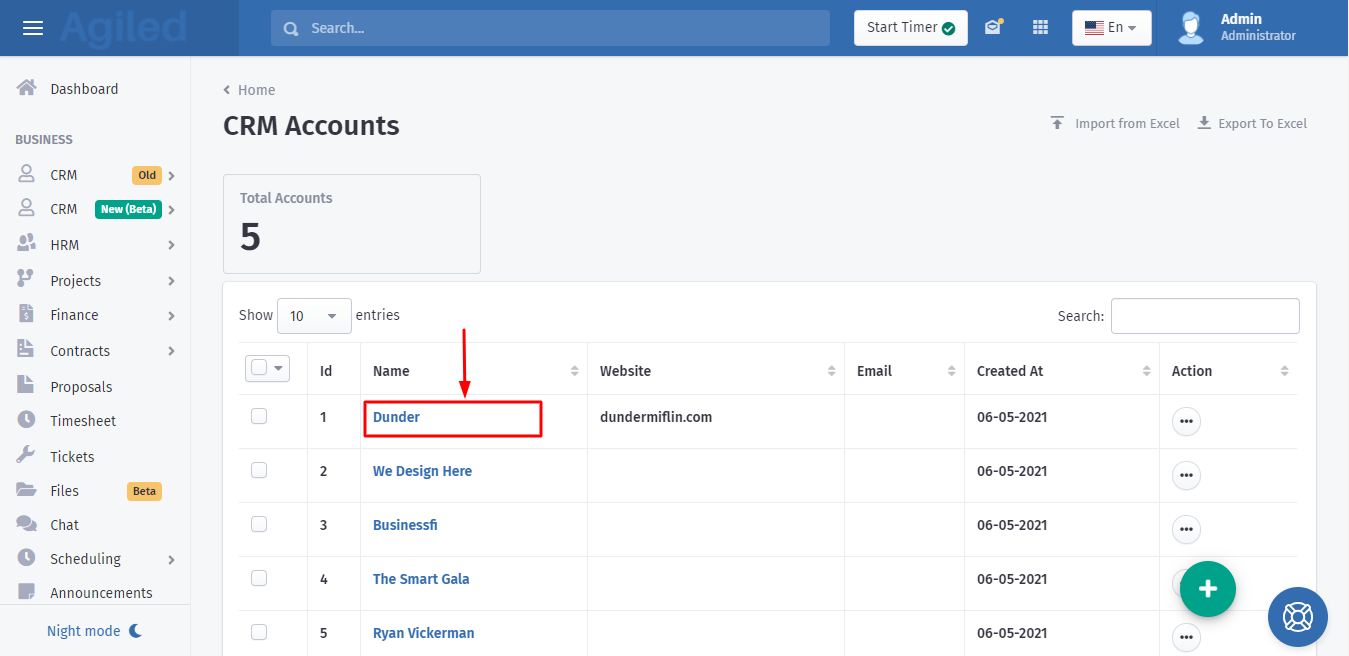
3. Accounts page will open, now click on the specific account for which you want to log email for.
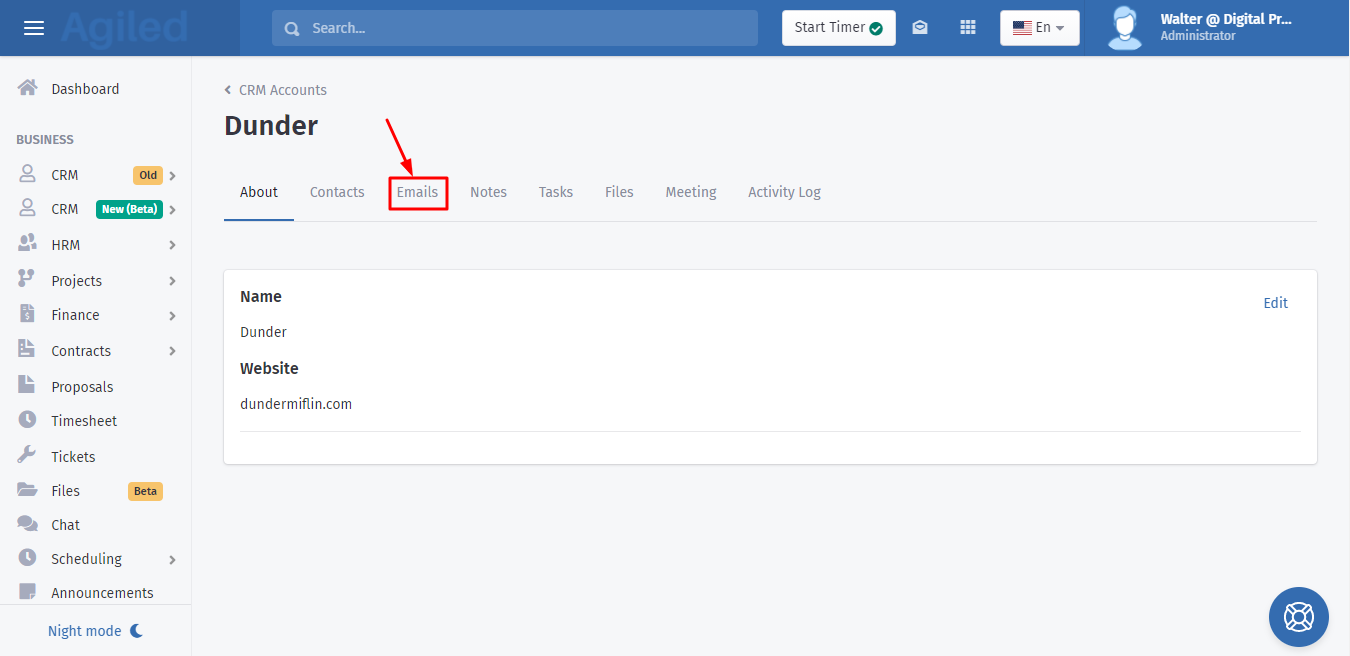
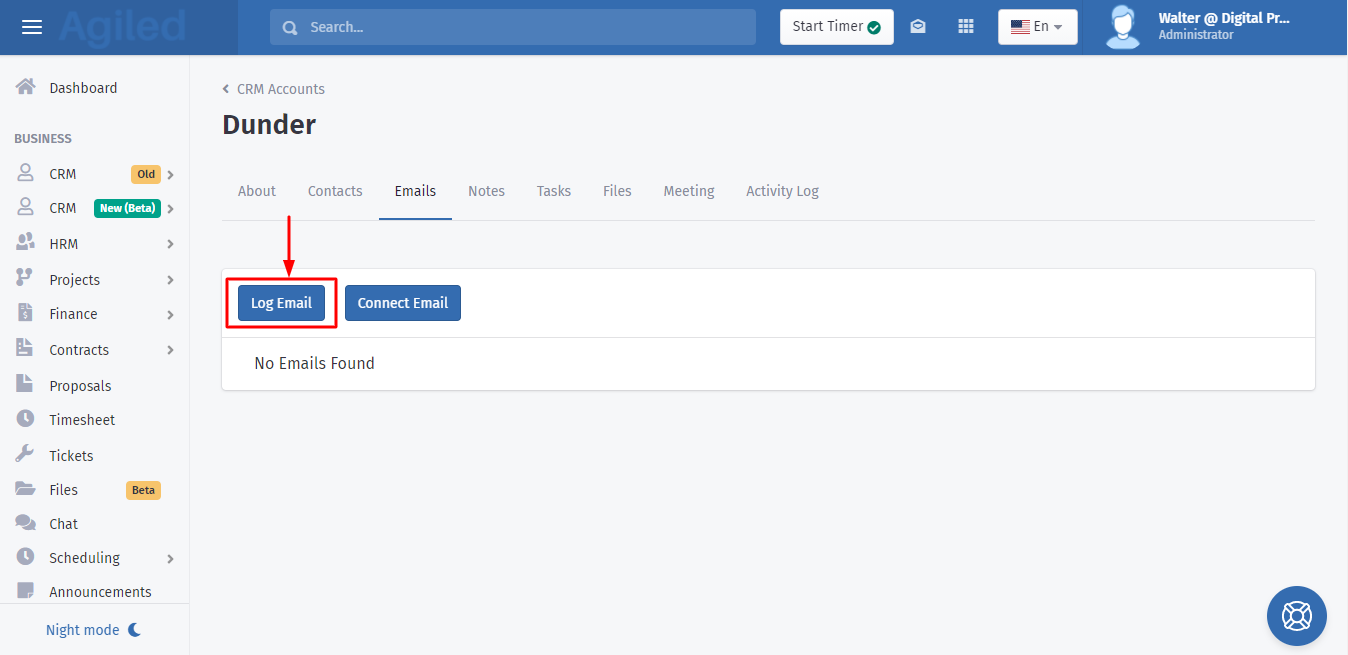
4. When the new page opens you will be able to see the "Emails" option, click on it.
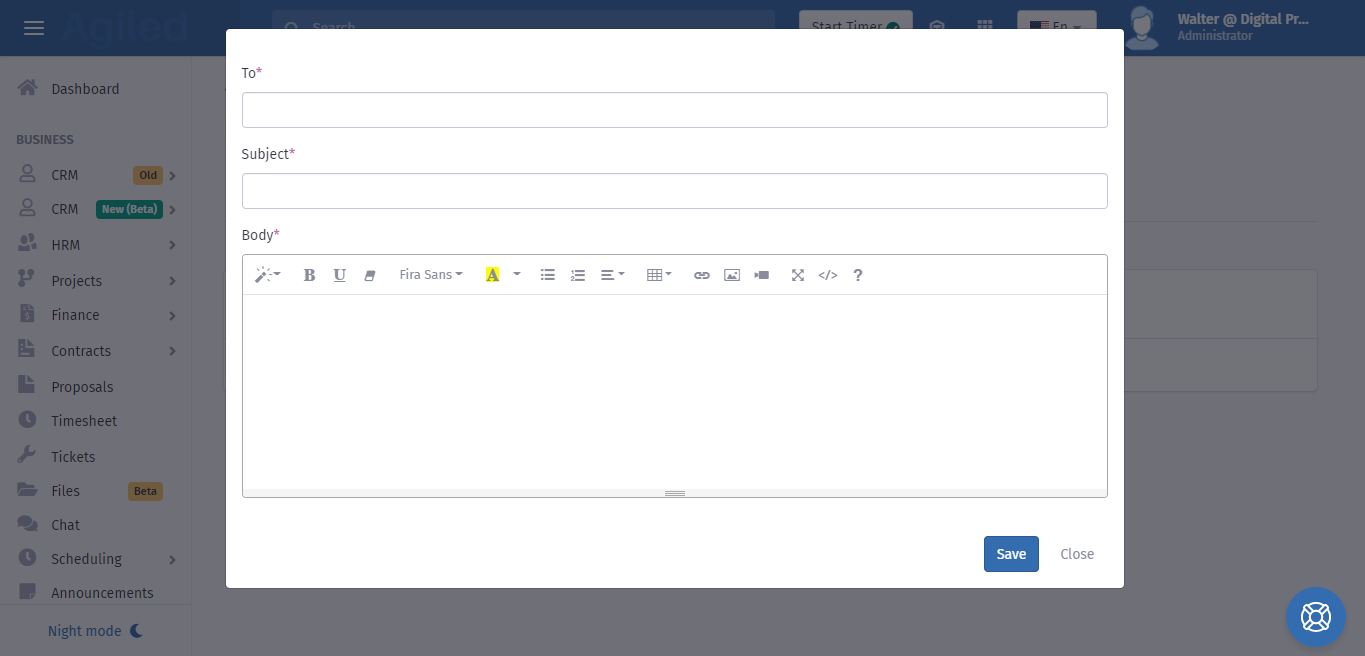
5. Now click on the "Log Email" button.
Was this article helpful?
More in CRM
- How to add a new Client.You can add clients in Agiled to send them invoices, estimates, proposals, contracts, and to collaborate with them on projects. You can also invite them to the
- How to whitelist Agiled.app in G suite Admin panel?Owing to some API policy changes from Google you need whitelist Agiled by signing into your Google Admin console using an administrator account. If you don’t kn
- How to delete an account in CRMIt is very simple to delete an account in CRM. Follow the steps given below: 1. Click on 'CRM' and go to 'Accounts' on the toolbar. 2. You will find a list of a
- How to add notes for Account?Video tutorial on how to add notes for an Account. In Agiled you can add notes for Accounts to keep track of important things about Account in the CRM. You can
Questions about this? Agiled Assist answers from these articles.