How to export contacts
If you want to export contacts but don't know how to do it, don't worry, we are sharing few easy steps with you to guide you: 1. Click on 'CRM' and then go to t
Updated 1 min read
If you want to export contacts but don't know how to do it, don't worry, we are sharing few easy steps with you to guide you:
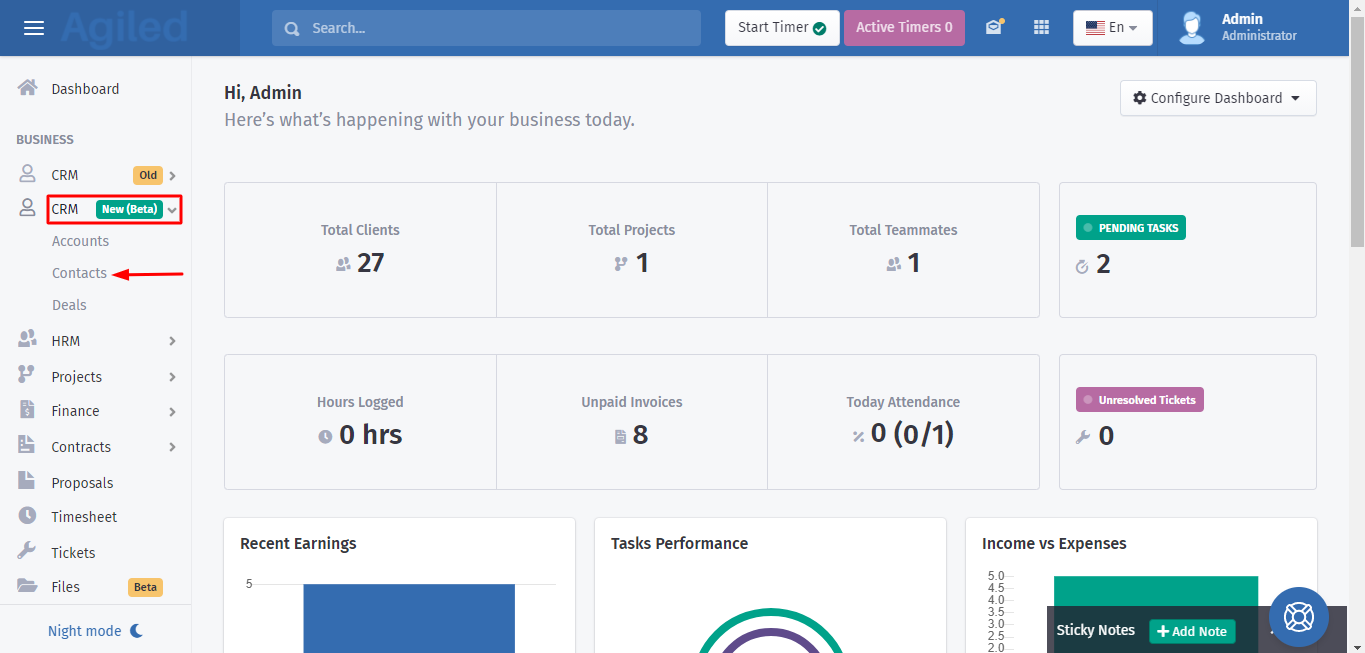
1. Click on 'CRM' and then go to the 'Contacts' on the toolbar.
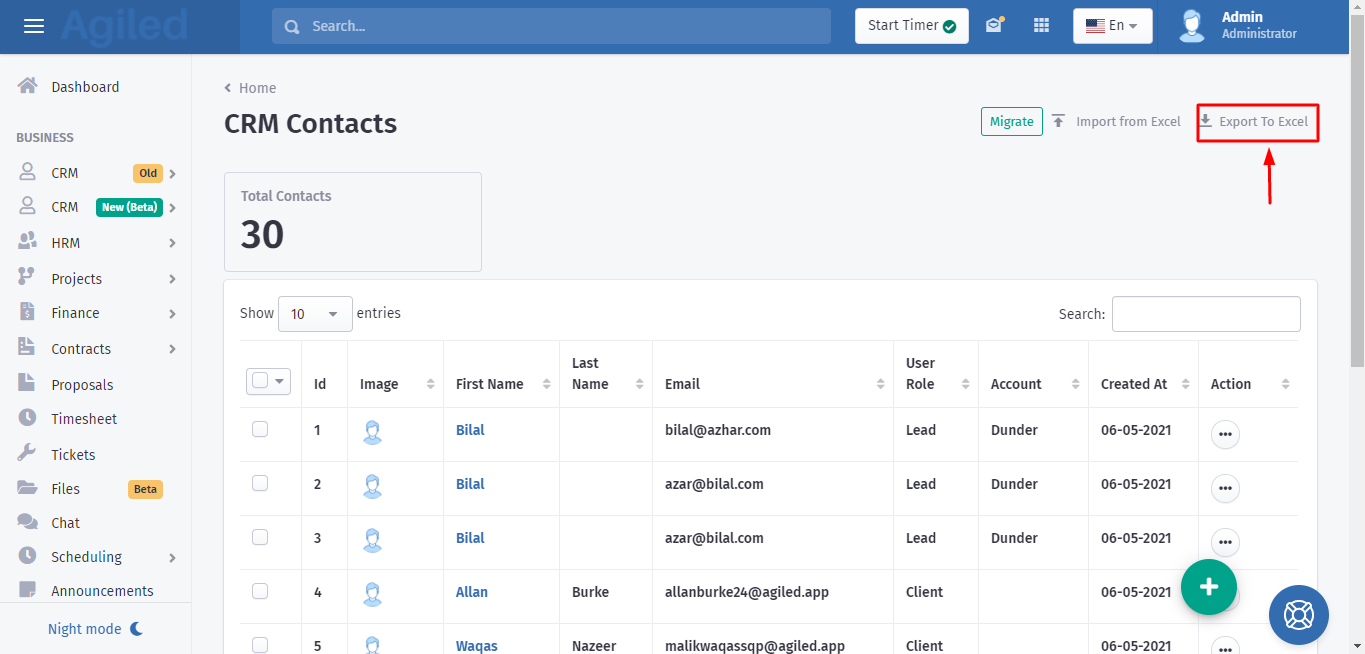
2. You will find the option of 'Export To Excel' in the top right corner of the page. Click on it to export contacts.
Was this article helpful?
More in CRM
- How to add a new Client.You can add clients in Agiled to send them invoices, estimates, proposals, contracts, and to collaborate with them on projects. You can also invite them to the
- How to whitelist Agiled.app in G suite Admin panel?Owing to some API policy changes from Google you need whitelist Agiled by signing into your Google Admin console using an administrator account. If you don’t kn
- How to delete an account in CRMIt is very simple to delete an account in CRM. Follow the steps given below: 1. Click on 'CRM' and go to 'Accounts' on the toolbar. 2. You will find a list of a
- How to add notes for Account?Video tutorial on how to add notes for an Account. In Agiled you can add notes for Accounts to keep track of important things about Account in the CRM. You can
Questions about this? Agiled Assist answers from these articles.