How to add new account in CRM
Video Tutorial on how to add a new Account in CRM Accounts are companies or departments within a company with which you have business dealings. In Agiled CRM, s
Updated 1 min read
Video Tutorial on how to add a new Account in CRM
Accounts are companies or departments within a company with which you have business dealings. In Agiled CRM, single or multiple contacts can be associated with an account.
(Please watch the above video to see this tutorial in action)
In a typical B2B scenario accounts play a major role in keeping track of the important company information.
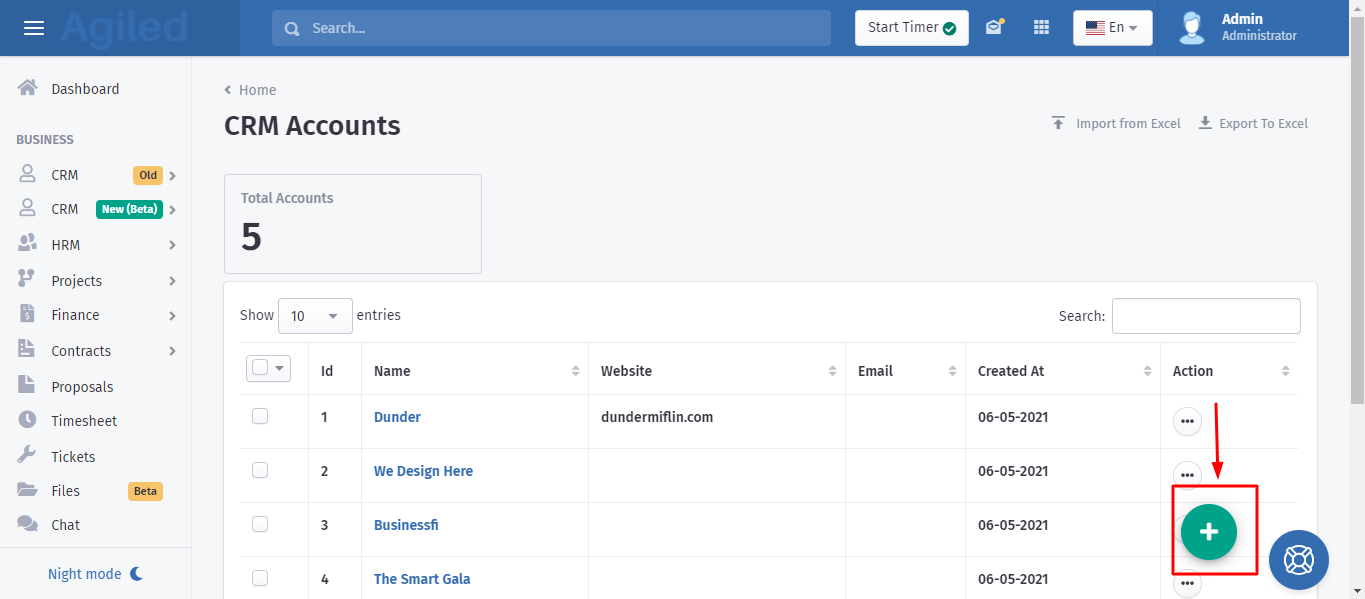
- To create an account go to CRM Accounts and click on Plus button.
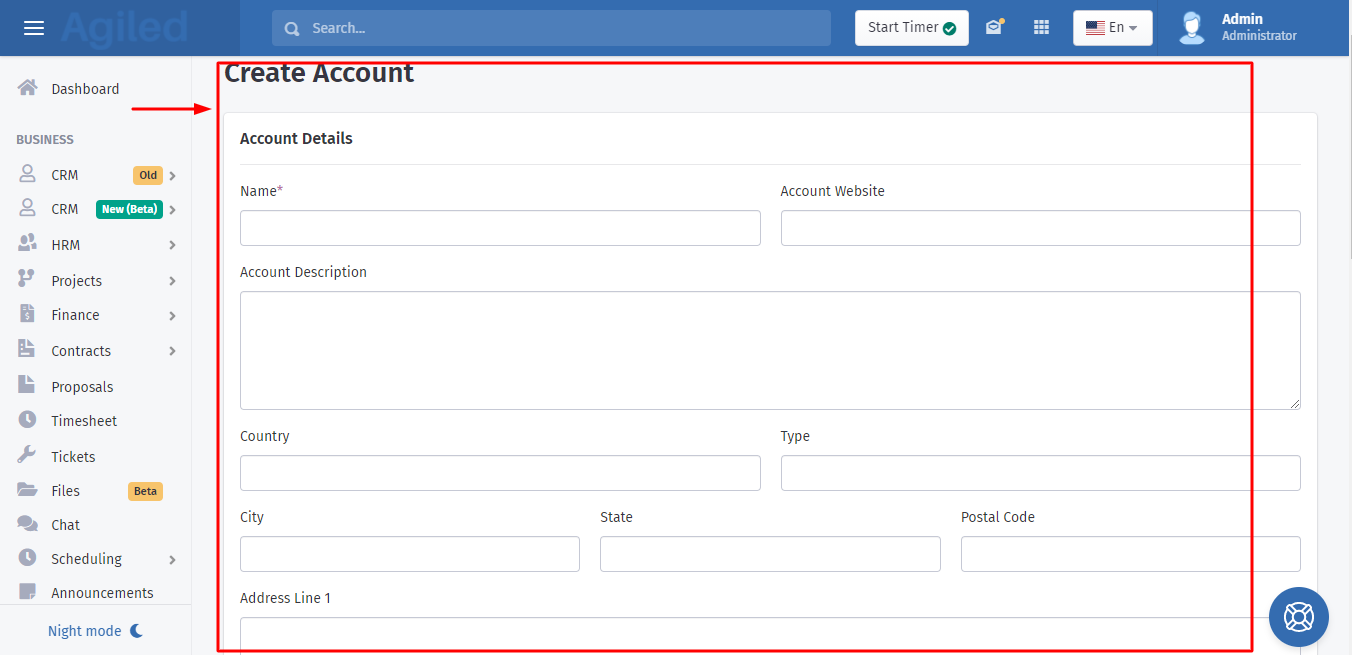
On the add account screen, enter all the details related to an account and click on Save button.
How to import Accounts from a CSV file?
You can also import accounts from a CSV file.
- To import accounts from a Csv file, click on import, download the sample file, fill it with your data and upload the file.
- After uploading the file, match file columns with account fields. You can also match custom fields with the file columns.
- After matching the fields, click on submit. Agiled will import all of the accounts data into your Agiled account.
How to see Account details in Agiled CRM?
To view an account click on any account from the list. You will be able to see all the information related to an account here.
You can create notes , send and log emails, add tasks, add files, schedule meetings, and see all the activity related to an account.
Was this article helpful?
More in CRM
- How to add a new Client.You can add clients in Agiled to send them invoices, estimates, proposals, contracts, and to collaborate with them on projects. You can also invite them to the
- How to whitelist Agiled.app in G suite Admin panel?Owing to some API policy changes from Google you need whitelist Agiled by signing into your Google Admin console using an administrator account. If you don’t kn
- How to delete an account in CRMIt is very simple to delete an account in CRM. Follow the steps given below: 1. Click on 'CRM' and go to 'Accounts' on the toolbar. 2. You will find a list of a
- How to add notes for Account?Video tutorial on how to add notes for an Account. In Agiled you can add notes for Accounts to keep track of important things about Account in the CRM. You can
Questions about this? Agiled Assist answers from these articles.