Creating Tasks
You can manage tasks with ease in Agiled. To manage tasks go to Tasks -> All Tasks and click on Add task button. It will take you to Add New Task screen. Ente
Updated 1 min read
You can manage tasks with ease in Agiled.
To manage tasks go to Tasks -> All Tasks and click on Add task button.
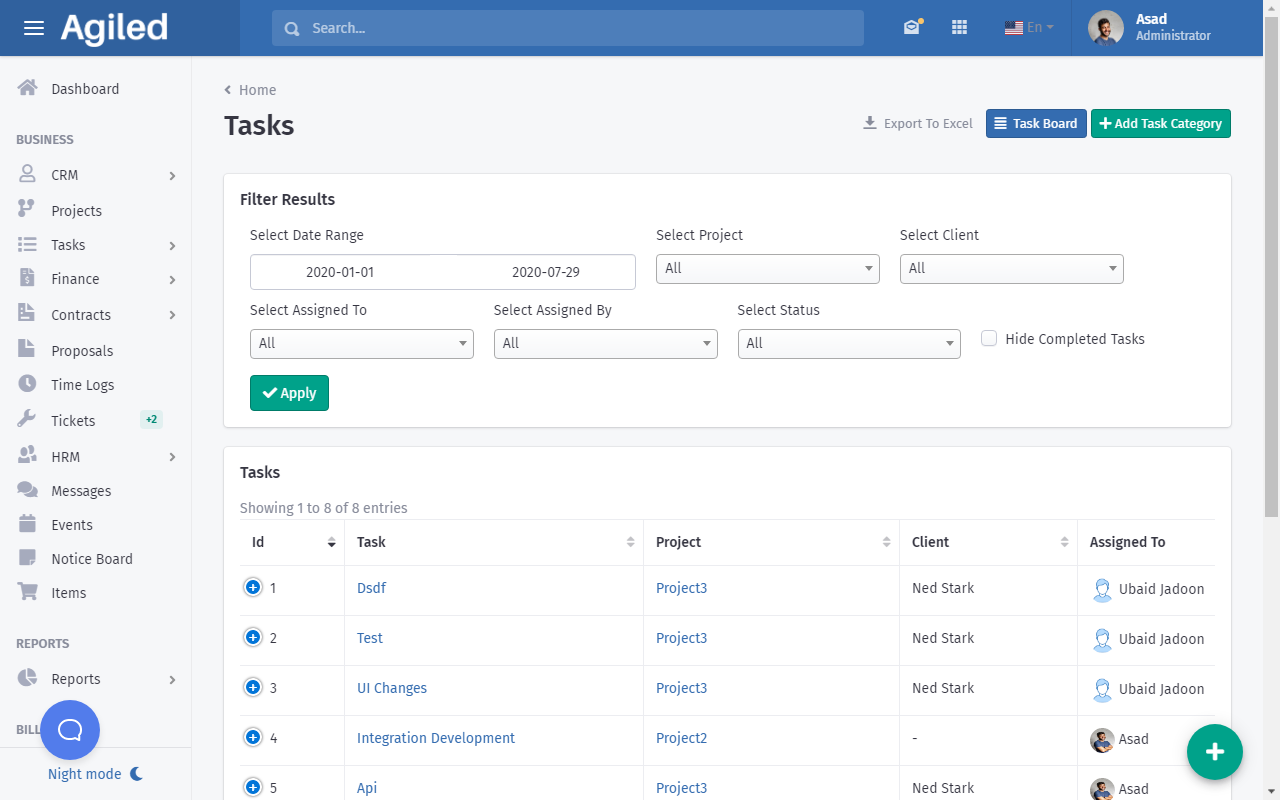
It will take you to Add New Task screen.
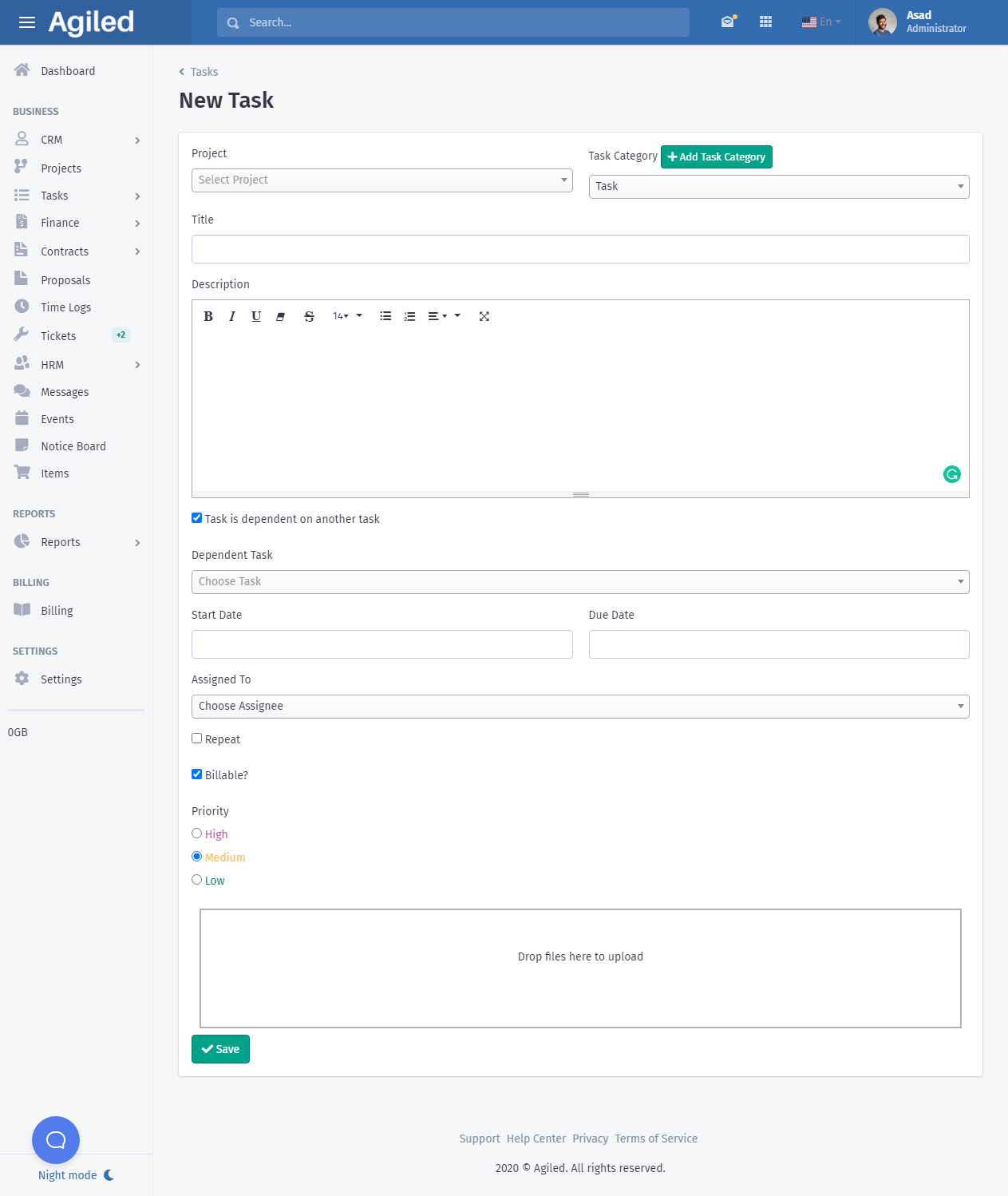
Enter following details of the task
- Project : Select the project this task is related to. This is optional as you can also create independent tasks.
- Choose Task Category. You can also create task categories instantly.
- Task Title: Enter name of the Task e.g Create Website
- Description : Enter the details of the tasks, there is no word limit and you can format the details as you want.
- Dependent Task: Choose if this task is dependent on another task and choose the task on which this task is dependent.
- Enter Start Date and Due Date of the task
- Choose the team mate or employee to assign this task.
- Repeat: Choose if the task is a recurring task and set repeat frequency.
- Choose if the task is billable or not.
- Priority: Choose the task priority.
- Attach files related to this task
- Click Save.
Was this article helpful?
More in Project Management
- Project: TasksHow to manage Project Tasks? Project tasks are organized in the Tasks tab of the project dashboard. To see all tasks of the project go to any project and click
- Creating ProjectsHow to add a new project? Managing projects in Agiled is very easy and Project management in Agiled is very comprehensive. To create a new project go to Product
- Time TrackingStay productive by tracking your and your team's time in Agiled. Agiled comes with a built in time tracking and you can track and bill for your time very easil
- How to create a project and apply a workflow to it on form submission?Introduction In Agiled, you can automate the creation of projects from form submissions, and even apply a workflow to it automatically. This guide will show you
Questions about this? Agiled Assist answers from these articles.