Creating and Managing Project Categories in Agiled
Introduction Project categories are a valuable tool for organizing your projects in Agiled. They can streamline your workflow and improve your automation proces
Updated 1 min read
Introduction
Project categories are a valuable tool for organizing your projects in Agiled. They can streamline your workflow and improve your automation processes. This guide will walk you through the steps to create and manage Project categories in Agiled.
Steps to Create a New Project Category in Agiled
1. **Navigate to the Projects Page**: Start by going to the 'Projects' page on your Agiled dashboard.

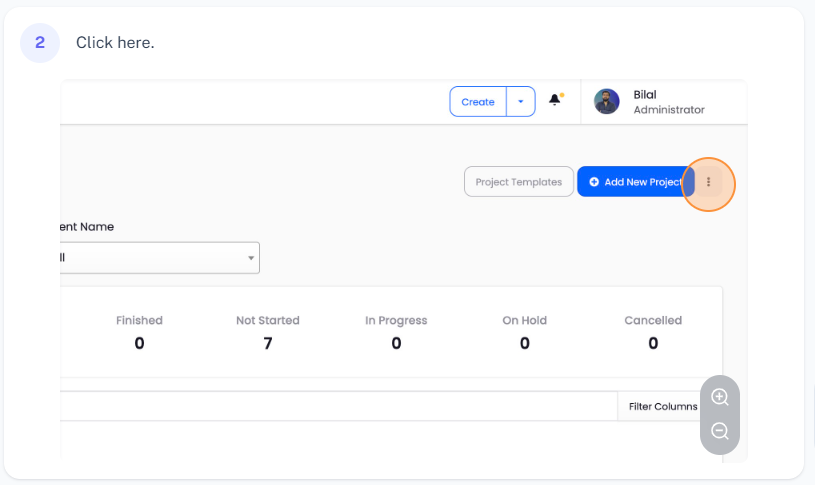
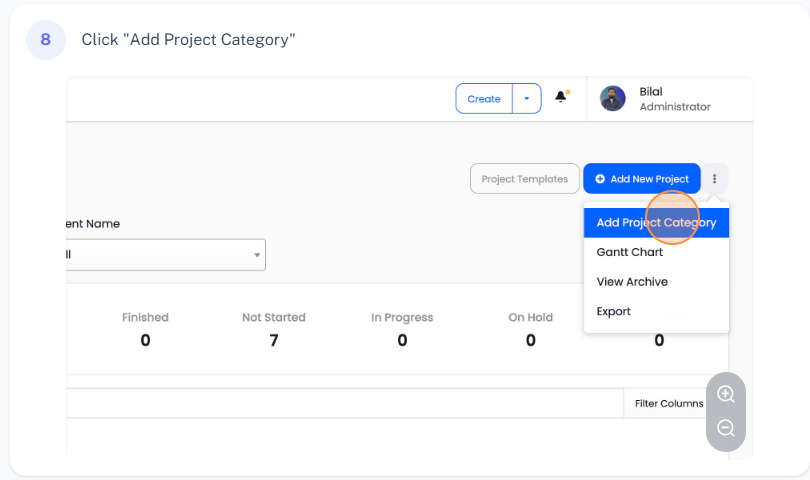
2. **Access Project Categories**: Click on the three dots located at the top right corner of the page. This will bring up a drop-down menu. From there, click on 'Add Project Category'.
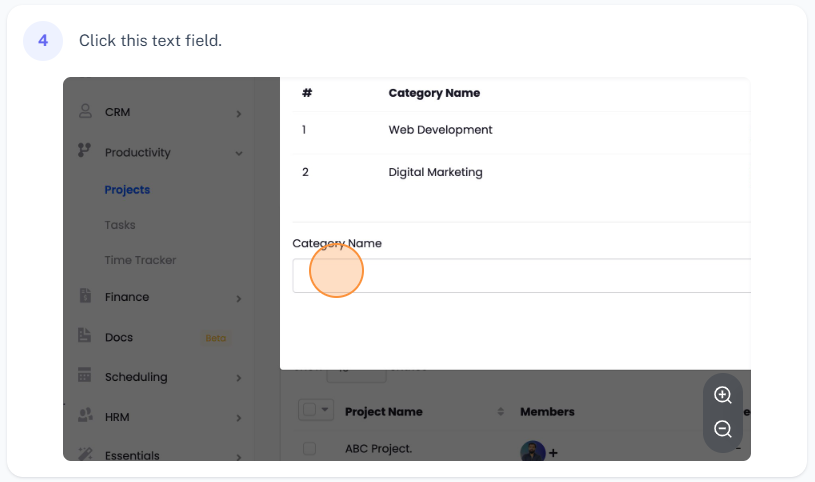
3. **Create a New Category**: A pop-up window will appear, prompting you to name your new category. For example, you might name your category 'Social Media Management'. Enter the name, and then click 'Save'. This will create a new category in Agiled.
4. **View Your New Category**: To view your newly created category, go back to 'Project Categories'. You should see your new category listed there**.**
How to Remove a Project Category in Agiled
If you no longer need a specific category, you can easily remove it:
1. **Access Project Categories**: Go to 'Project Categories'.
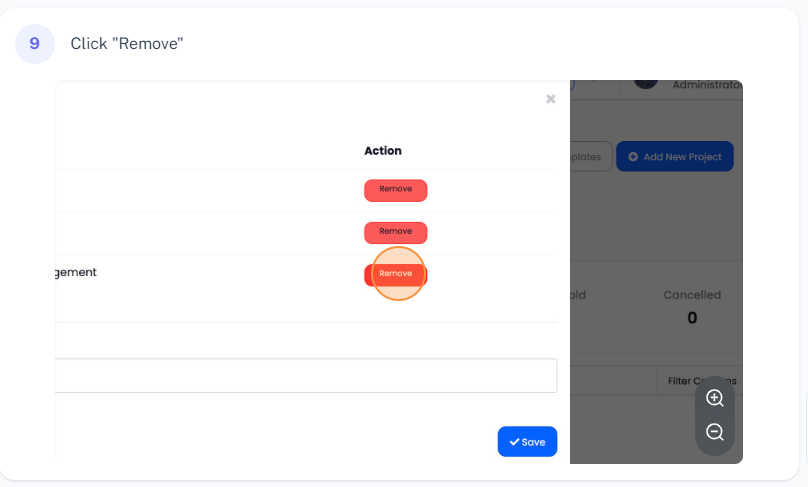
2. **Remove a Category**: Find the category you want to remove, and click on the 'Remove' button next to it. This will delete the category from your list.
Conclusion
Creating and managing Project categories in Agiled is straightforward. These categories can greatly assist in organizing your projects and enhancing your workflows and automations. Thank you for watching, and for more assistance or information, feel free to reach out to Agiled support.
Was this article helpful?
More in Project Management
- Creating TasksYou can manage tasks with ease in Agiled. To manage tasks go to Tasks -> All Tasks and click on Add task button. It will take you to Add New Task screen. Ente
- Project: TasksHow to manage Project Tasks? Project tasks are organized in the Tasks tab of the project dashboard. To see all tasks of the project go to any project and click
- Creating ProjectsHow to add a new project? Managing projects in Agiled is very easy and Project management in Agiled is very comprehensive. To create a new project go to Product
- Time TrackingStay productive by tracking your and your team's time in Agiled. Agiled comes with a built in time tracking and you can track and bill for your time very easil
Questions about this? Agiled Assist answers from these articles.