How to track time in Agiled
Time Tracking is very important to keep yourself updated with the activities of your employees. It includes the time logs, date, and total working hours. If yo
Updated 1 min read
Time Tracking is very important to keep yourself updated with the activities of your employees. It includes the time logs, date, and total working hours.
If you want to track the time of your employees, follow these steps:
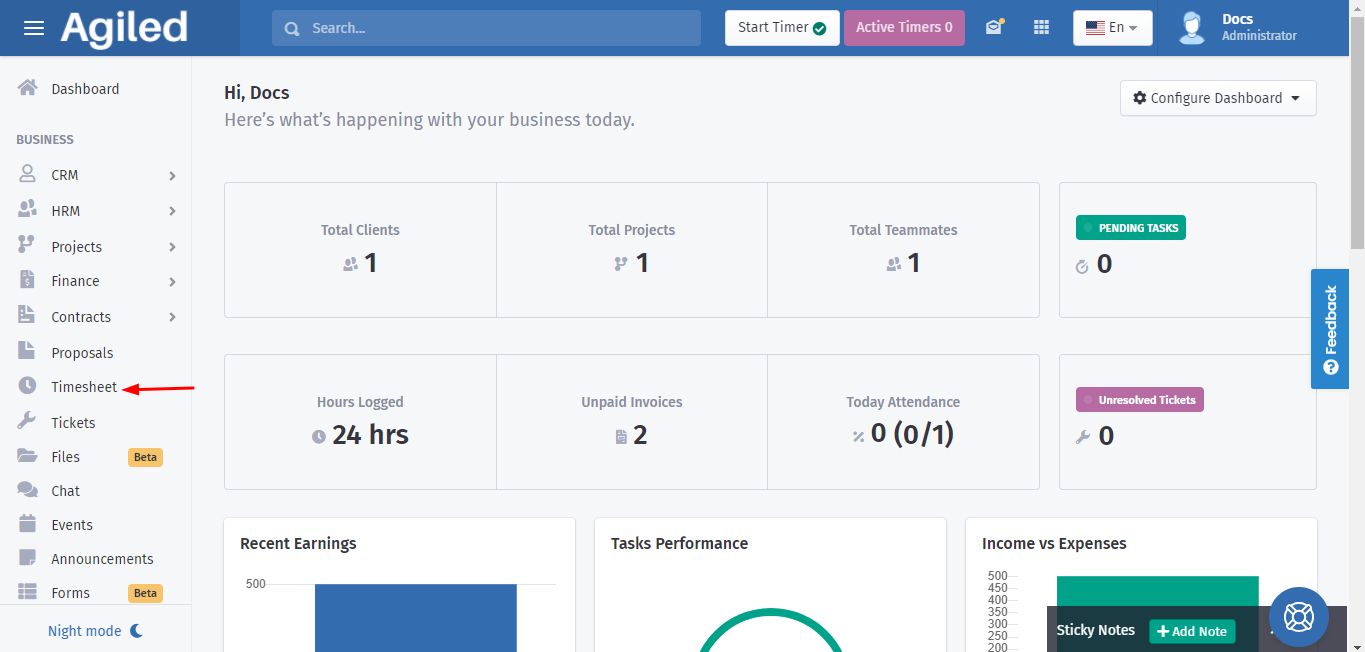
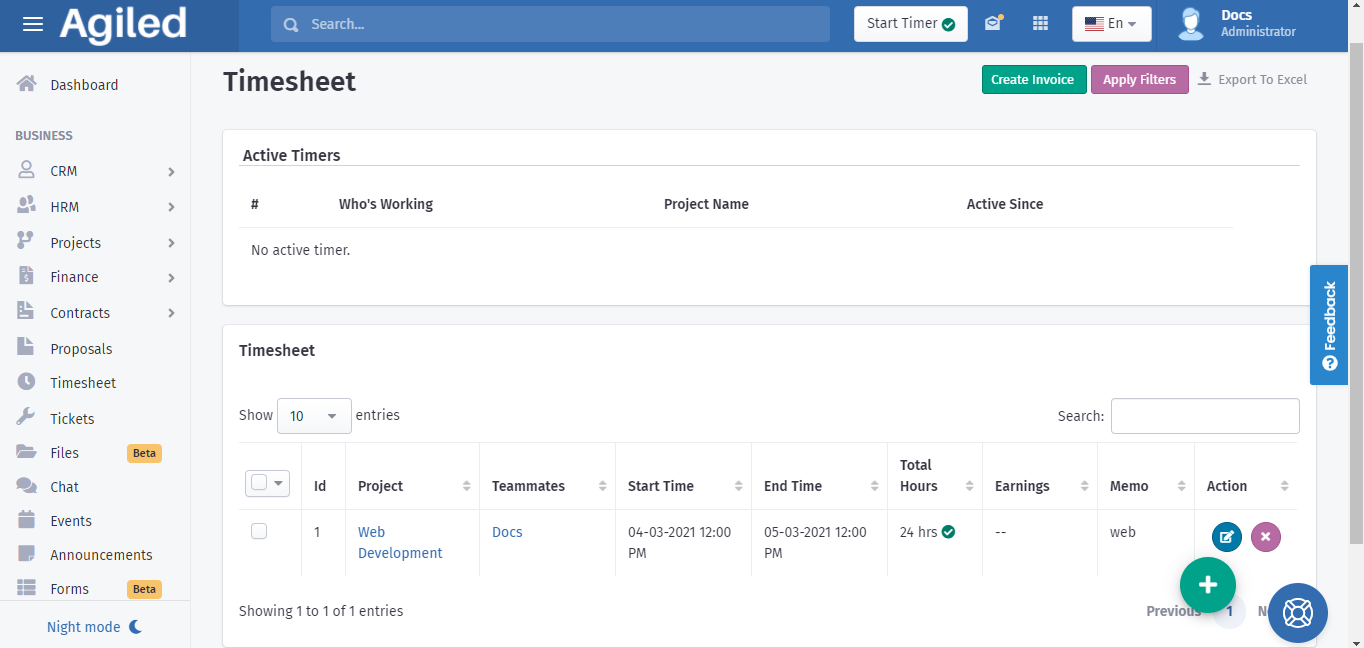
1. Go to the 'Timesheet' on the toolbar and open it.
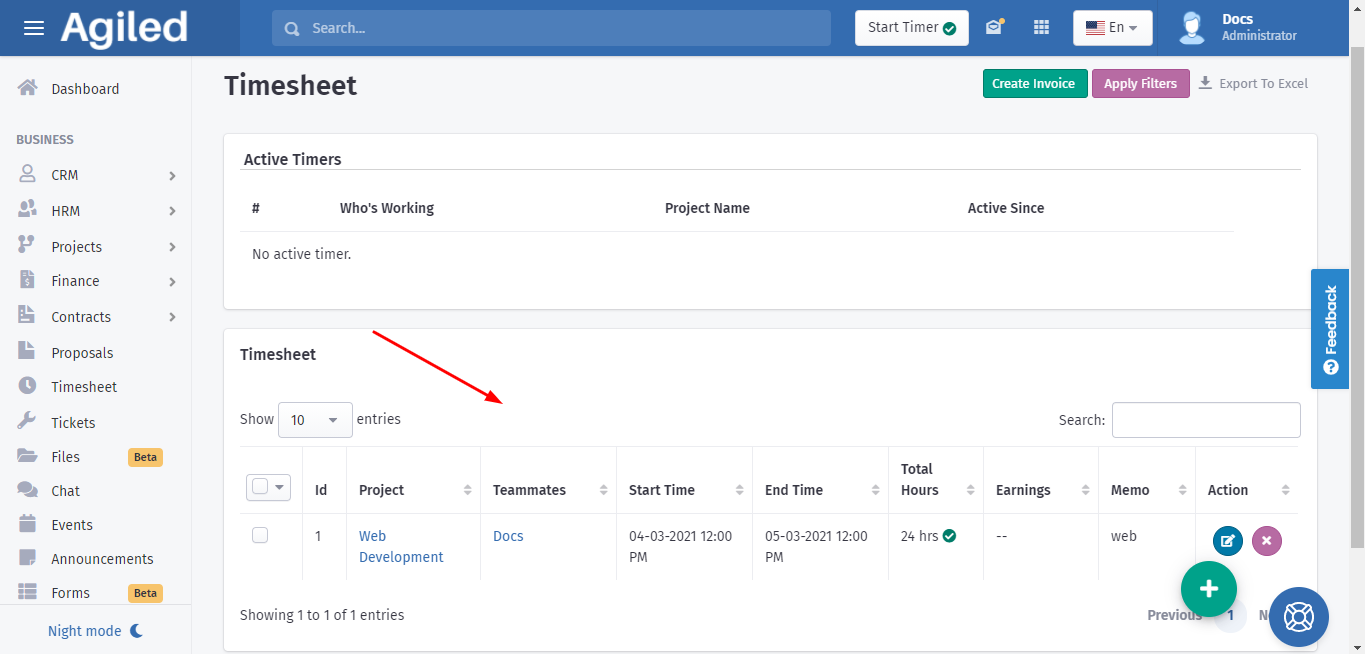
2.Once you open the 'Timesheet' it will display the time logs of your teammates. You can see the start time, End time, and total working hours of the members individually.
The other way to track time is:
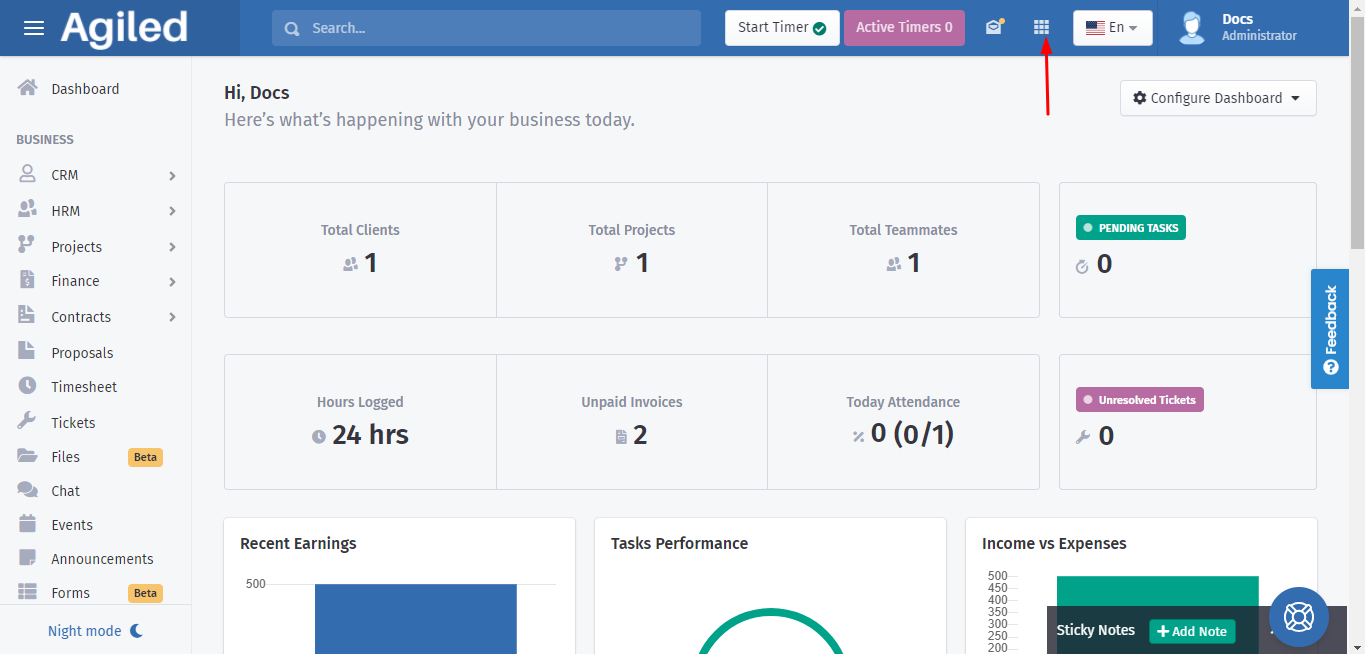
1. Click on the icon at the top right, as shown below:
2. Clicking on this icon opens up some options including 'Time Tracking.'
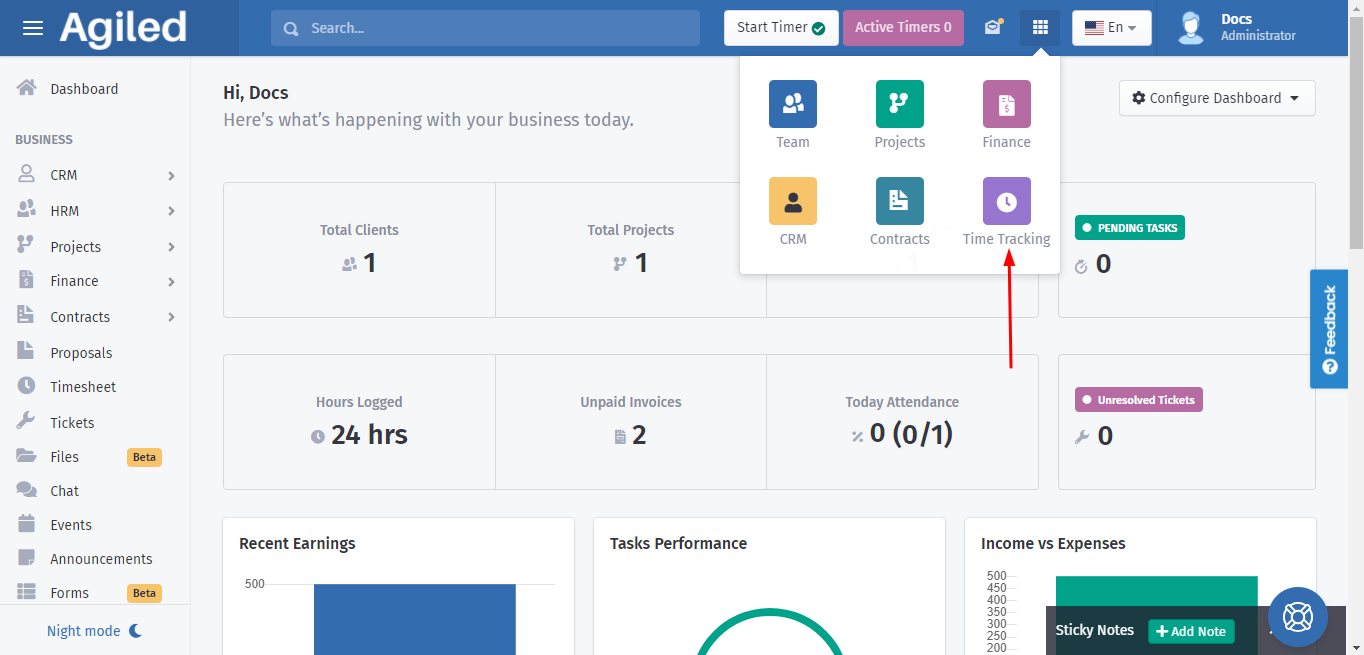
3. Click on 'Time Tracking' and it will take you to a new page with 'Timesheet.' You can see the time logs of your teammates.
Was this article helpful?
More in Project Management
- Creating TasksYou can manage tasks with ease in Agiled. To manage tasks go to Tasks -> All Tasks and click on Add task button. It will take you to Add New Task screen. Ente
- Project: TasksHow to manage Project Tasks? Project tasks are organized in the Tasks tab of the project dashboard. To see all tasks of the project go to any project and click
- Creating ProjectsHow to add a new project? Managing projects in Agiled is very easy and Project management in Agiled is very comprehensive. To create a new project go to Product
- Time TrackingStay productive by tracking your and your team's time in Agiled. Agiled comes with a built in time tracking and you can track and bill for your time very easil
Questions about this? Agiled Assist answers from these articles.