Adding files to a Task
How to add files to a task? Want to add files to a task? By following these simple steps you can easily add files to a task. 1. First of all go to the sidebar
Updated 1 min read
How to add files to a task?
Want to add files to a task?
By following these simple steps you can easily add files to a task.
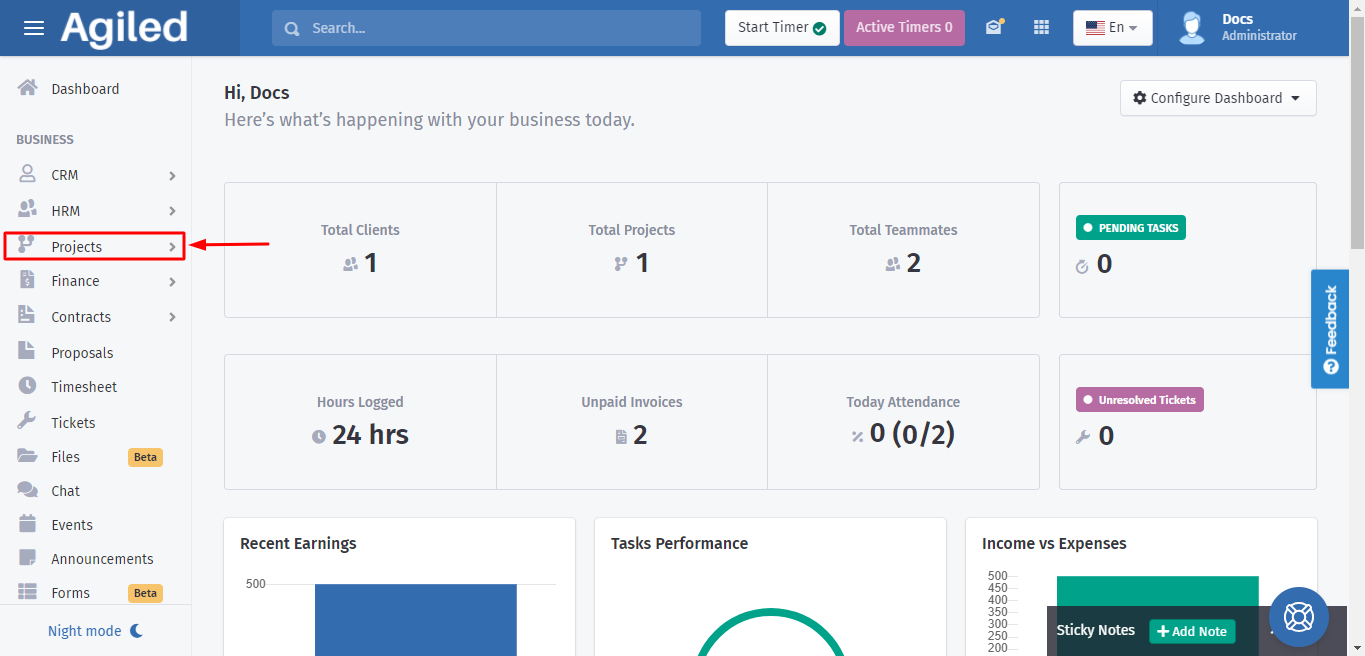
1. First of all go to the sidebar menu and click on the "Projects" category.
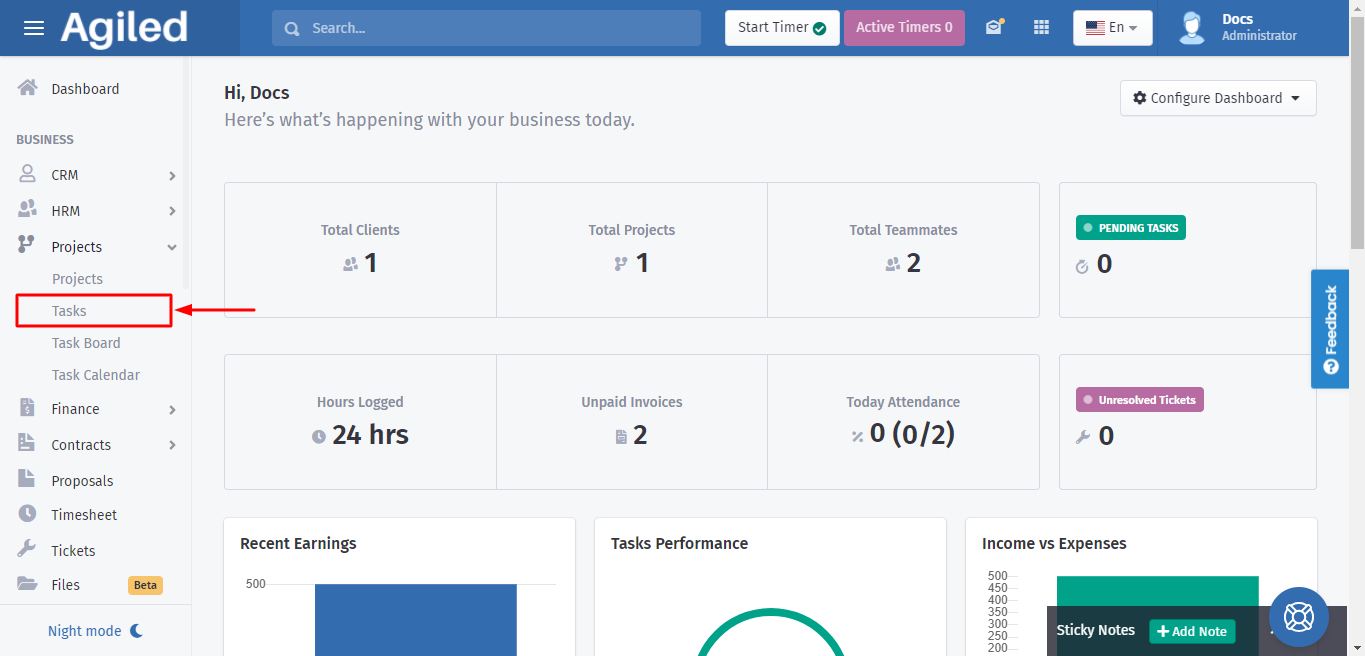
2. A dropdown menu will appear when you click on the "Projects" category. Now click on "Tasks".
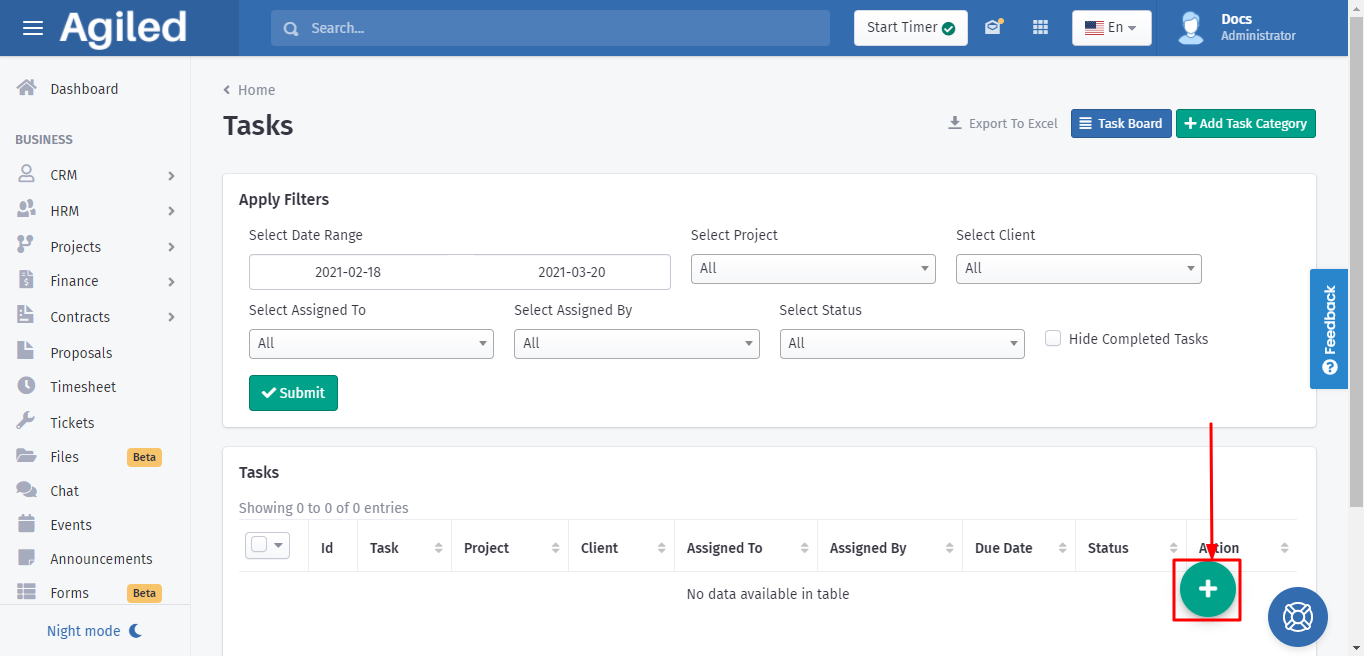
3. As the Tasks page opens you will be able to see a "+" icon on the bottom right. Click on it to create a new task.
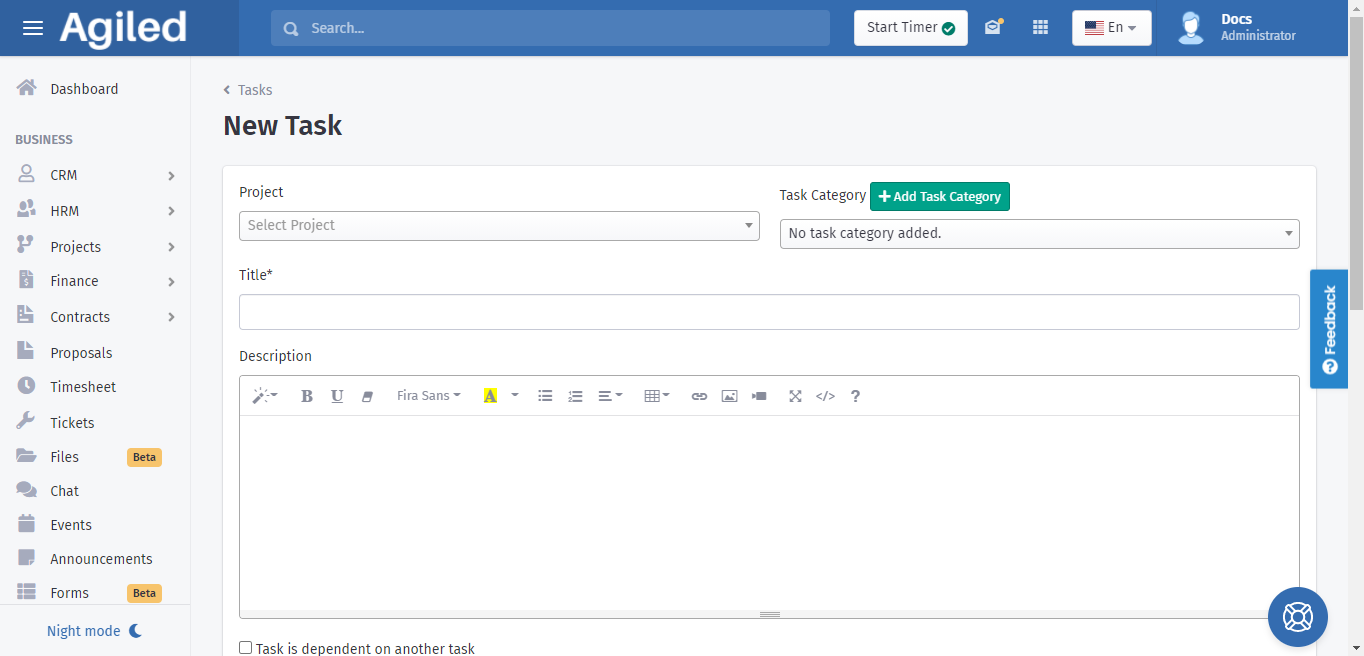
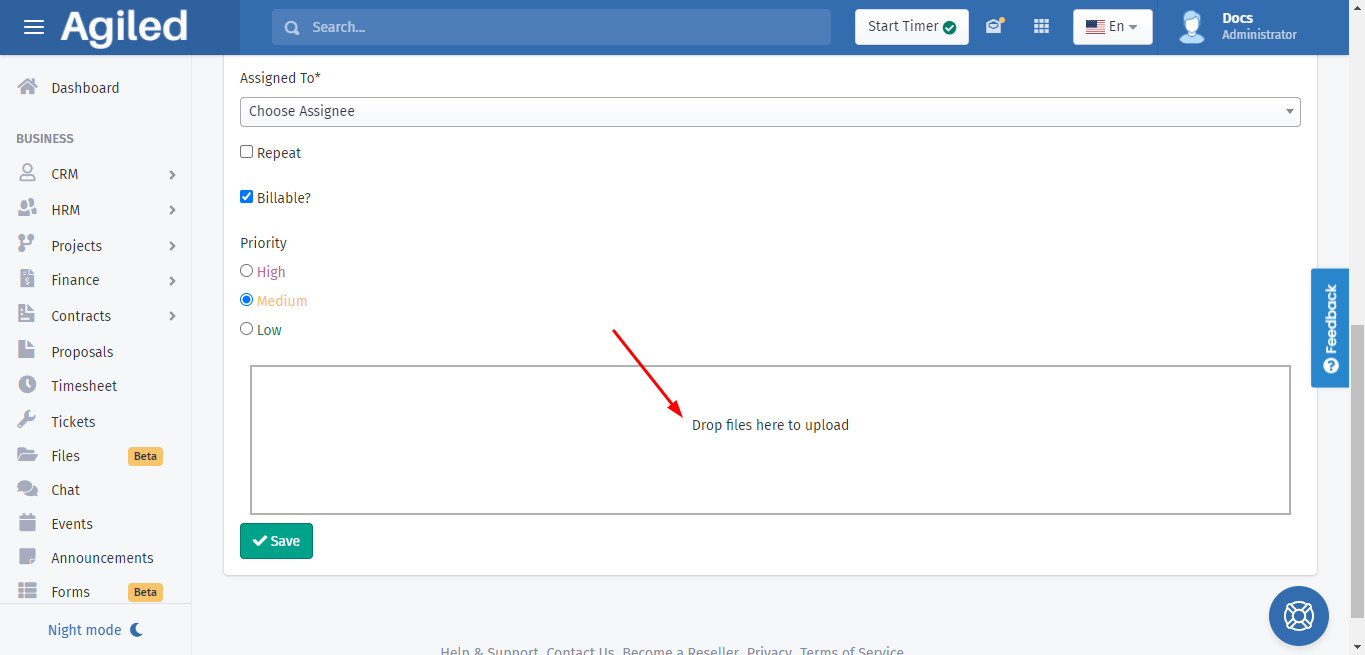
4. Scroll down the page and you will find an option where you can upload files.
Was this article helpful?
More in Project Management
- Creating TasksYou can manage tasks with ease in Agiled. To manage tasks go to Tasks -> All Tasks and click on Add task button. It will take you to Add New Task screen. Ente
- Project: TasksHow to manage Project Tasks? Project tasks are organized in the Tasks tab of the project dashboard. To see all tasks of the project go to any project and click
- Creating ProjectsHow to add a new project? Managing projects in Agiled is very easy and Project management in Agiled is very comprehensive. To create a new project go to Product
- Time TrackingStay productive by tracking your and your team's time in Agiled. Agiled comes with a built in time tracking and you can track and bill for your time very easil
Questions about this? Agiled Assist answers from these articles.