How to add multiple clients to a project?
Introduction When working on projects that involve multiple individuals from the same company or account, Agiled allows you to add all these individuals to the
Updated 1 min read
Introduction
When working on projects that involve multiple individuals from the same company or account, Agiled allows you to add all these individuals to the same project. This tutorial will guide you through the process of adding multiple clients to a single project in Agiled.
Steps to Add Multiple Clients to a Project in Agiled
1. **Create a New Project**: To start, create a new project. For instance, you could call this project 'Multiple Clients'.
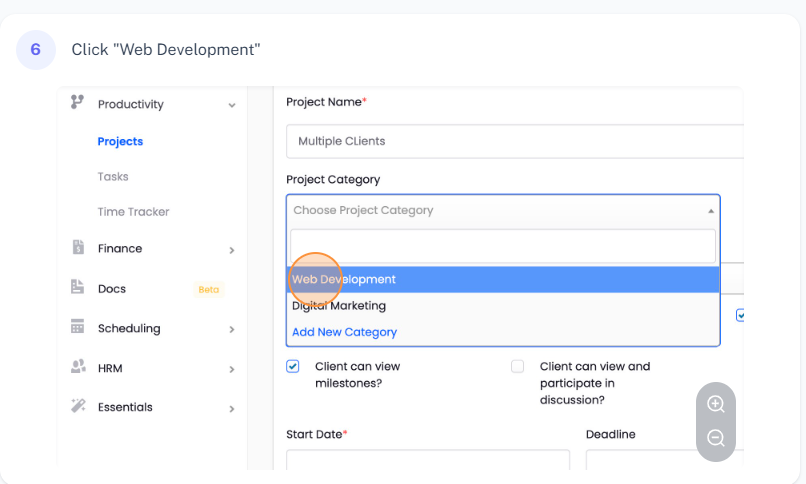
2. **Select a Project Category**: Choose an appropriate category for your project.
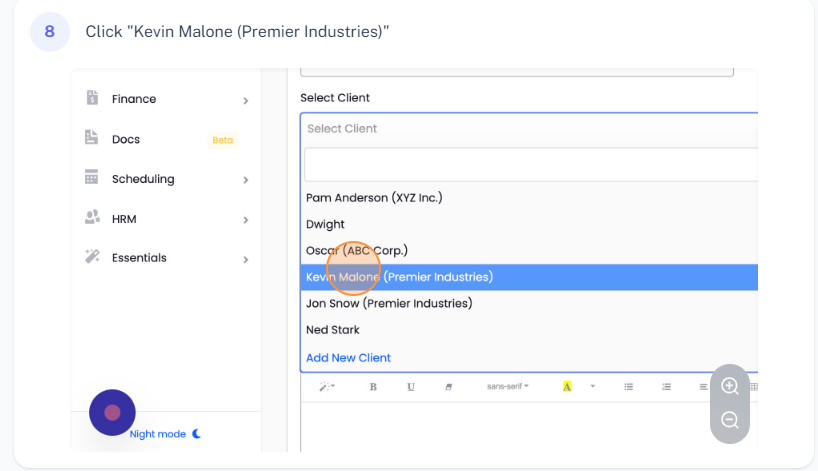
3. **Assign an Initial Client**: In the 'Client' field, assign a client to your project. In this example, we're using 'Kevin Malone'.
4. **Save Your Project**: Leave all other settings as default and click the 'Save' button to create your project.
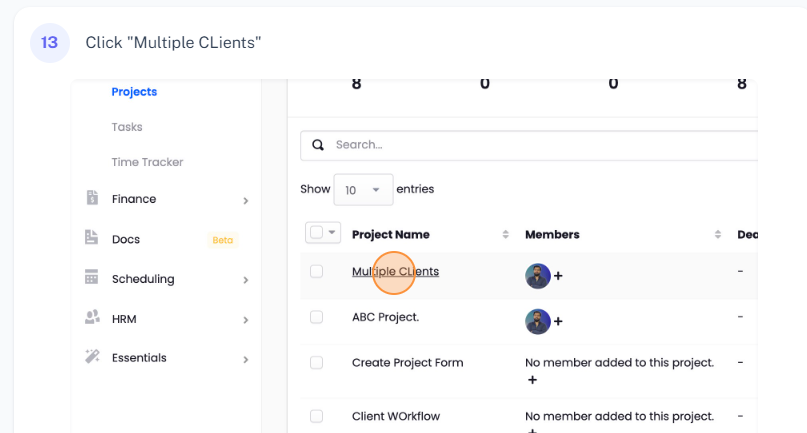
5. **Navigate to the Project**: Once the project is created, click on it to open its details.
6. **Go to the Members Tab**: Inside the project details, navigate to the 'Members' tab.
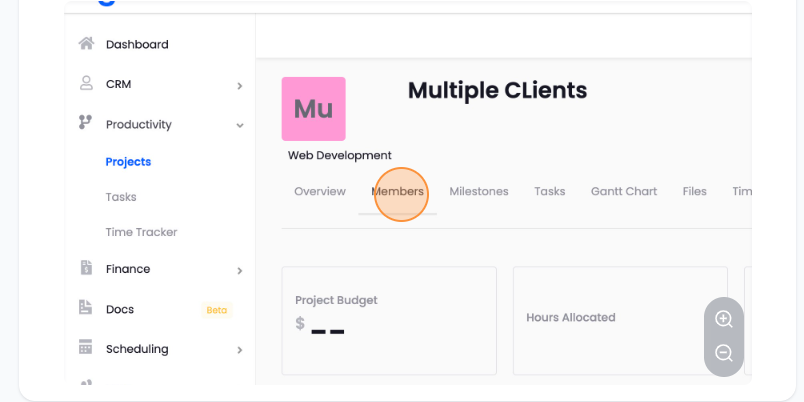
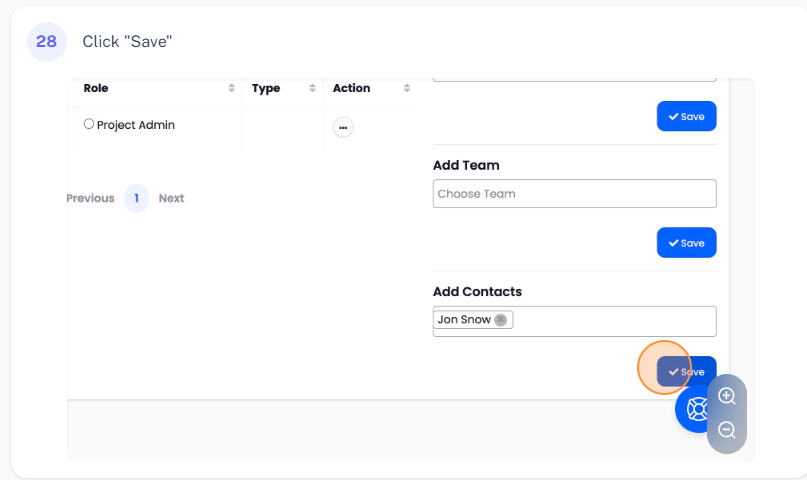
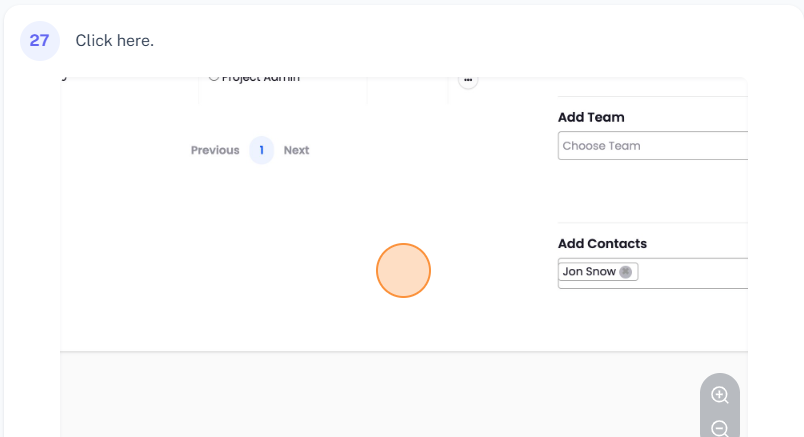
7. **Add Additional Clients**: In the 'Members' tab, click on the 'Add Contacts' button. This will show you a list of other clients associated with the company. Since Kevin is already added to the project, you can select another client, for example 'John Snow', and then click the 'Save' button to add him to the project.
Conclusion
Agiled makes it simple to add multiple clients from the same company to a single project. This feature is incredibly useful when managing projects involving multiple stakeholders from the same organization. If you have any questions or run into issues while managing projects or any other sections in Agiled, don't hesitate to reach out to our support team. Thank you for watching!
Was this article helpful?
More in Project Management
- Creating TasksYou can manage tasks with ease in Agiled. To manage tasks go to Tasks -> All Tasks and click on Add task button. It will take you to Add New Task screen. Ente
- Project: TasksHow to manage Project Tasks? Project tasks are organized in the Tasks tab of the project dashboard. To see all tasks of the project go to any project and click
- Creating ProjectsHow to add a new project? Managing projects in Agiled is very easy and Project management in Agiled is very comprehensive. To create a new project go to Product
- Time TrackingStay productive by tracking your and your team's time in Agiled. Agiled comes with a built in time tracking and you can track and bill for your time very easil
Questions about this? Agiled Assist answers from these articles.