Managing Designations/ Positions
How to create a Designation in Agiled? Designations are positions or job titles in your company which you can assign to your team like CMO, CFO, Senior Develope
Updated 1 min read
How to create a Designation in Agiled?
Designations are positions or job titles in your company which you can assign to your team like CMO, CFO, Senior Developer etc.
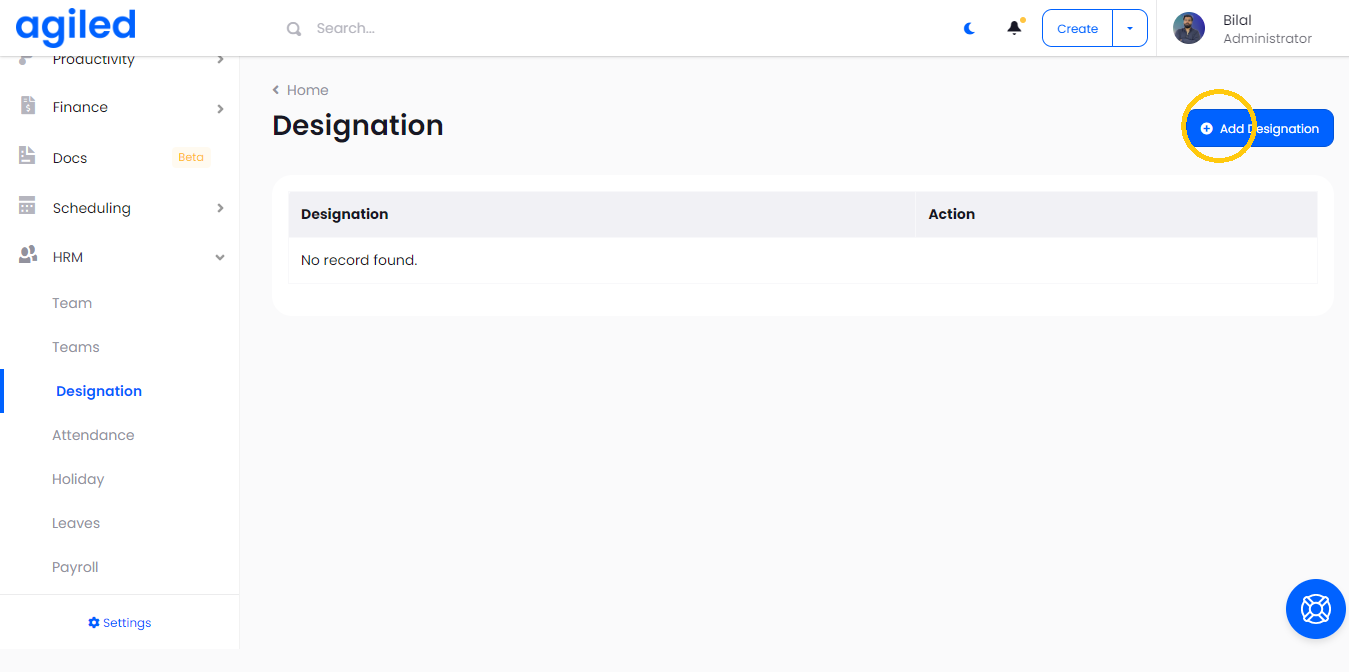
To add a Designation in Agiled go to HRM -> Designations and click “Add Designation”.
Add the designation name and click save.
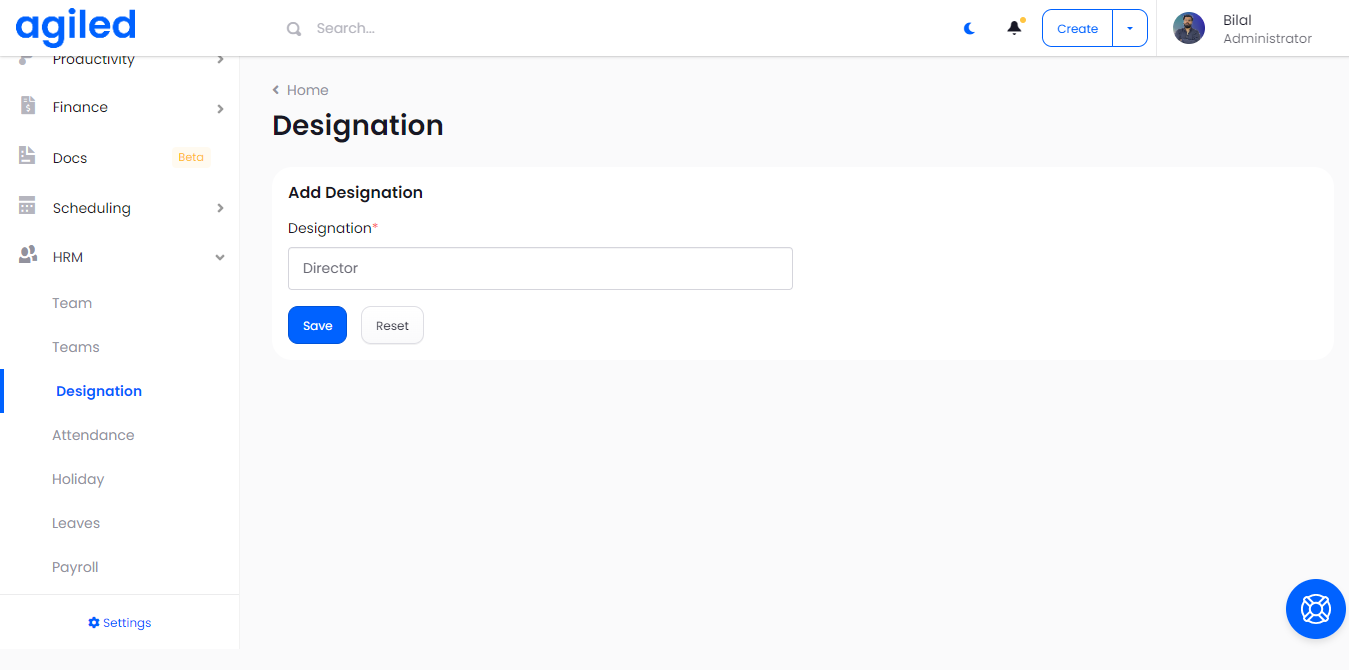
Designation will be created, and you can now assign designations to your employees.
Was this article helpful?
More in HRM
- Adding an Employee or Team MemberHow do I add an Employee/Staff/Team Member? To add an employee or a team member go to HRM-> Employees and click on Add Employee. Add all the required informatio
- Managing HolidaysYou can create holidays for your team in Agiled. These holidays are visible on the calendar. To change the holiday settings go to HRM -> Holidays. Add a new Hol
- How to run a payrollFollow the steps below to run payroll: 1. Go to the 'HRM' and click on 'Payroll.' 2. After that select the month and year of pay and mark the boxes which you wa
- How to add a new designationIf you want to add more designations, follow these steps to create a new one successfully: 1. Go to the 'HRM' on the toolbar and click on 'Designation.' 2. Clic
Questions about this? Agiled Assist answers from these articles.