How to mark attendance of employees in Agiled
You can follow the steps given below to mark the attendance of employees in Agiled. 1. Go to the 'HRM' on the toolbar and open 'Attendance.' 2. On the top right
Updated 1 min read
You can follow the steps given below to mark the attendance of employees in Agiled.
1. Go to the 'HRM' on the toolbar and open 'Attendance.'
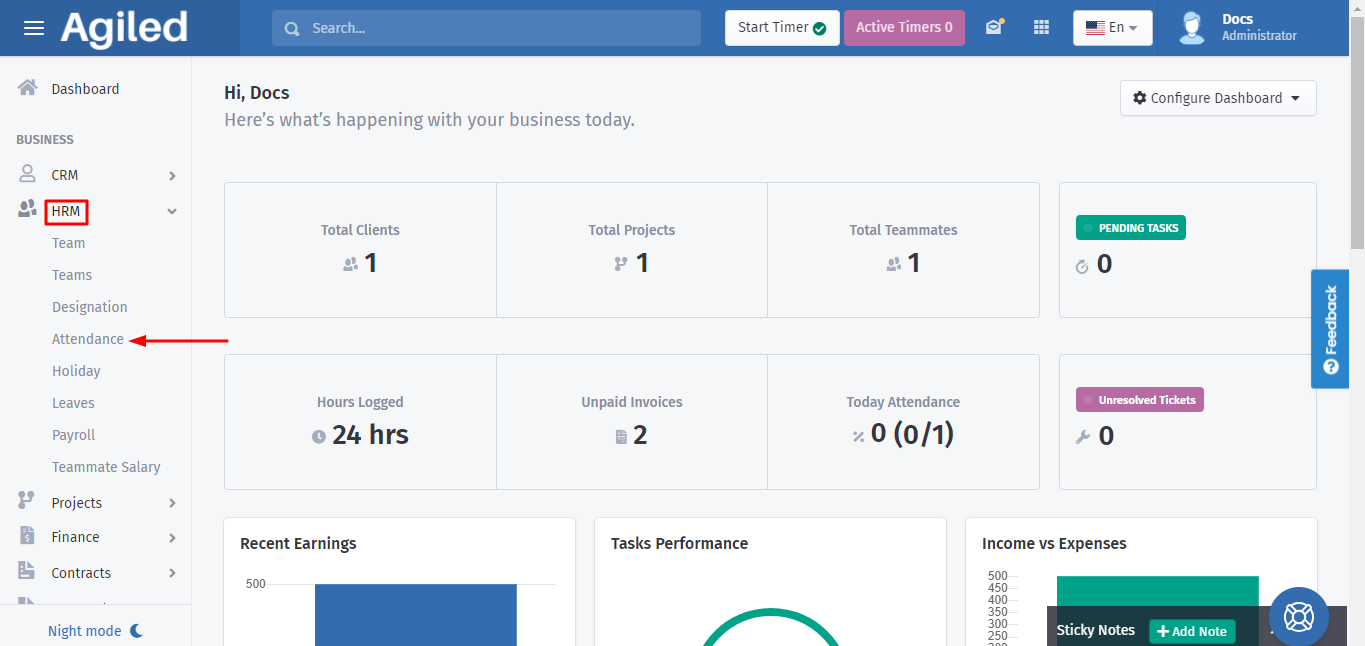
2. On the top right side of the page you will find 'Mark Attendance'; click on it.
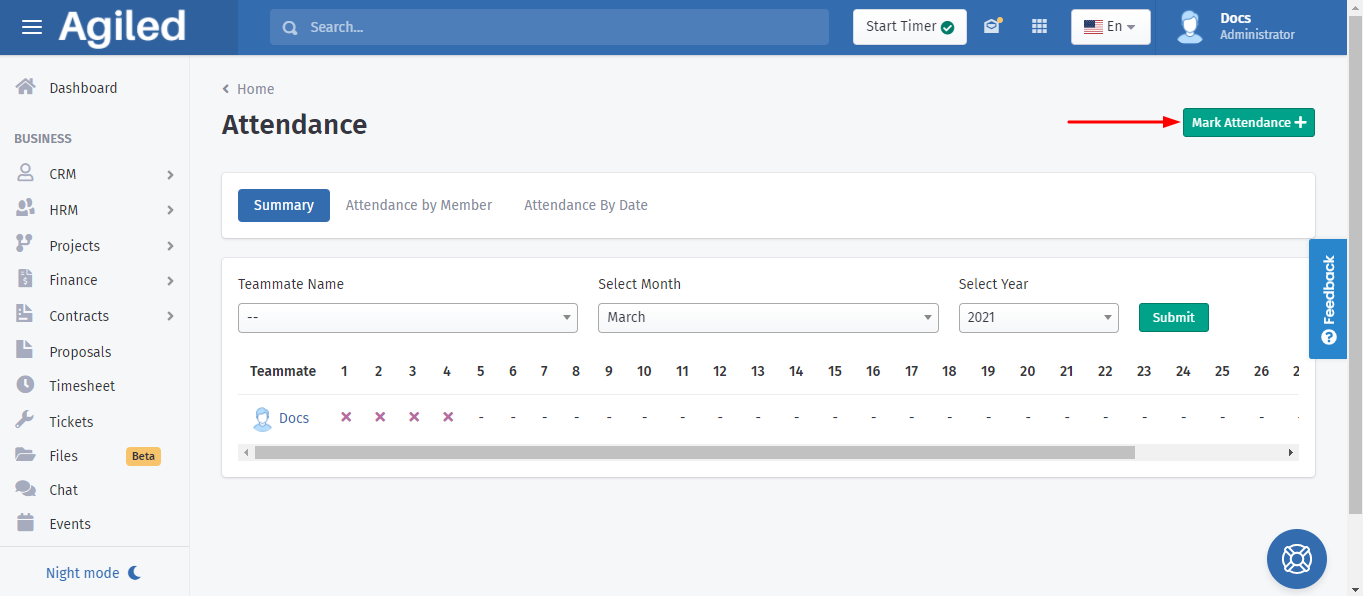
3. Fill up the boxes with information about:
- Date
- Clock In
- Clock Out
You also have the options of marking Late Attendance and Half Day.
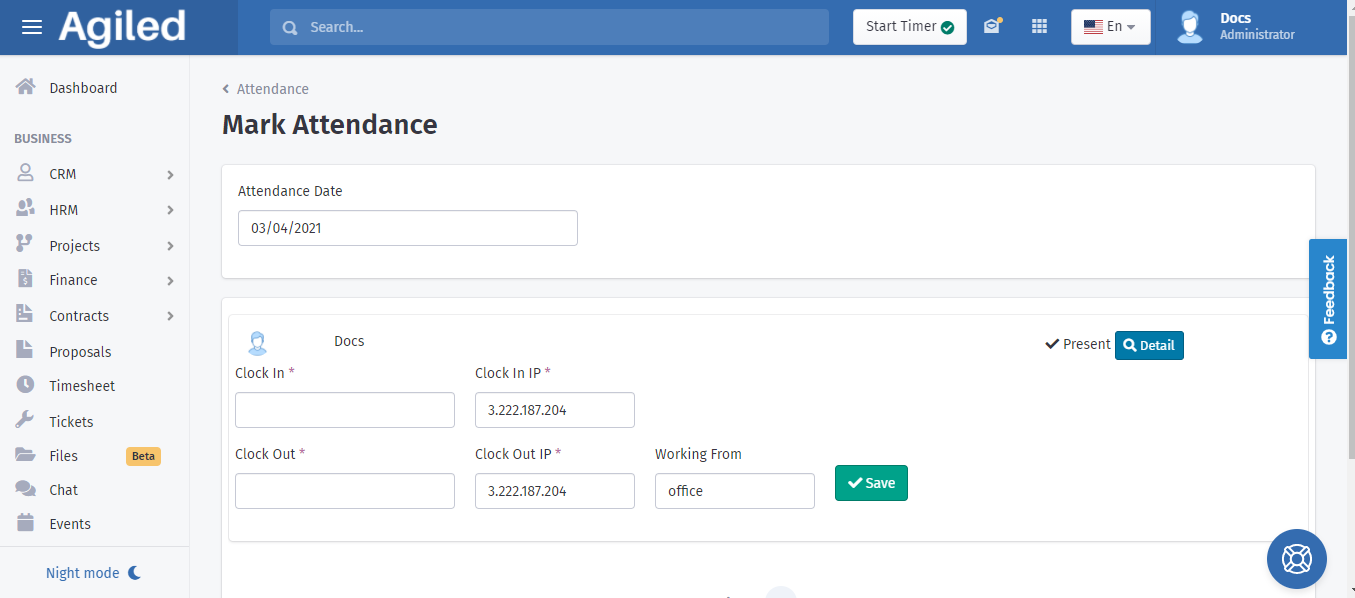
4. Click on 'Save' to complete the process.
Was this article helpful?
More in HRM
- Adding an Employee or Team MemberHow do I add an Employee/Staff/Team Member? To add an employee or a team member go to HRM-> Employees and click on Add Employee. Add all the required informatio
- Managing HolidaysYou can create holidays for your team in Agiled. These holidays are visible on the calendar. To change the holiday settings go to HRM -> Holidays. Add a new Hol
- How to run a payrollFollow the steps below to run payroll: 1. Go to the 'HRM' and click on 'Payroll.' 2. After that select the month and year of pay and mark the boxes which you wa
- How to add a new designationIf you want to add more designations, follow these steps to create a new one successfully: 1. Go to the 'HRM' on the toolbar and click on 'Designation.' 2. Clic
Questions about this? Agiled Assist answers from these articles.