Creating Invoices
How to create an Invoice in Agiled? To create an invoice, go to Finance -> Invoiceand click on Plus button. This will take you to create invoice screen. Follow
Updated 1 min read
How to create an Invoice in Agiled?
To create an invoice, go to Finance -> Invoiceand click on Plus button.
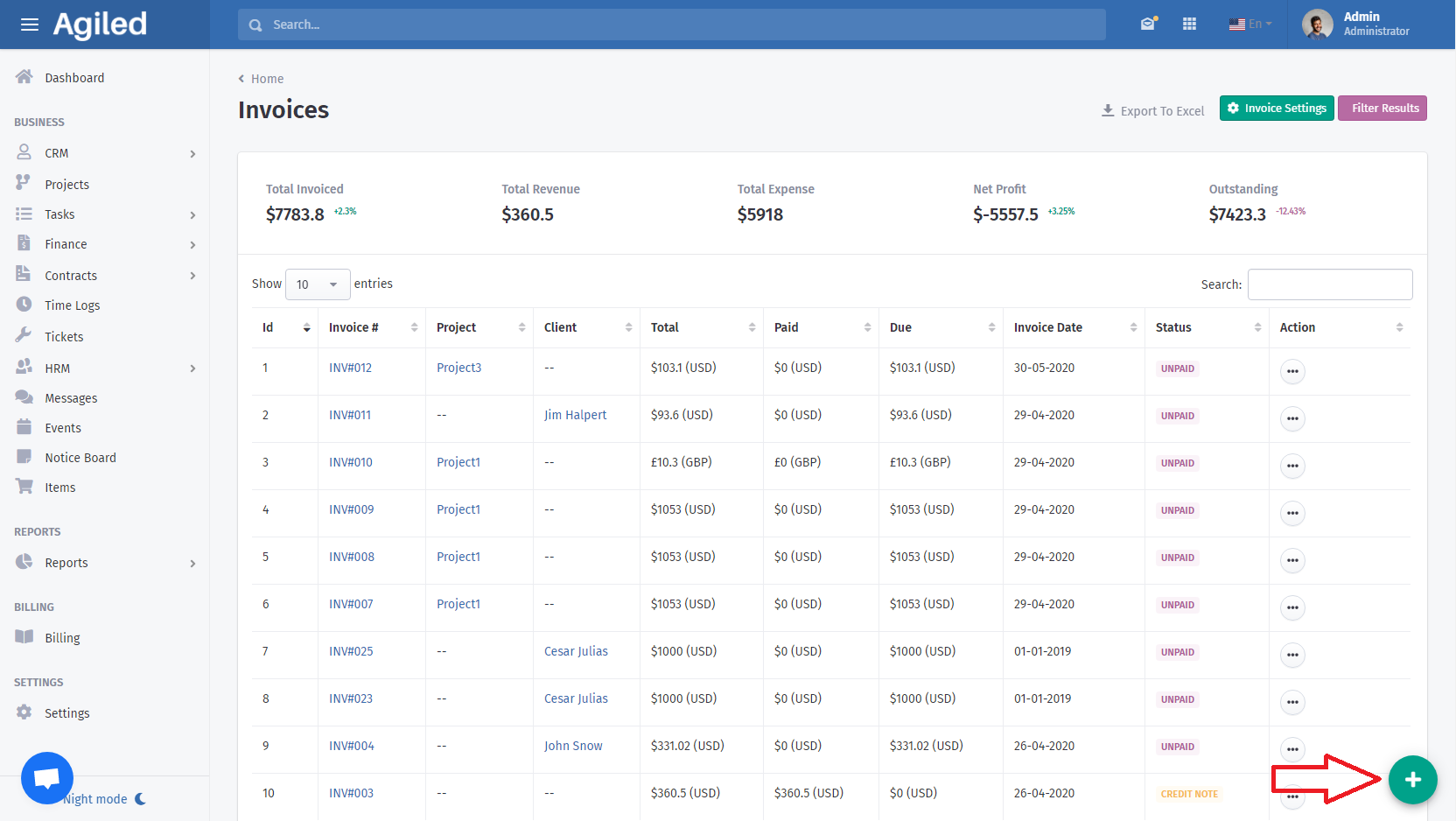
This will take you to create invoice screen.
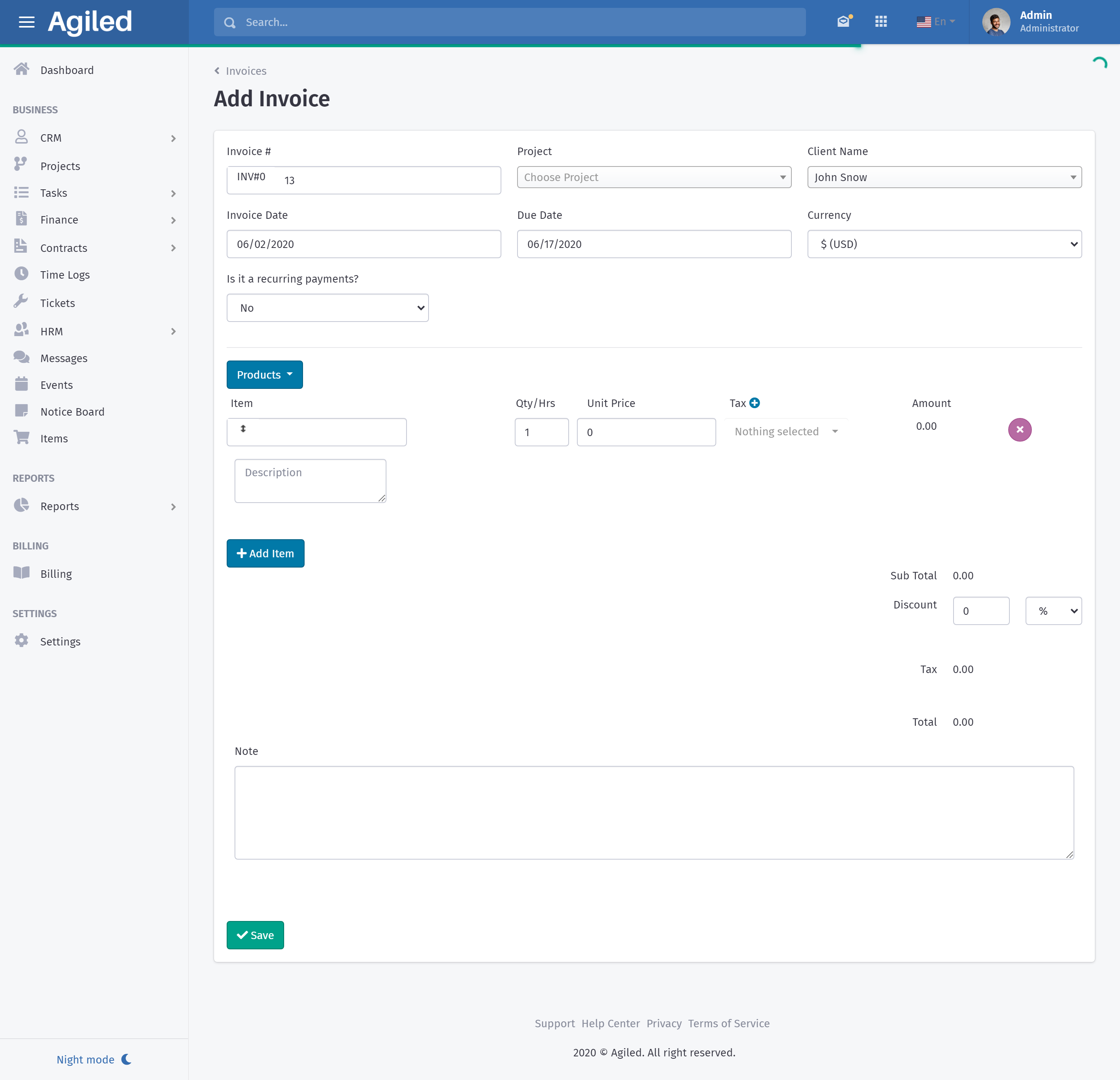
Follow the steps given below to create an invoice.
- Add invoice number (Number is automatically generated but you can enter any number you like).
- Choose Project (This is optional, you can create invoice without a project).
- Choose Client from the dropdown.
- Enter Invoice Issue Date
- Enter Invoice Due Date
- Choose Currency for the invoice.
- If you want to invoice client on recurring basis, choose yes from the recurring drop down.
- Choose Billing Frequency (Daily, Weekly, Monthly).
- Billing Interval (Choose after how many days, weeks and months you want to create and send an invoice e.g after 3 days, after 5 months etc)
- Billing Cycle (Choose how many invoices you want to send e.g 10,15)
- Click on the Products and choose already saved products and all the information will be automatically pulled for you.
- Or add item details manually.
- Add Quantity of the product.
- Add taxes from the already saved settings for items or create new tax settings.
- Add as many items as you want.
- Add any discount you want to give to your customer.
- Add notes for the customer ( Notes can contain payment terms, bank details or other information for your customer)
- Click Save.
- Invoice will be created and you can now send invoice to your customer via a link or email.
Was this article helpful?
More in Finance
- How to send payment linkYou can follow these steps to send the payment link: 1. Go to the 'Finance', click 'Invoices.' 2. You can send the link of invoices by using the 3 dots menu und
- What currencies do Agiled support?Here are the currencies Agiled supports right now. currency_name currency_symbol currency_code United States Dollar $ USD Pounds £ GBP Euros € EUR Rupee ₹ INR A
- How to create recurring invoiceRecurring Invoices are the automated invoices. You set their frequency, interval, and cycle and the system automatically sends those invoices to the recipients
- How to change invoice template?To change the invoice template follow these steps: 1. Go to the Finance option on the right side of the toolbar. 2 . Then click on ' Invoices' from the list. 3.
Questions about this? Agiled Assist answers from these articles.