How to send payment reminder for an invoice
Sending a payment reminder is an important part of a business. You need to send payment reminders to get paid faster. Here are the steps you can follow to send
Updated 1 min read
Sending a payment reminder is an important part of a business. You need to send payment reminders to get paid faster. Here are the steps you can follow to send payment reminders:
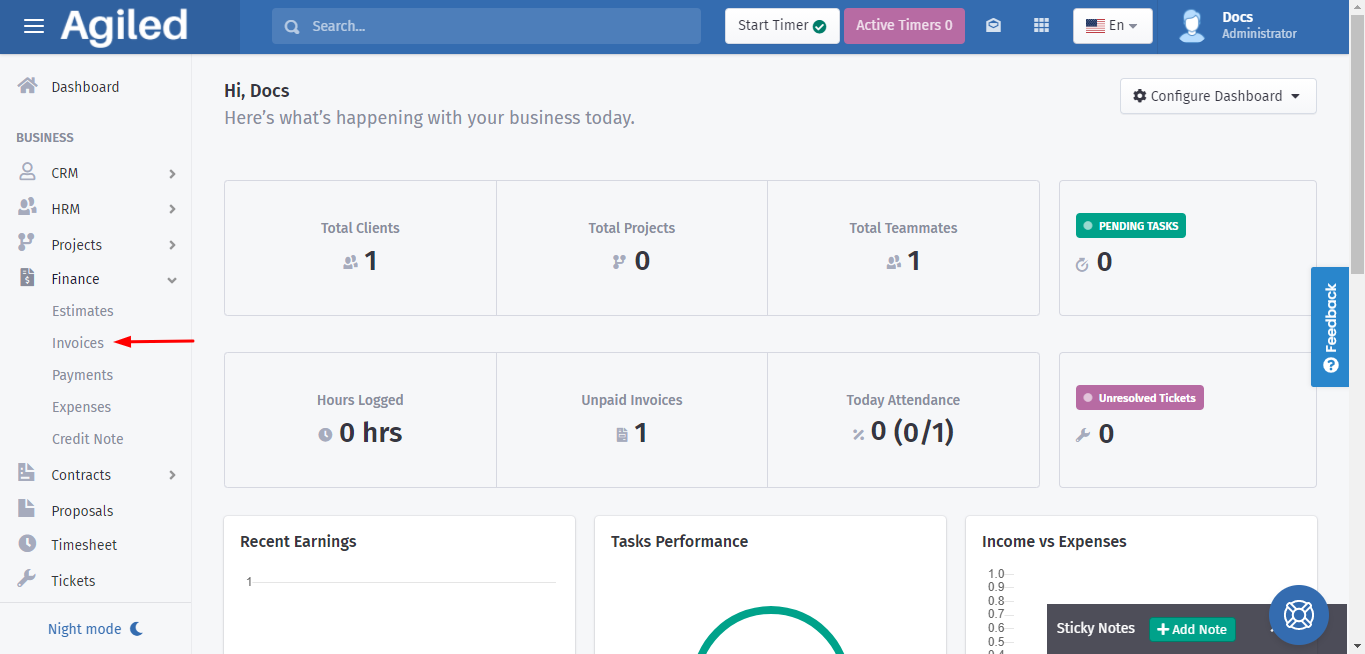
1. Go to the 'Finance' then click on 'Invoices.'
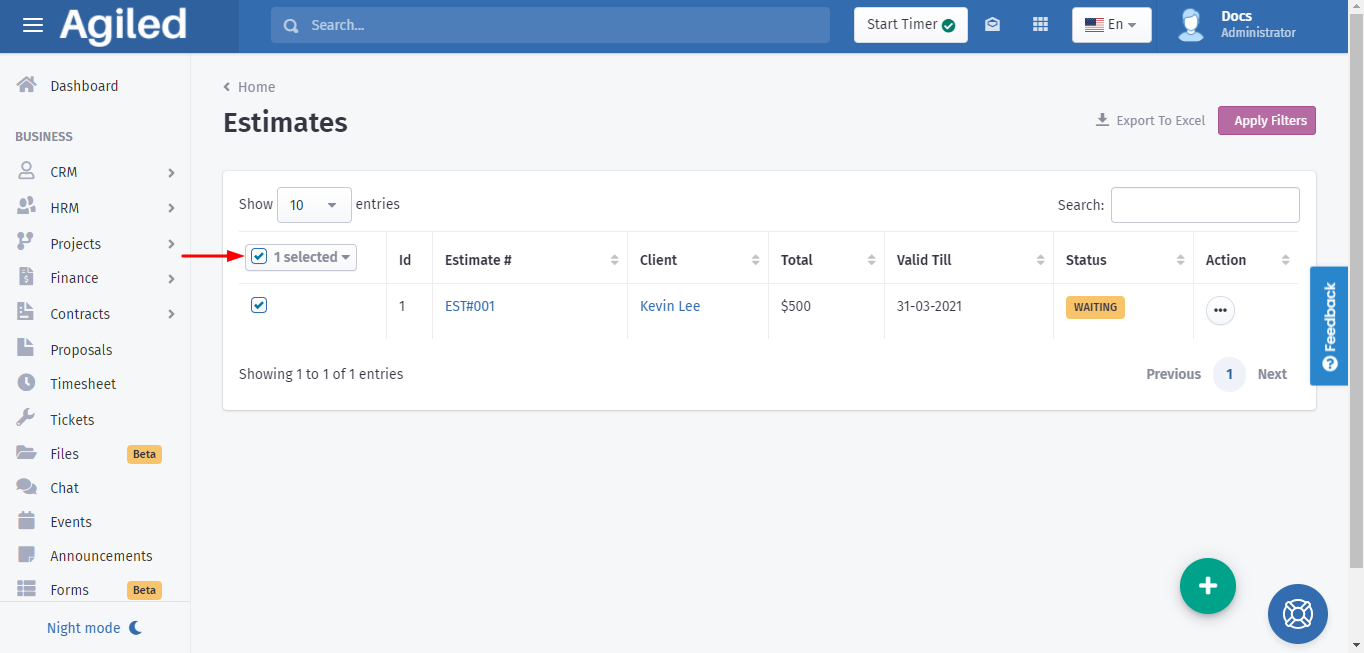
2. It will take you to the list of invoices. Select the invoices for which you want to send a reminder.
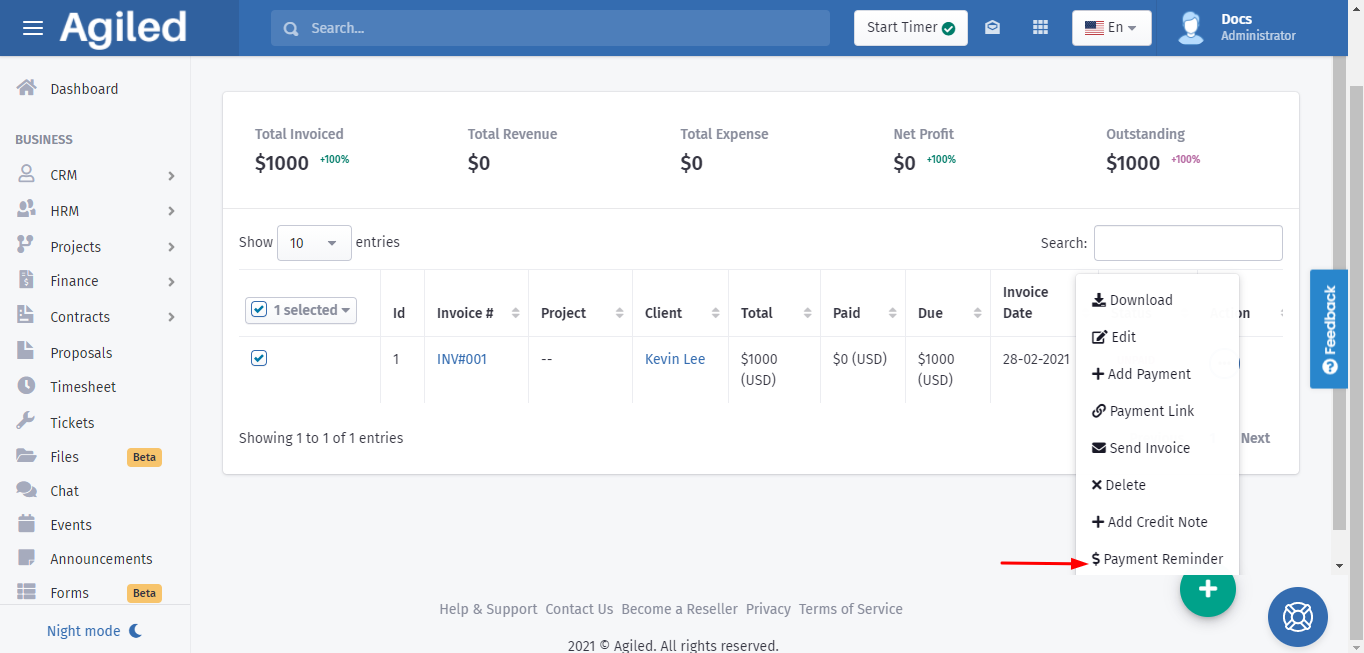
3. Open the 3 dots menu and then click on 'Payment Reminder' from the list.
Was this article helpful?
More in Finance
- Creating InvoicesHow to create an Invoice in Agiled? To create an invoice, go to Finance -> Invoiceand click on Plus button. This will take you to create invoice screen. Follow
- How to send payment linkYou can follow these steps to send the payment link: 1. Go to the 'Finance', click 'Invoices.' 2. You can send the link of invoices by using the 3 dots menu und
- What currencies do Agiled support?Here are the currencies Agiled supports right now. currency_name currency_symbol currency_code United States Dollar $ USD Pounds £ GBP Euros € EUR Rupee ₹ INR A
- How to create recurring invoiceRecurring Invoices are the automated invoices. You set their frequency, interval, and cycle and the system automatically sends those invoices to the recipients
Questions about this? Agiled Assist answers from these articles.