How to delete an invoice
In order to delete an invoice you need to follow these steps: 1. Go to the 'Finance' in the toolbar, then open 'Invoices.' 2. A list of invoices will open in fr
Updated 1 min read
In order to delete an invoice you need to follow these steps:
1. Go to the 'Finance' in the toolbar, then open 'Invoices.'
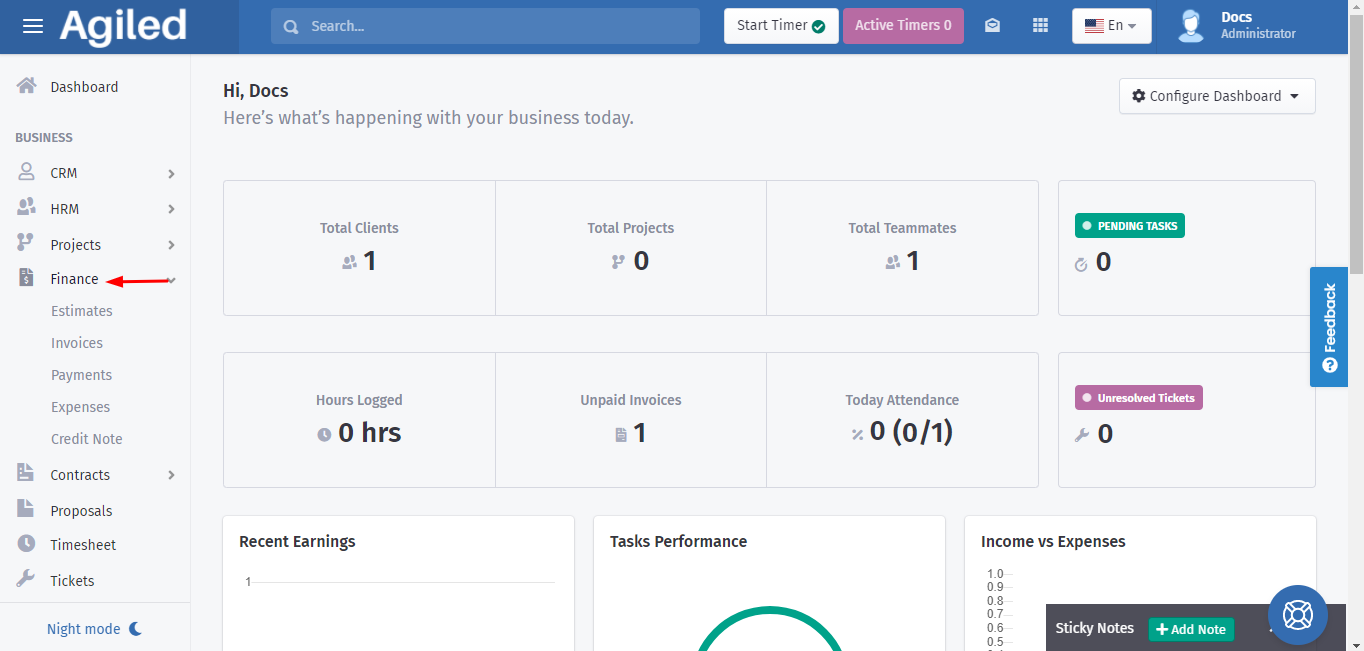
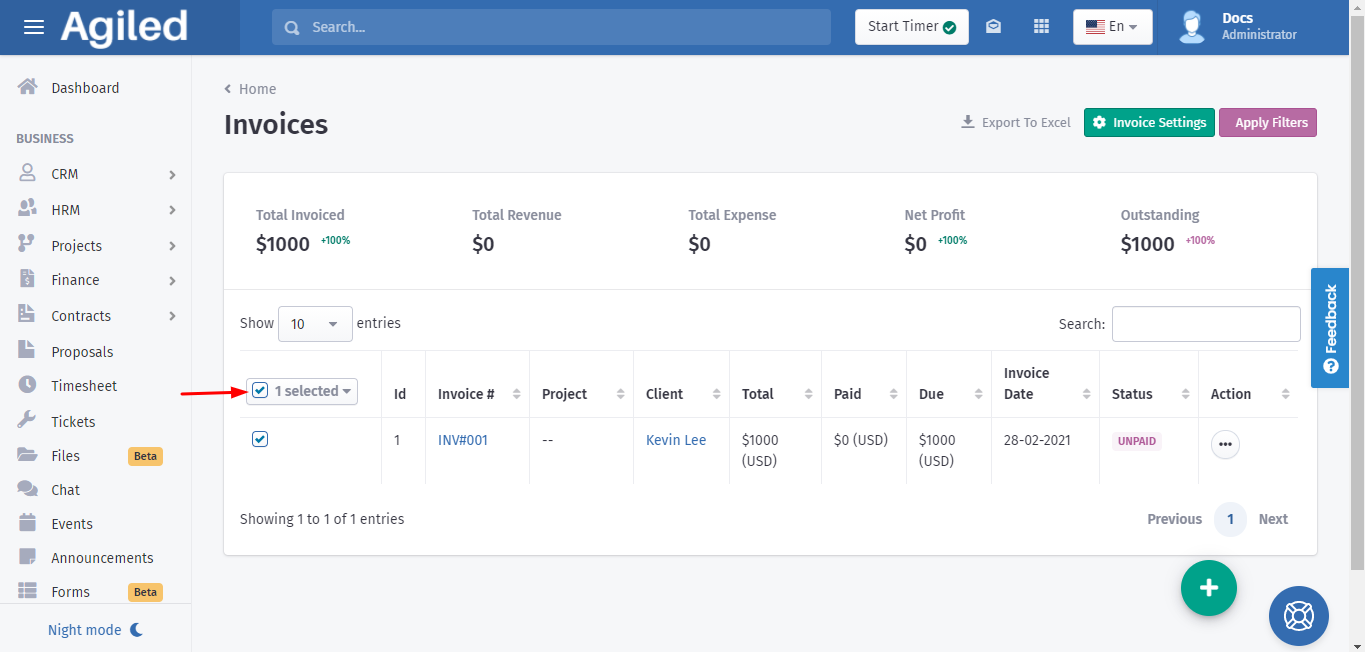
2. A list of invoices will open in front of you. Then select the invoice you want to delete.
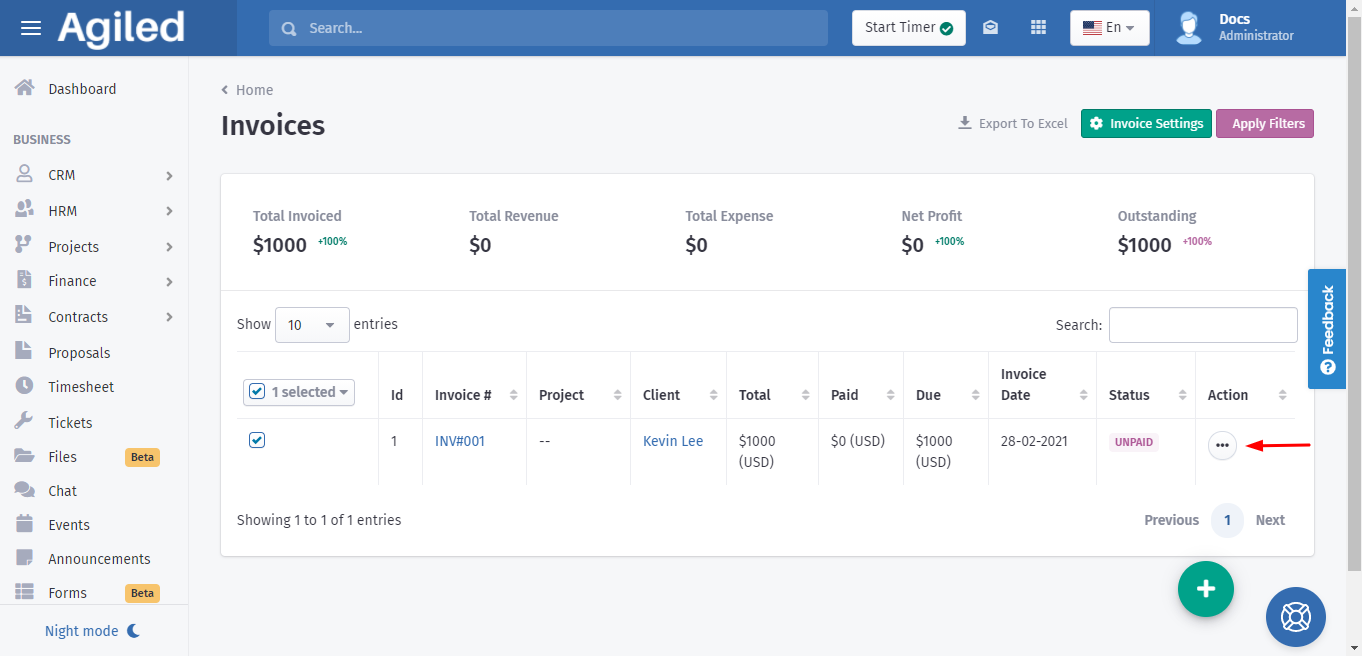
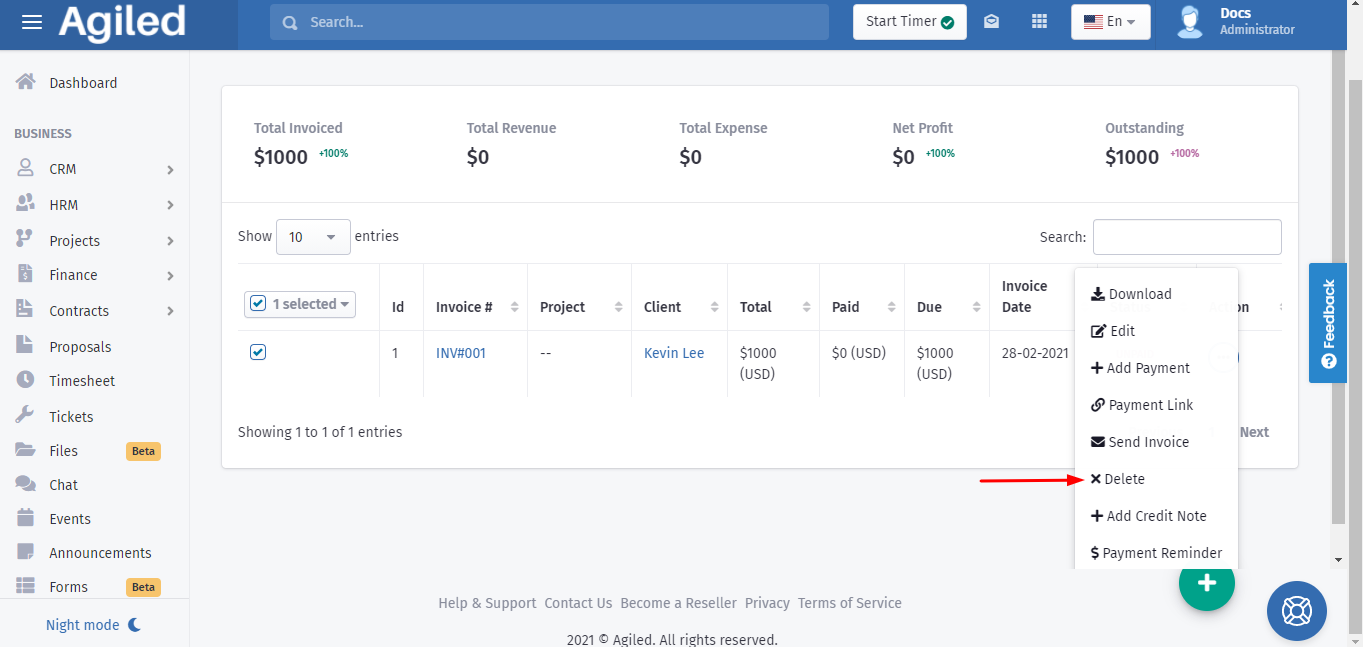
3. Open the 3 dots menu and click on 'Delete.'
Was this article helpful?
More in Finance
- Creating InvoicesHow to create an Invoice in Agiled? To create an invoice, go to Finance -> Invoiceand click on Plus button. This will take you to create invoice screen. Follow
- How to send payment linkYou can follow these steps to send the payment link: 1. Go to the 'Finance', click 'Invoices.' 2. You can send the link of invoices by using the 3 dots menu und
- What currencies do Agiled support?Here are the currencies Agiled supports right now. currency_name currency_symbol currency_code United States Dollar $ USD Pounds £ GBP Euros € EUR Rupee ₹ INR A
- How to create recurring invoiceRecurring Invoices are the automated invoices. You set their frequency, interval, and cycle and the system automatically sends those invoices to the recipients
Questions about this? Agiled Assist answers from these articles.