How to create an Event
For creating an event, follow the steps below: 1. Go to the 'Scheduling' on the toolbar and click on the "Events". 2. Click on 'Create Event' present at the top
Updated 1 min read
For creating an event, follow the steps below:
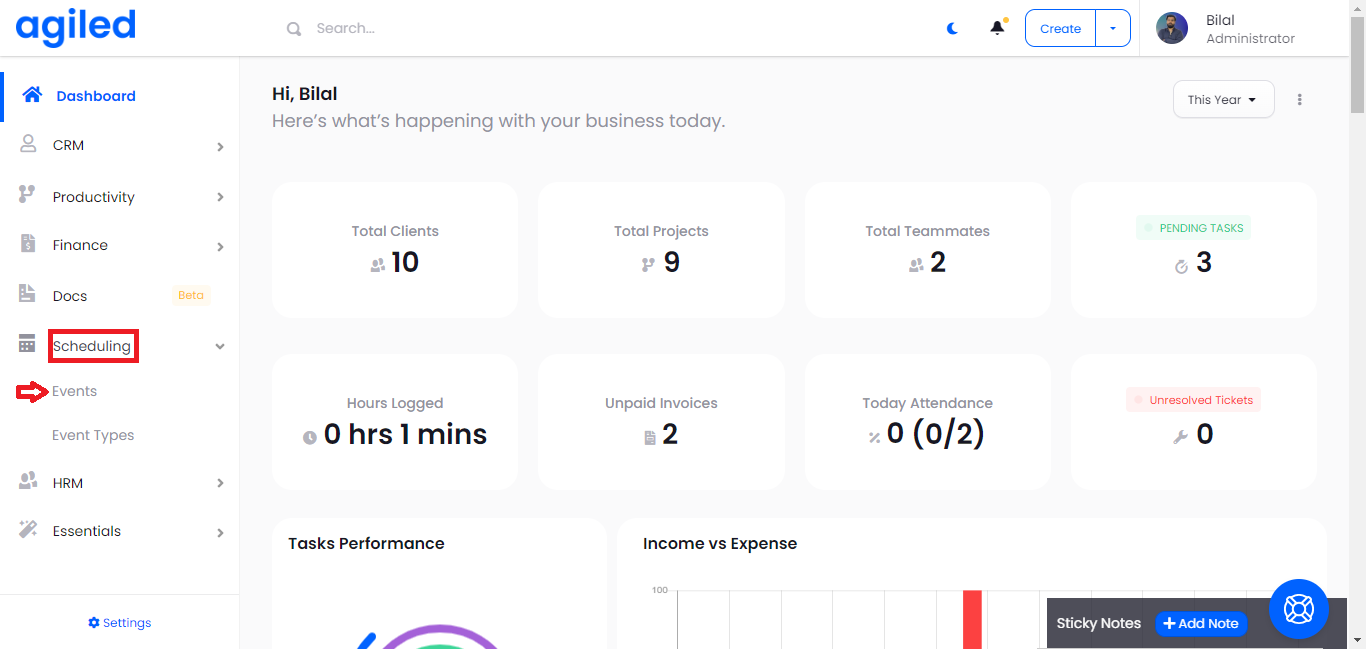
1. Go to the 'Scheduling' on the toolbar and click on the "Events".
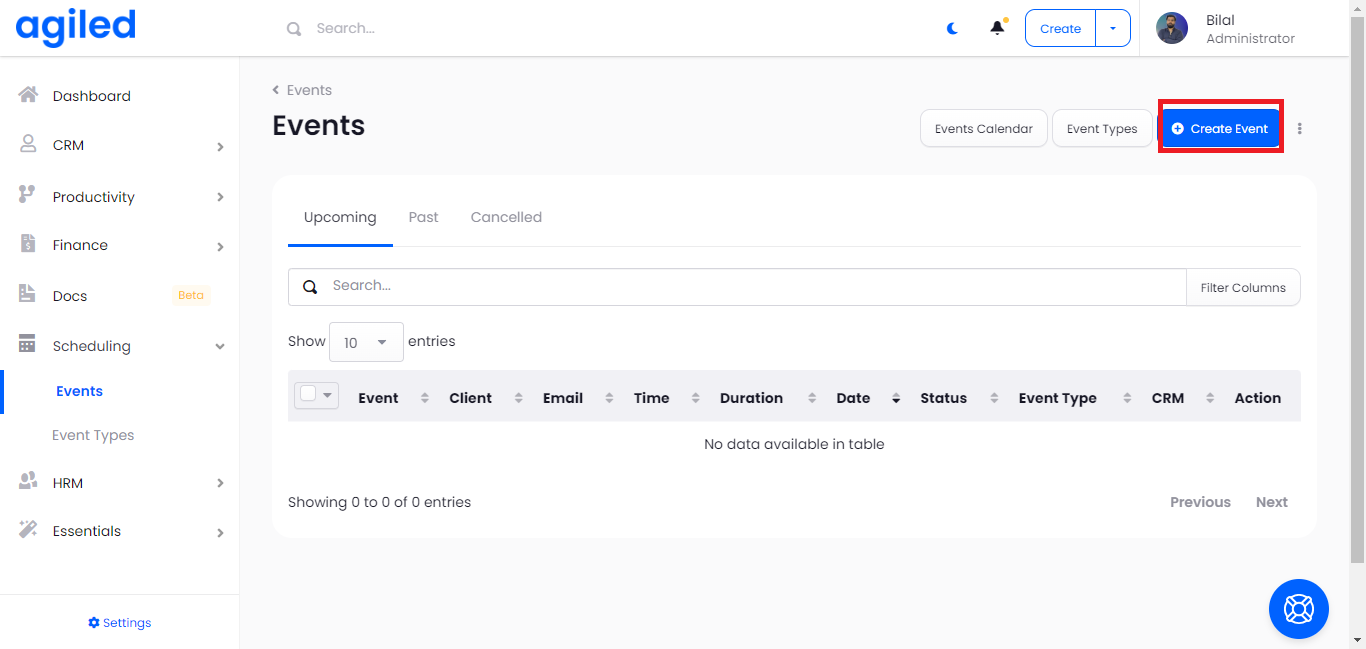
2. Click on 'Create Event' present at the top right corner.
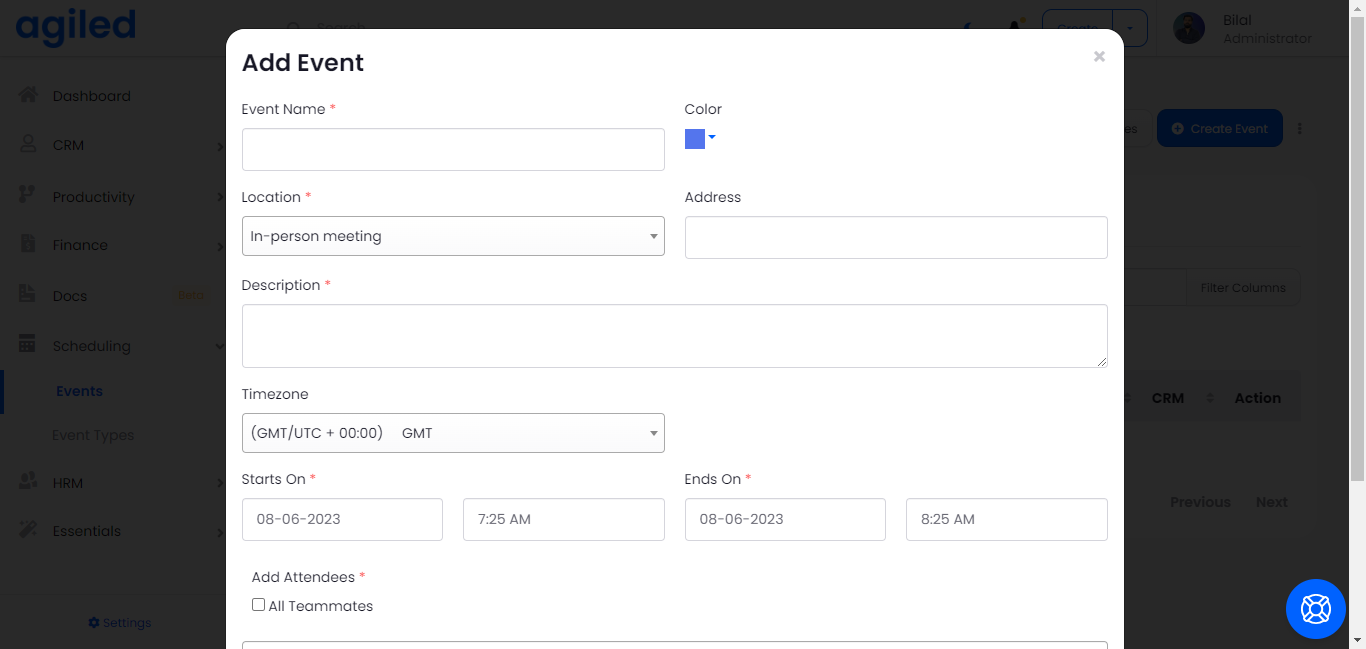
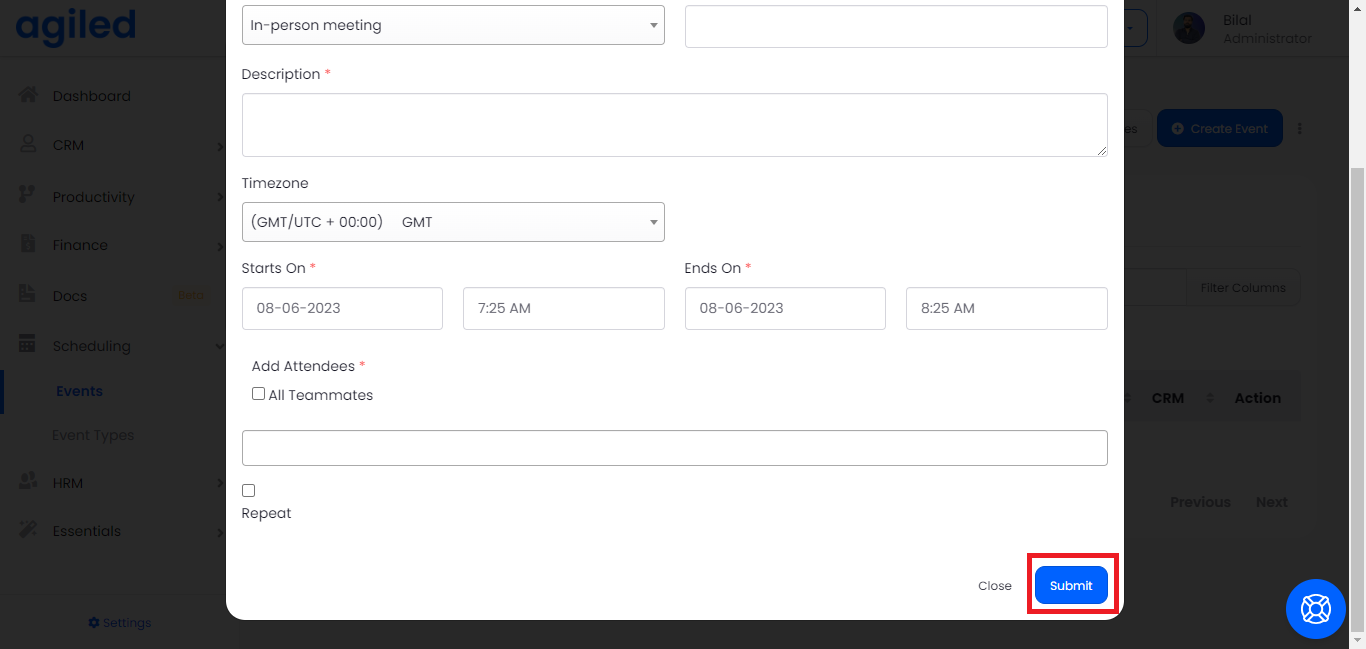
3. Fill in the boxes with the information about an event you want to create including:
- Name
- Place
- Description
- Date
- Add the teammates if you want
4. Click on the small box present at the bottom if you want to receive the notification of the event repetitively.
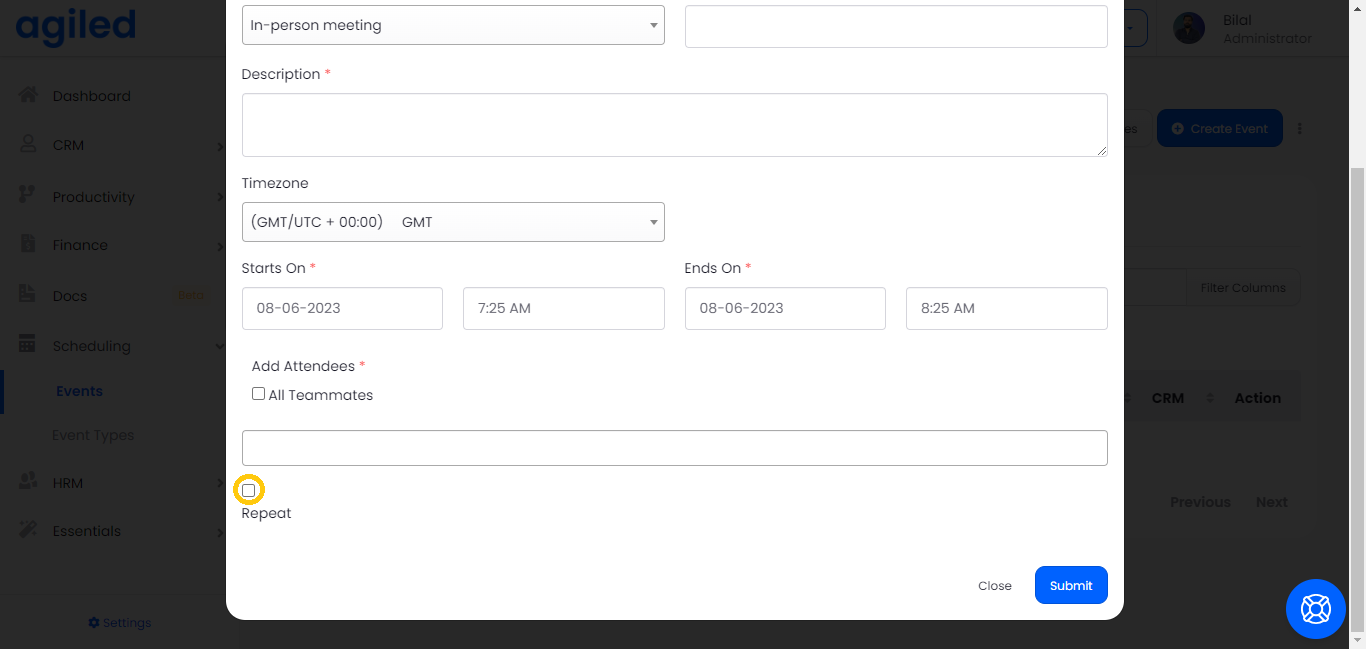
5. Click on 'Submit' to complete the process.
Was this article helpful?
More in Scheduling
- How to Sync events and avoid double booking.Introduction In this tutorial, we will guide you on how to avoid double booking in Agiled, how to sync events with your calendars in real time, and how to add e
- How to edit an Event Type in AgiledIntroduction In this tutorial, we'll guide you through the process of editing an event type in Agiled. Whether you need to adjust the meeting platform, the dura
- How to delete an Event Type in AgiledIntroduction Hello everyone! In this video tutorial, I'm going to walk you through the steps to delete an event type in Agiled. There might be instances when yo
- Cancelling a Scheduled Event or Meeting in AgiledIntroduction Welcome, in this video tutorial, I'll be walking you through the process of cancelling a scheduled event or meeting in Agiled, an all-in-one busine
Questions about this? Agiled Assist answers from these articles.