Integrating with Automizy
How to integrate with Automizy? Agiled integrates with Automizy to sync Leads. To integrate with Automizy go to Settings - Integrations and select Automizy. It
Updated 1 min read
How to integrate with Automizy?
Agiled integrates with Automizy to sync Leads.
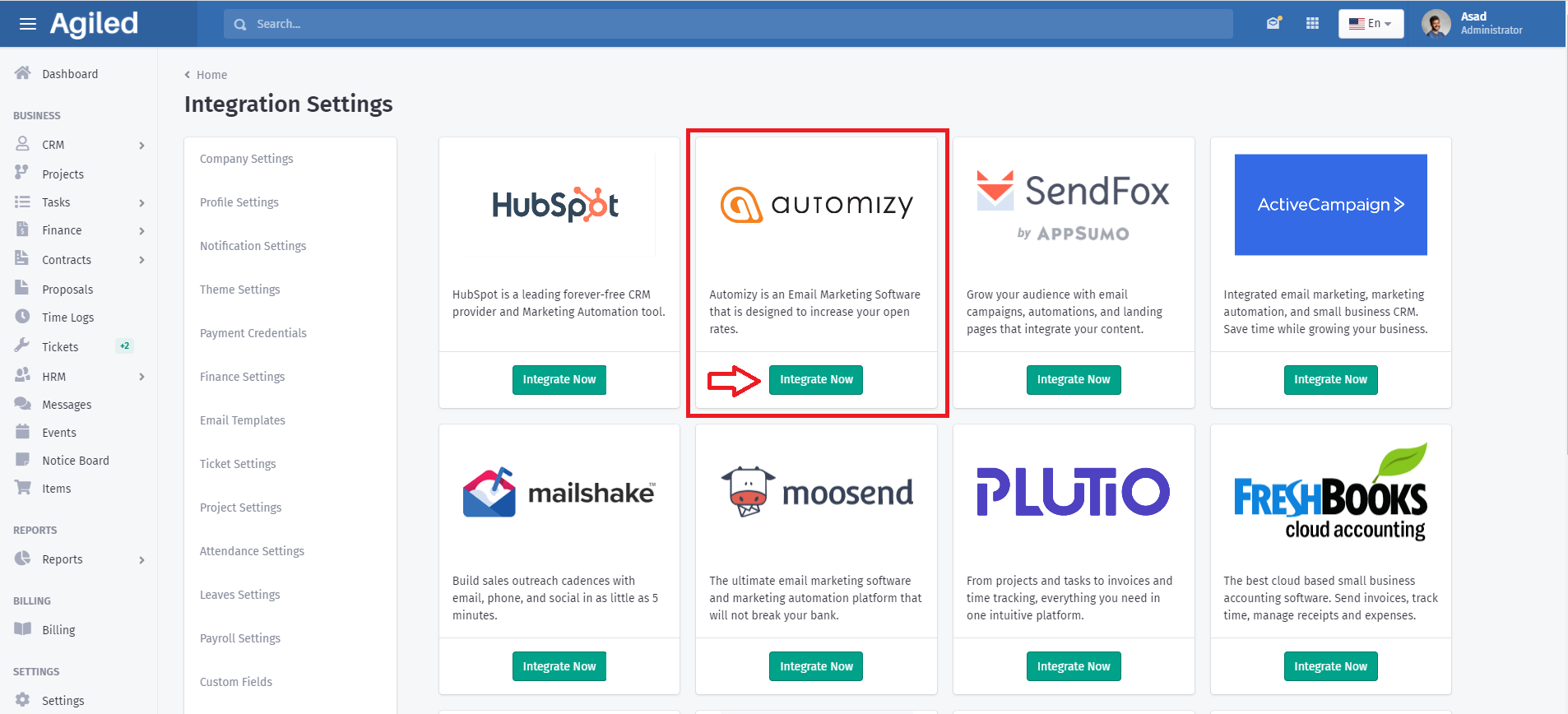
To integrate with Automizy go to Settings - Integrations and select Automizy.
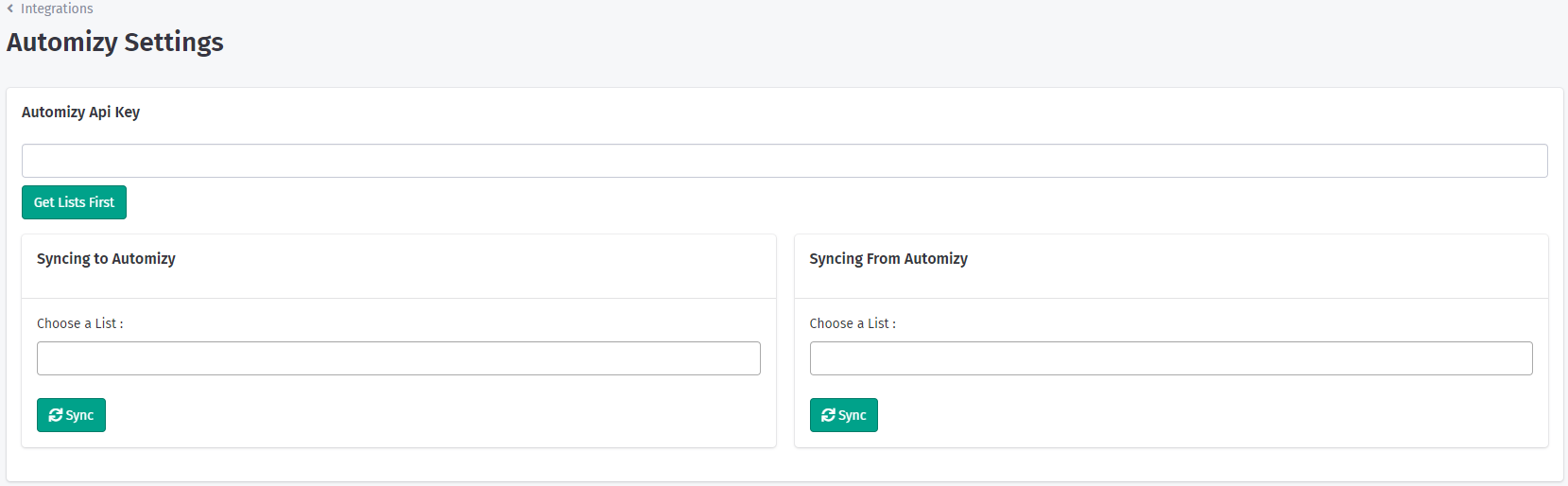
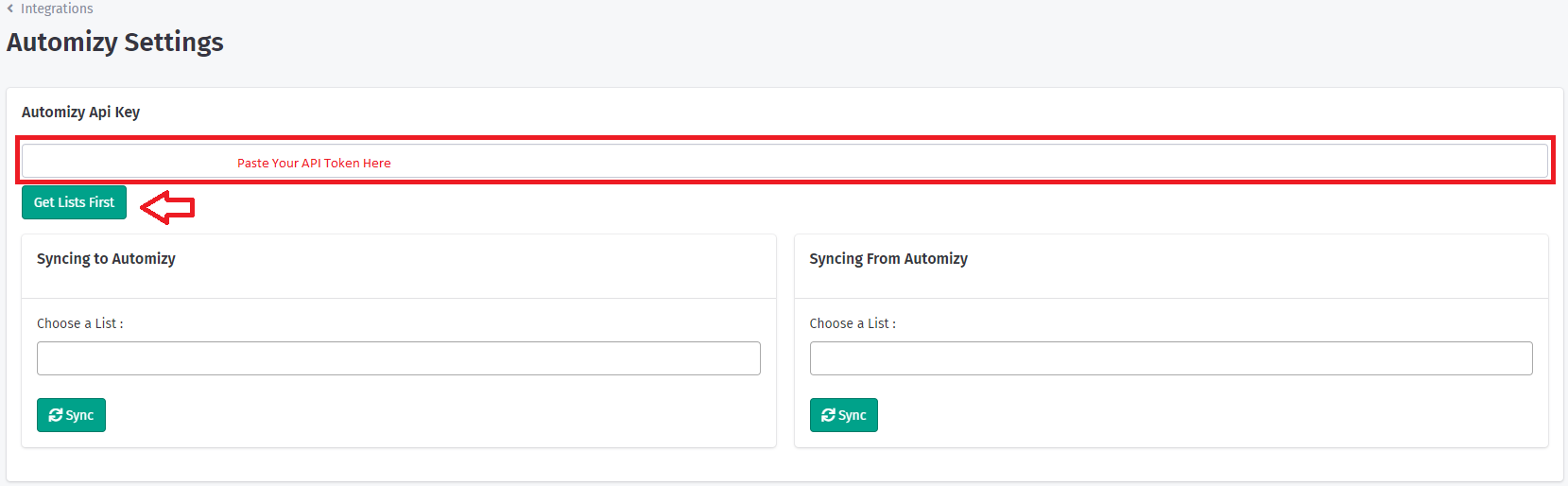
It will take you to Automizey settings. You need API token from Automizy to integrate it with Agiled.
How to get Automizy API Key?
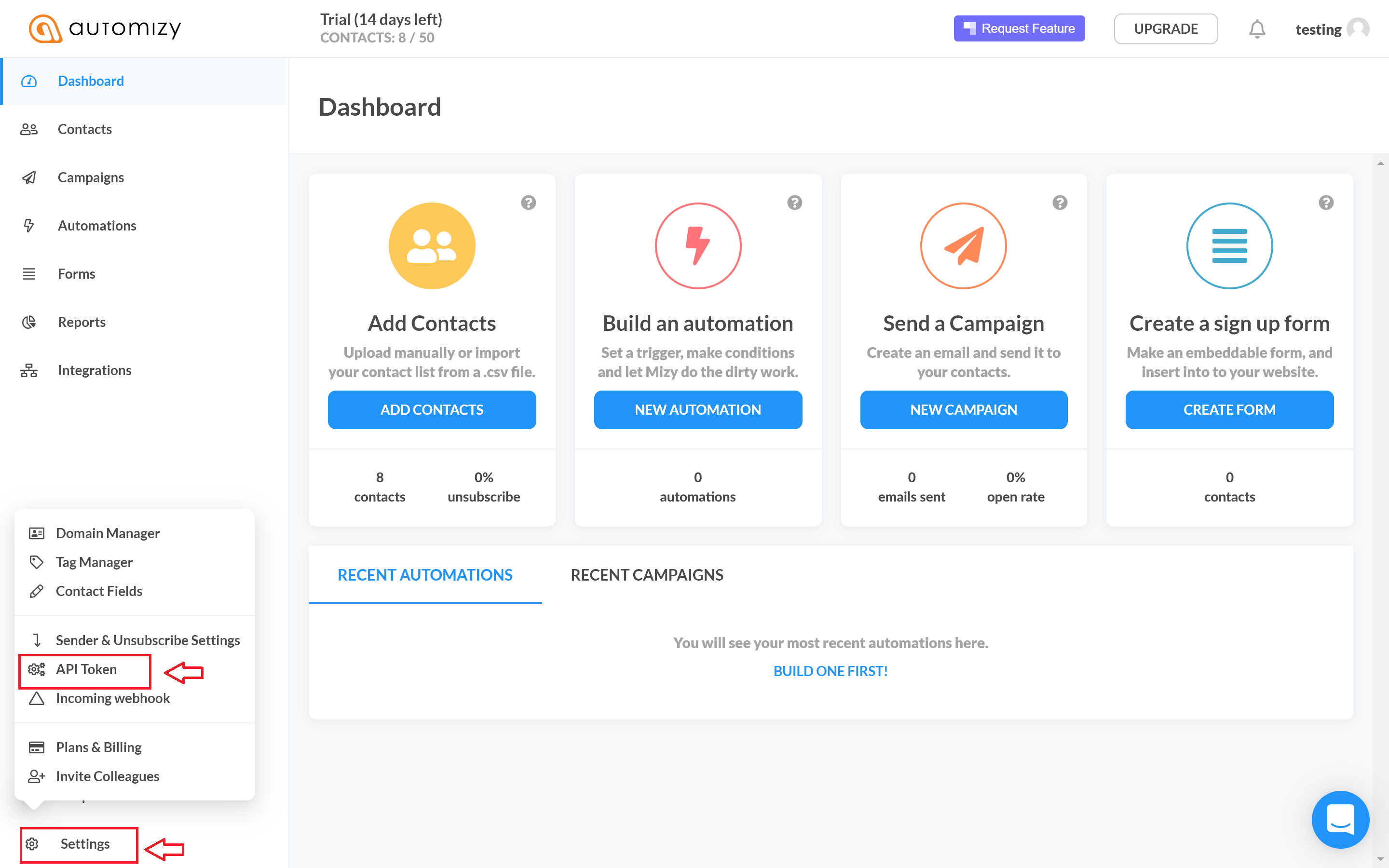
To get your Automizy API token go to Settings - API token from your Automizy account.
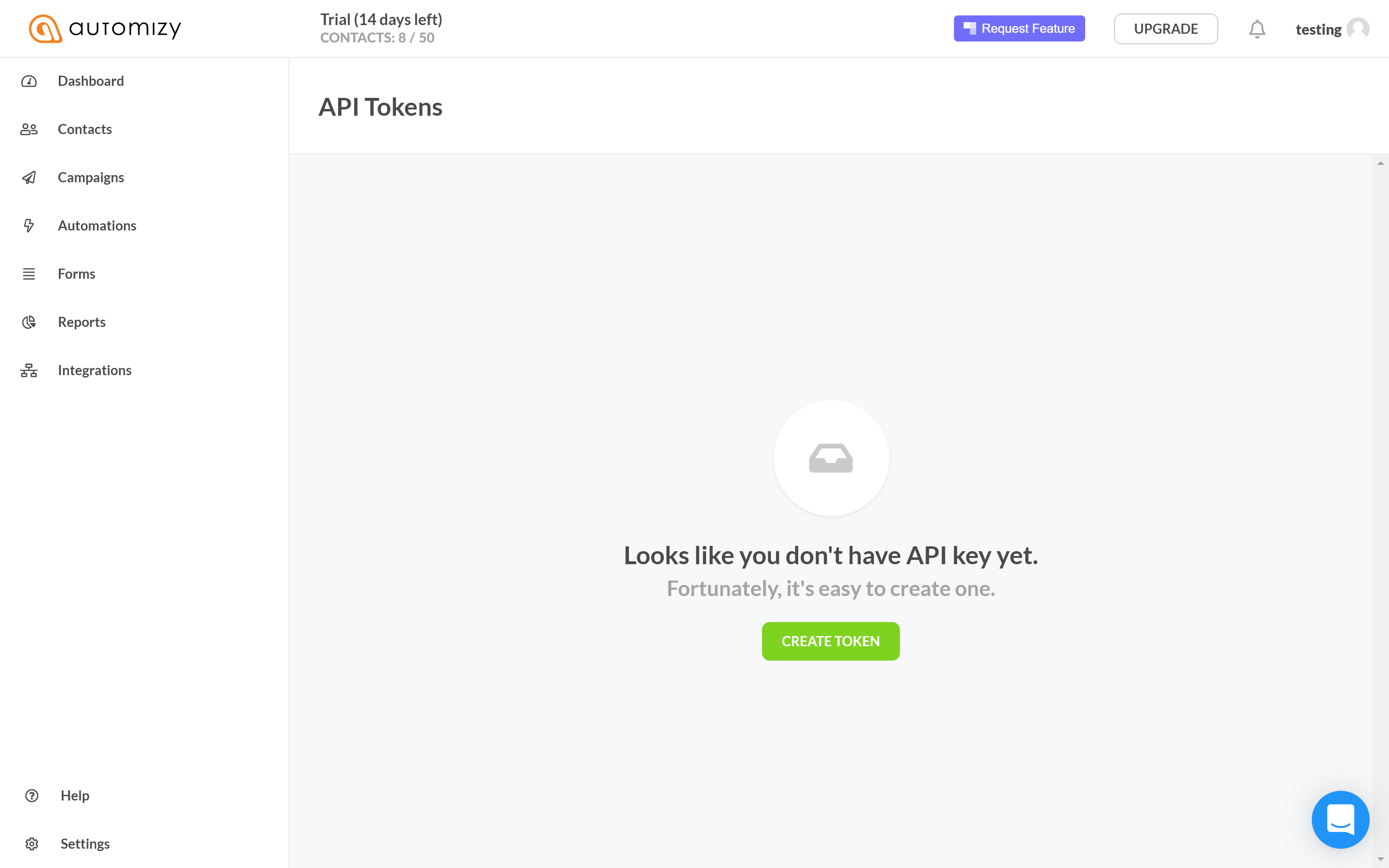
Click Create Token to create API Token.
Copy the API Key from Automizy to Agiled and click on Get Lists .
Sync Leads To Automizy
To sync leads to Automizy choose Automizy List you want to sync to under the Syncing to Automizy and click Sync.
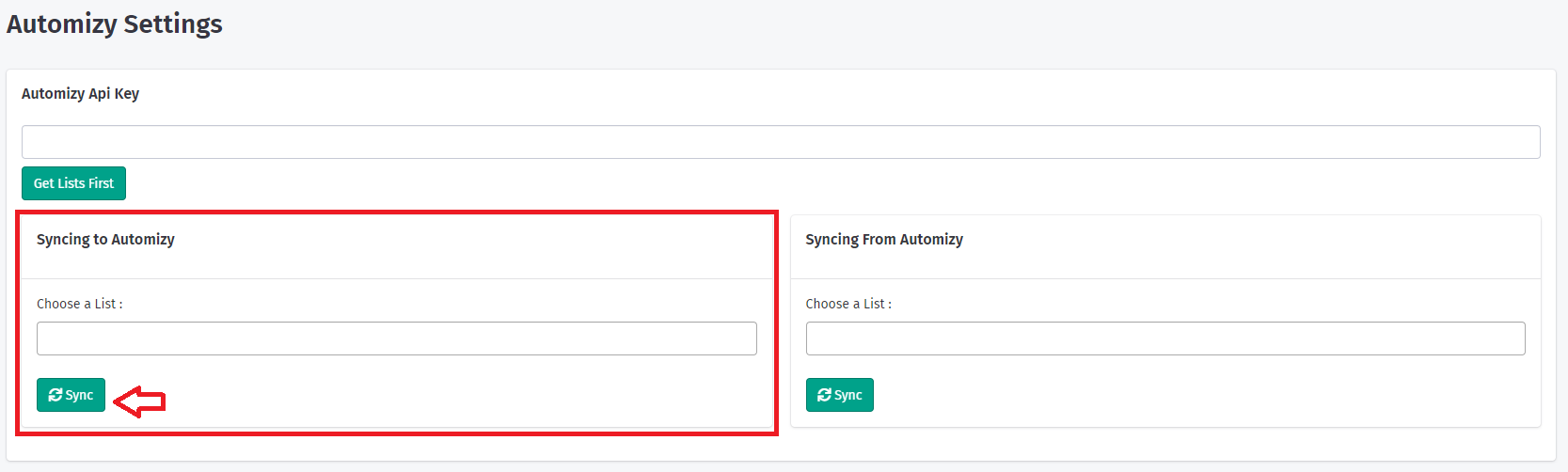
Agiled will sync all the leads from Agiled to Automizy.
Sync Leads from Automizy
To sync leads from Automizy to Agiled select the Automizy list you want to get leads from undr Syncing From Automizy setting and click Sync.
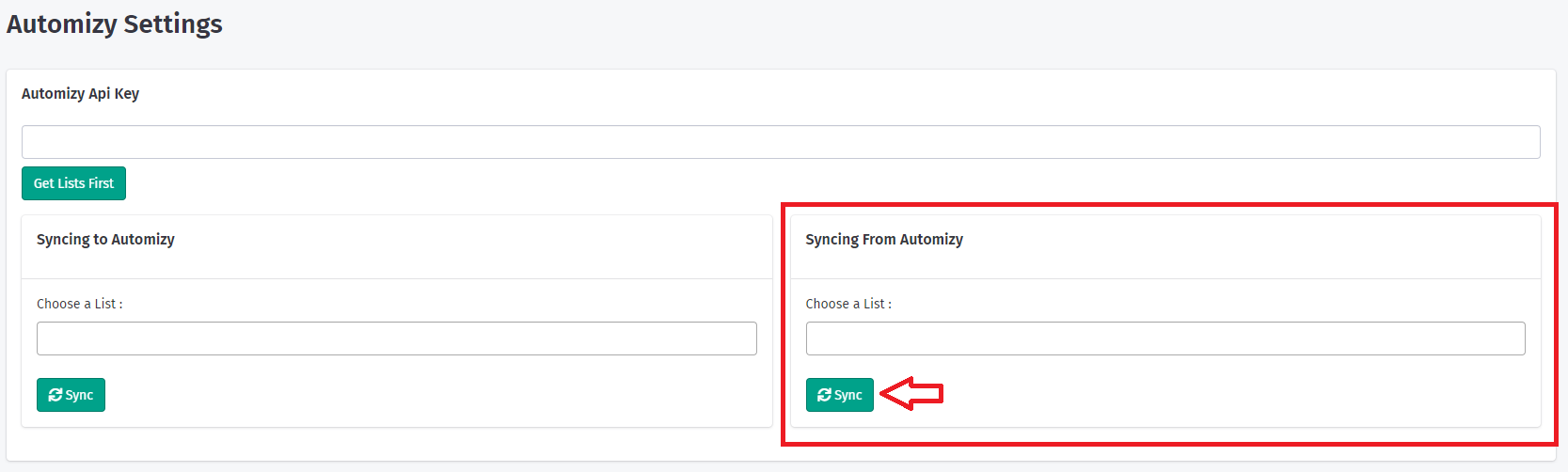
Agiled will get all the leads from Automizy and sync them with Leads. All the duplicates will be automatically discarded by Agiled.
Was this article helpful?
More in Integrations
- Connecting Your Email With CRMYou can connect your email account with Agiled to send one-to-one emails from the CRM to the Contacts and log replies. By connecting your personal email with A
- Integrating with LemlistYou can integrate Lemlist with Agiled to sync leads from & to Lemlist, and it is really easy to setup. Setting up Lemlist Integration To setup Lemlist integrat
- Integrating Agiled with PlutioHow to Integrate Agiled with Plutio? Agiled integrates with Plutio to import Projects,Task,Teammates and Invoices from Plutio. To integrate with Plutio go to S
- How to get Agiled API KeyAgiled has a public API which is available to our paid account users. API docs are available at https://my.agiled.app/developers. To use Agiled's API you will n
Questions about this? Agiled Assist answers from these articles.