How to add ticket reply templates?
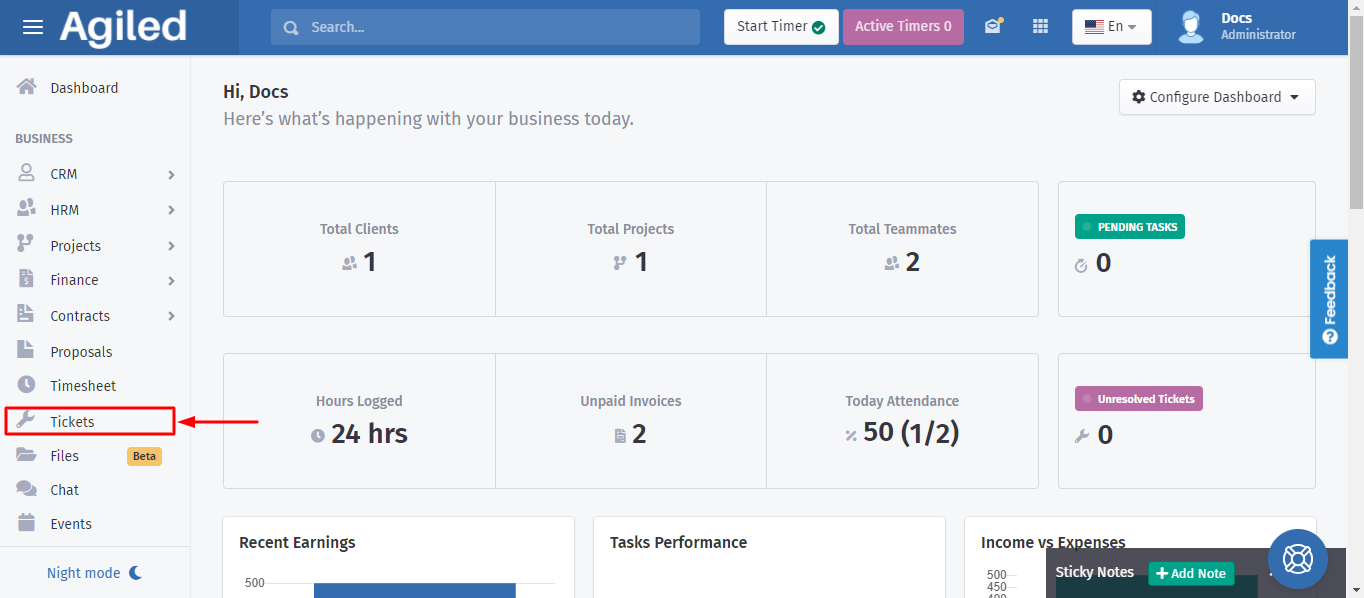
Follow these simple steps in order to add ticket reply templates: 1. First of all go to the sidebar menu and click on the "Tickets" category. . 2. Once the Tick
Updated 1 min read
Follow these simple steps in order to add ticket reply templates:
1. First of all go to the sidebar menu and click on the "Tickets" category.
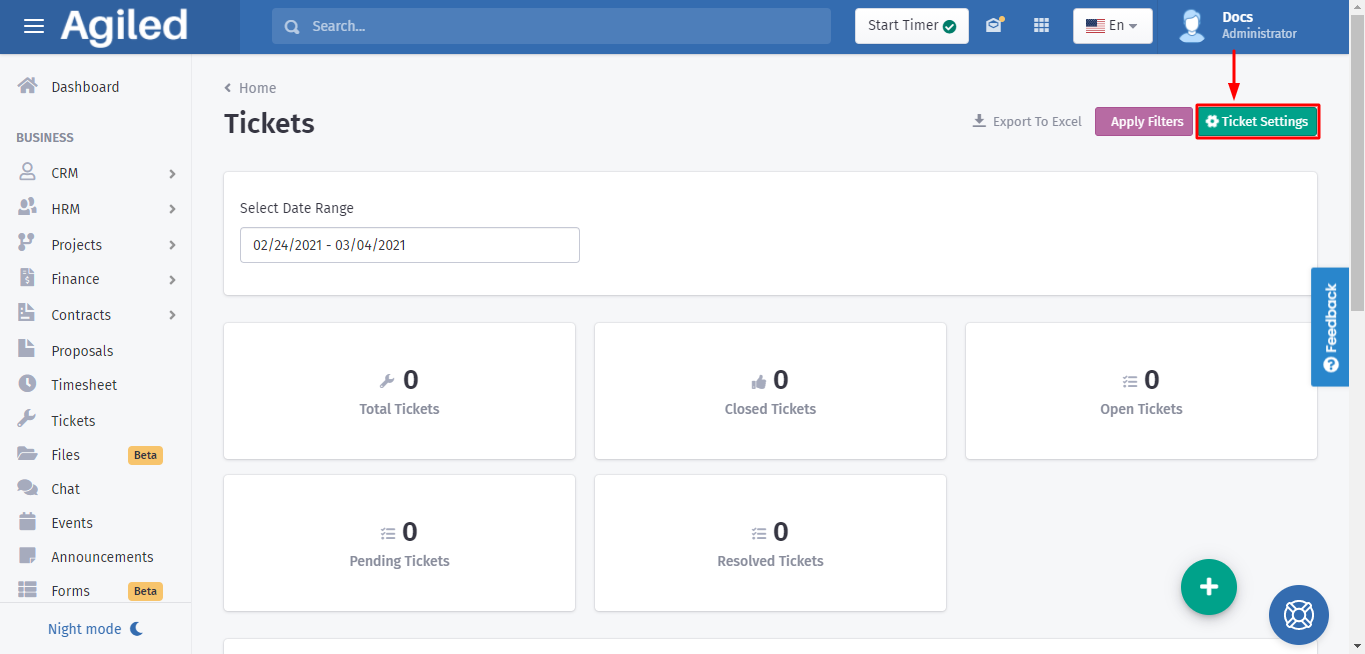
. 2. Once the Tickets page opens, you can see the "Ticket Settings" button on the right side. Click on it.
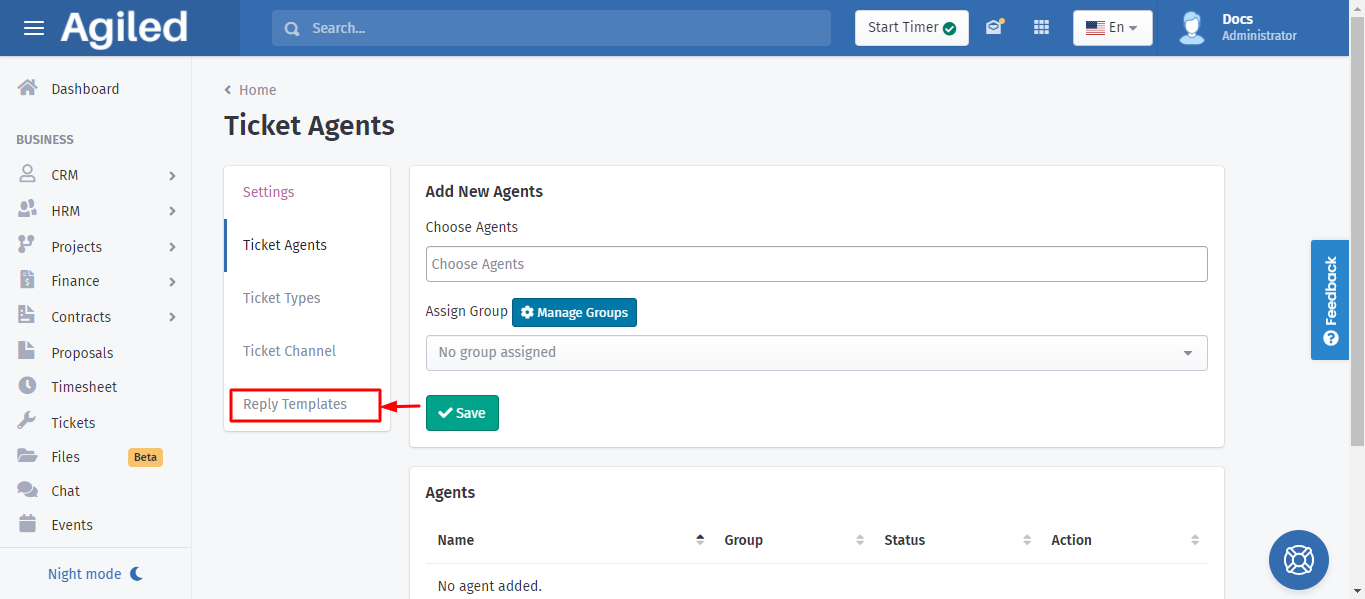
3. Now when the settings open, click on the "Reply Templates".
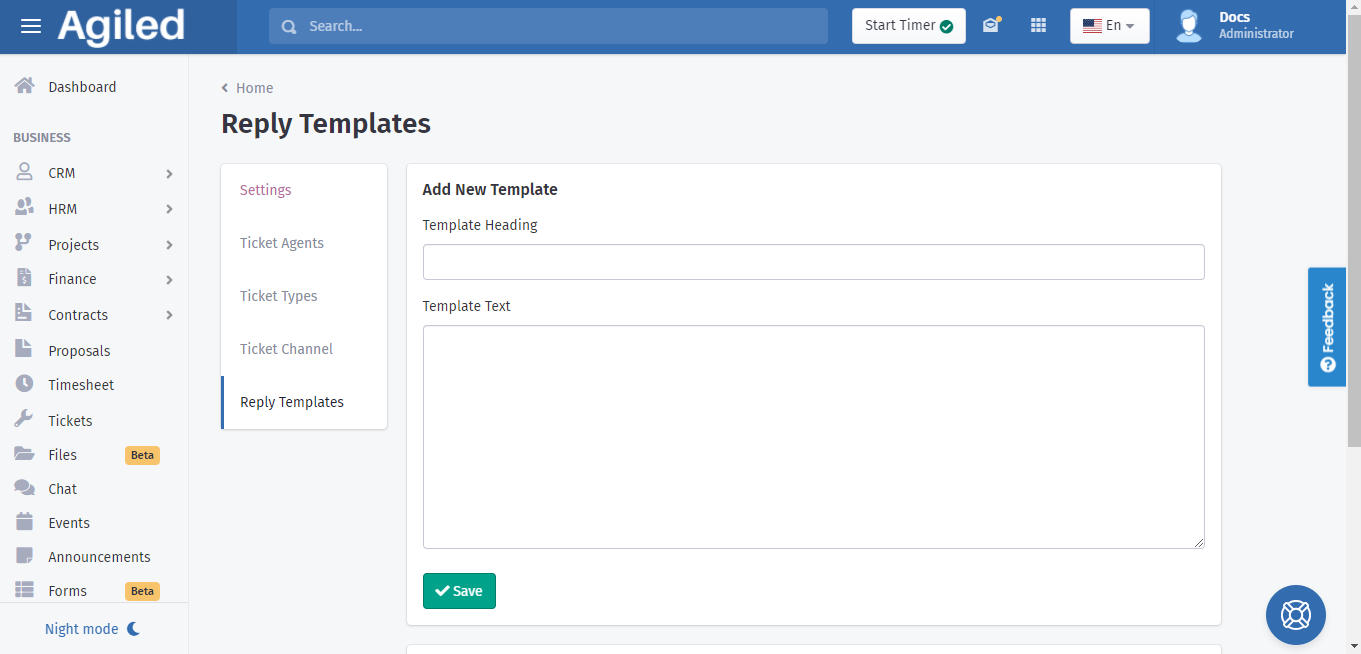
4. You can now simply add a Reply template and save the changes.
Was this article helpful?
More in Support Toolkit
- How to add ticket agents?Follow these simple steps in order to add ticket agents: 1. First of all go to the sidebar menu and click on the "Tickets" category. . 2. Once the Tickets page
- How to create a new Ticket?We will help you out to create a new ticket with these simple steps: 1. First of all look at the sidebar menu and click on the "Tickets" category. .2. Now click
- How to add new ticket channel?Follow these simple steps in order to add a new ticket channel: 1. First of all go to the sidebar menu and click on the "Tickets" category. . 2. Once the Ticket
- How to add ticket types?Follow these simple steps in order to add ticket types: 1. First of all go to the sidebar menu and click on the "Tickets" category. . 2. Once the Tickets page o
Questions about this? Agiled Assist answers from these articles.