How to create a new Ticket?
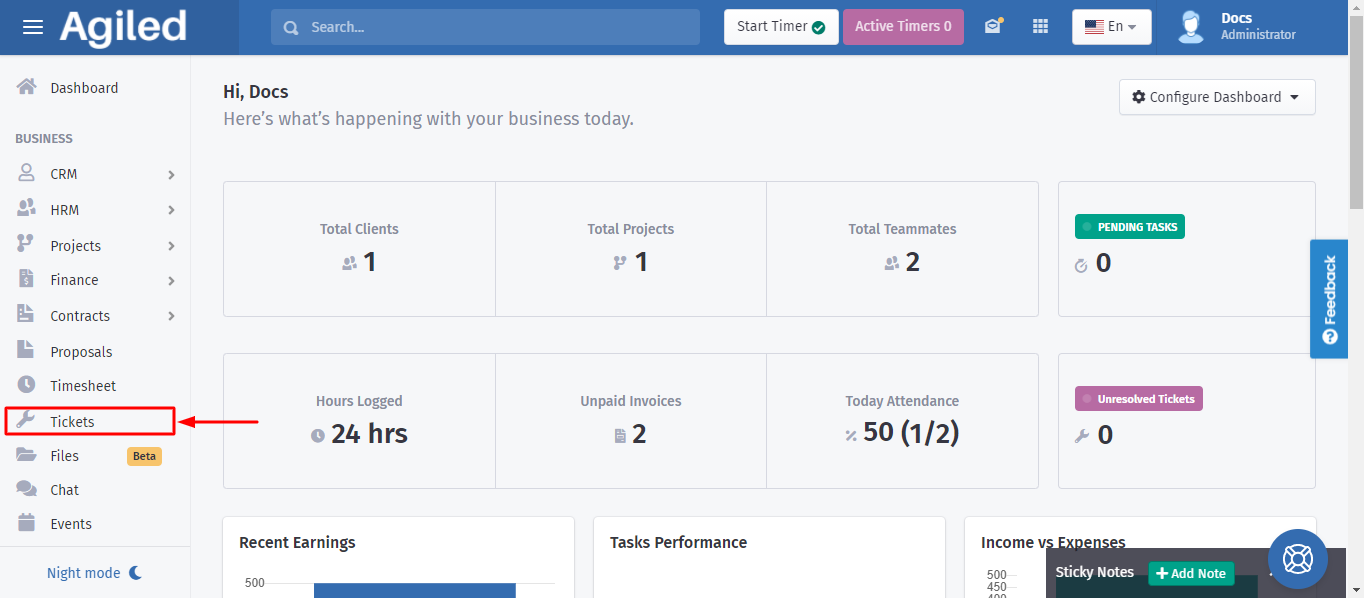
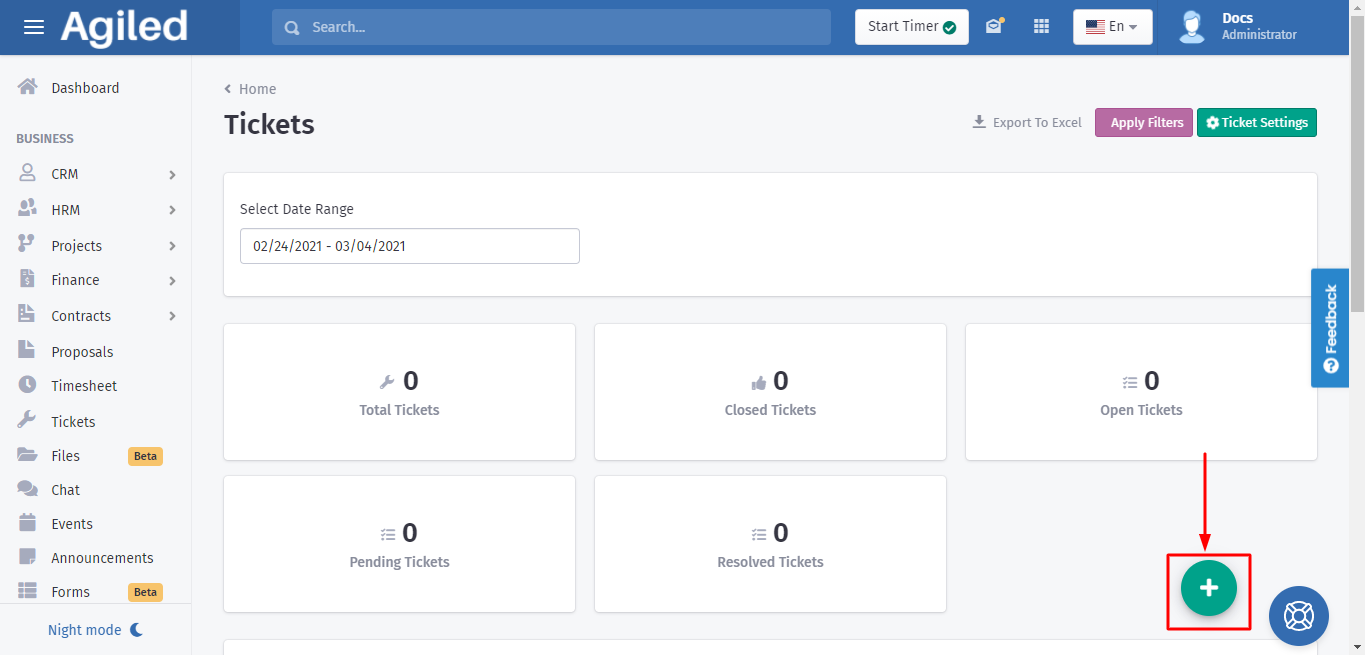
We will help you out to create a new ticket with these simple steps: 1. First of all look at the sidebar menu and click on the "Tickets" category. .2. Now click
Updated 1 min read
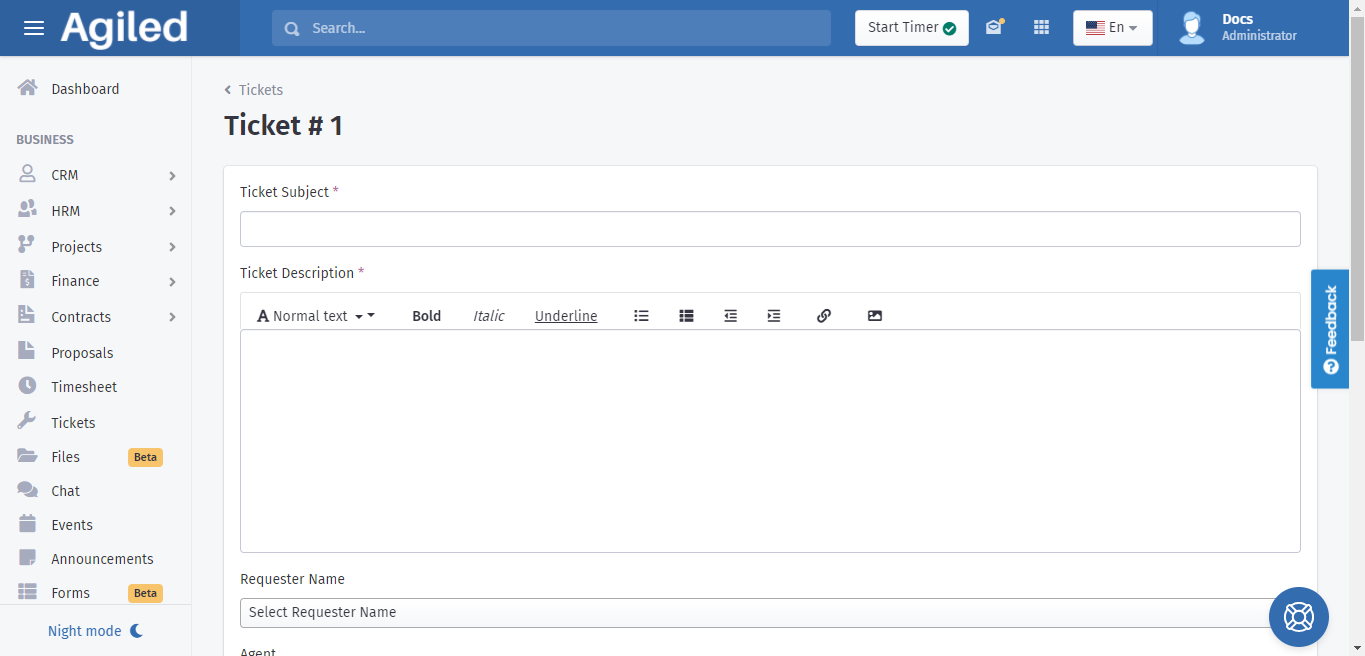
We will help you out to create a new ticket with these simple steps:
1. First of all look at the sidebar menu and click on the "Tickets" category.
.2. Now click on the "+" button to create a new ticket.
Was this article helpful?
More in Support Toolkit
- How to add ticket reply templates?Follow these simple steps in order to add ticket reply templates: 1. First of all go to the sidebar menu and click on the "Tickets" category. . 2. Once the Tick
- How to add ticket agents?Follow these simple steps in order to add ticket agents: 1. First of all go to the sidebar menu and click on the "Tickets" category. . 2. Once the Tickets page
- How to add new ticket channel?Follow these simple steps in order to add a new ticket channel: 1. First of all go to the sidebar menu and click on the "Tickets" category. . 2. Once the Ticket
- How to add ticket types?Follow these simple steps in order to add ticket types: 1. First of all go to the sidebar menu and click on the "Tickets" category. . 2. Once the Tickets page o
Questions about this? Agiled Assist answers from these articles.