Accepting Payments with Razorpay
To start accepting payments with Razorpay you need to copy Razorpay API keys in Agiled. Go to Settings - Payment Gateways from your agiled account ,scroll down
Updated 1 min read
To start accepting payments with Razorpay you need to copy Razorpay API keys in Agiled.
Go to Settings - Payment Gateways from your agiled account ,scroll down to Razorpay and paste your API keys from Razorpay.
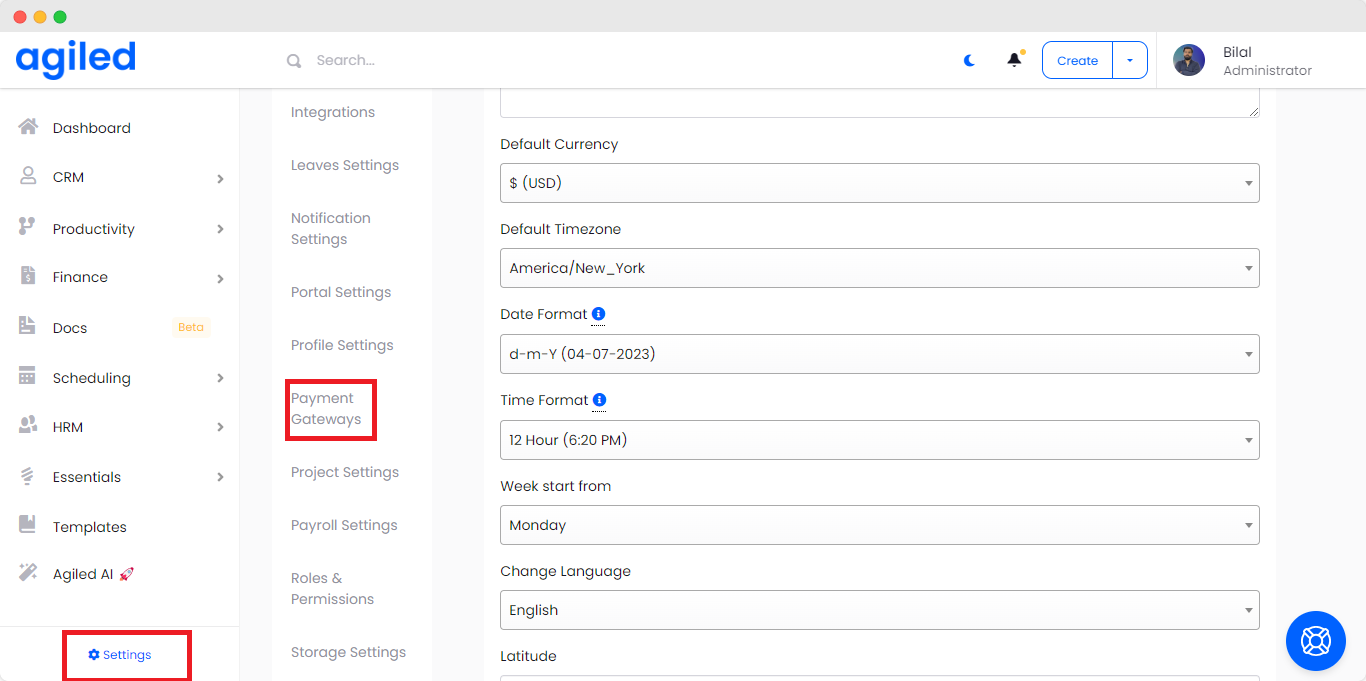
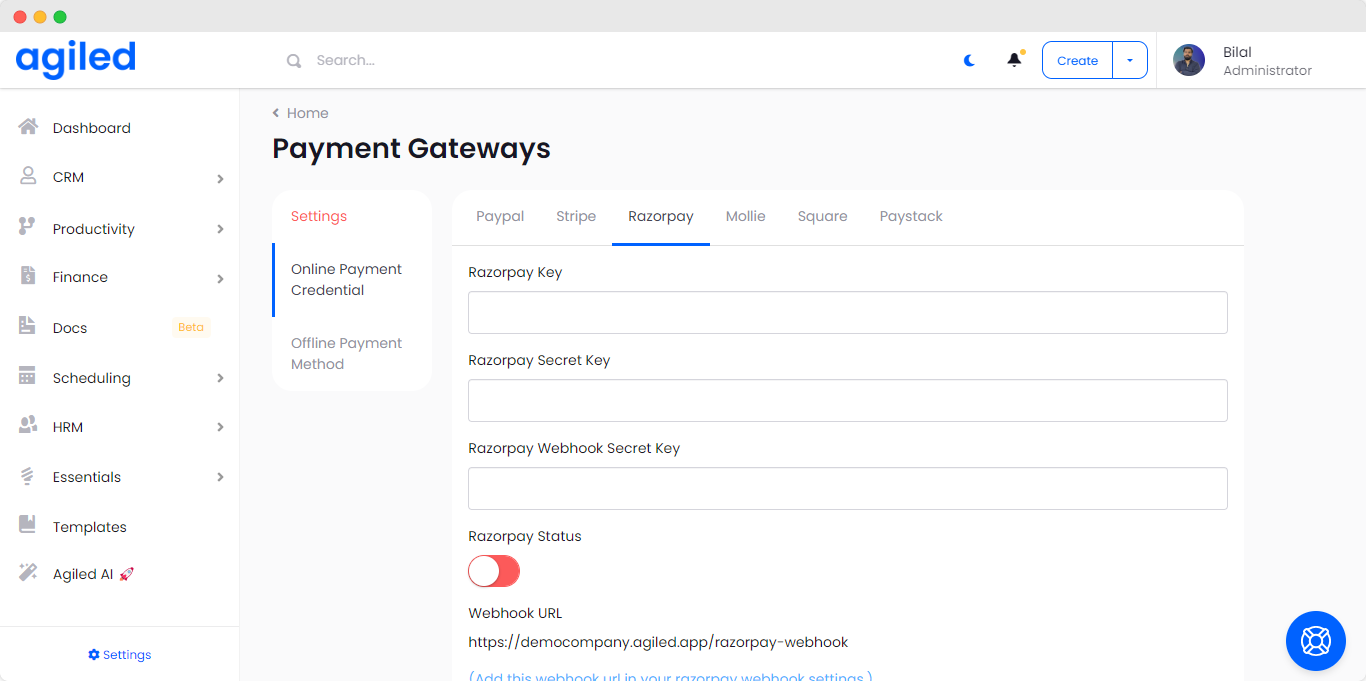
Click save and start accepting payments with Razorpay.
How to Obtain Razorpay API Keys
- Create a Razorpay Account:
-
Visit the Razorpay website and sign up for an account if you don't have one. If you already have an account, log in to your dashboard.
Navigate to API Keys:
-
Once logged in, go to the Dashboard.
-
Click on Settings in the left-hand sidebar.
-
Under the API Keys section, click on Generate Key.
Generate API Keys:
-
Click on Generate Live Key or Generate Test Key depending on your environment (live or testing).
-
After generating, you’ll see two keys:
- Key ID: This is the public key.
- Key Secret: This is the private key. Copy it immediately because it will not be shown again.
-
Store these keys securely; they are needed for authenticating API requests.
You may follow this (https://razorpay.com/docs/payment-gateway/dashboard-guide/settings/#api-keys) article to get your API keys.
-
How to Add a Webhook in Razorpay
- Go to Webhooks:
-
In the Razorpay Dashboard, navigate to Settings.
-
Click on the Webhooks tab.
Add a New Webhook:
-
Click on the Add New Webhook button.
Set Up the Webhook URL:
-
Enter your Webhook URL shown on your Razorpay config page. e.g.,
https://my.agiled.app/razorpaywebhook/{id}). -
Enter a Secret (an optional password to secure your webhook; this should be shared between your server and Razorpay). Add this secret to Agiled too.
Select Events:
-
Select the events you want to receive. For example, if you want to listen for payment completion, choose
subscription.charged.Save the Webhook:
-
Click Save to activate the webhook.
-
Was this article helpful?
More in Payment Gateways
- Adding Stripe Payment GatewayHow to add Stripe Payment Gateway? You can integrate Strip with Agiled to accept online payments on your invoices. To integrate Stripe you need to add your AP
- Accepting Payments with PaypalHow to start accepting payments with Paypal? To start accepting payments with Paypal you need to add Paypal API keys in Agiled. Go to Settings - Payment Gateway
- Accepting Payments with MollieTo start accepting payments with Mollie you need to copy Mollie API key in Agiled. Go to Settings - Payment Gateways from your agiled account ,click the tab Mo
- Accepting Payments with Square UpTo start accepting payments with Square you need to copy Square API keys in Agiled. Go to Settings - Payment Gateways from your agiled account ,click the tab S
Questions about this? Agiled Assist answers from these articles.