Adding Stripe Payment Gateway
How to add Stripe Payment Gateway? You can integrate Strip with Agiled to accept online payments on your invoices. To integrate Stripe you need to add your AP
Updated 1 min read
How to add Stripe Payment Gateway?
You can integrate Strip with Agiled to accept online payments on your invoices.
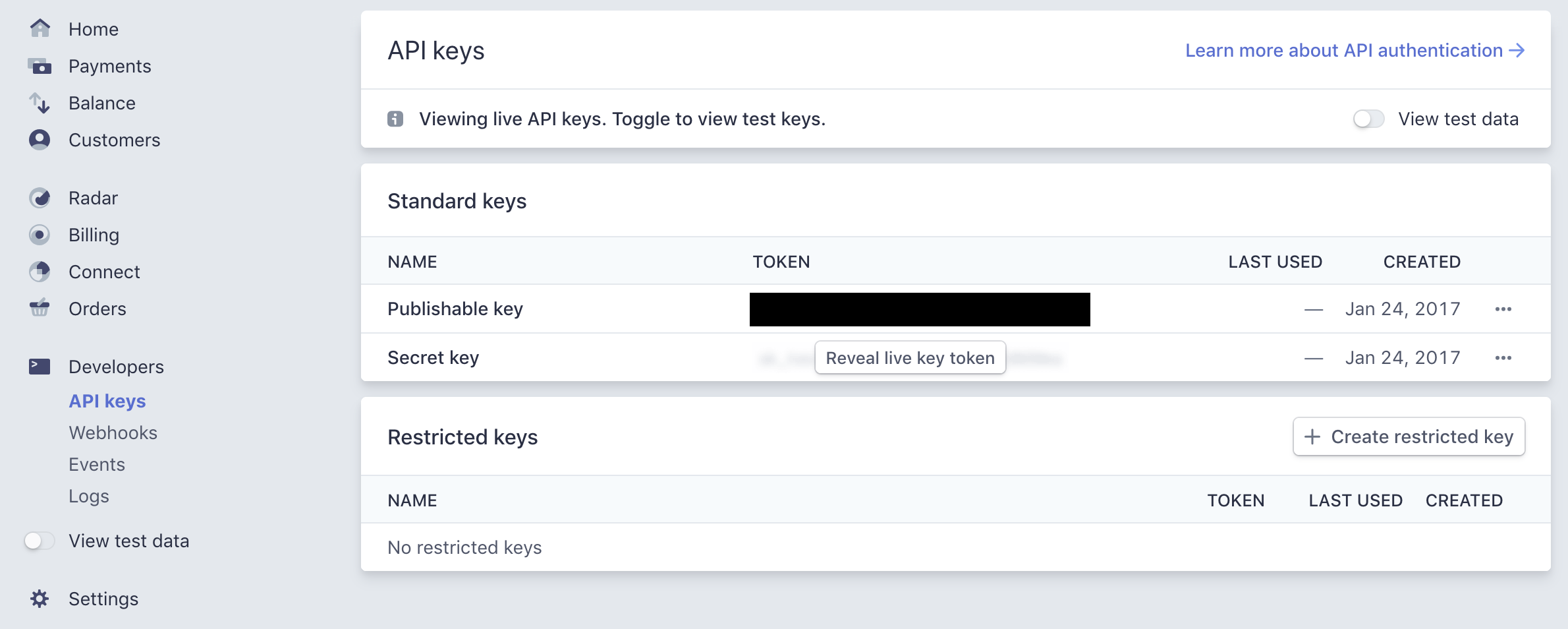
To integrate Stripe you need to add your API keys in Agiled. You can get your Api keys from Stripe Developer Dashboard.
Here are some articles about API keys from Stripe.
You need to copy 2 keys from Stripe to Agiled.
- Publishable Key
- Secret Key
You can switch between test and live keys. If you want to start accepting payments from your customers you need to copy live keys into Agiled. If you want to test the Stripe integration you can copy test keys and test the integration.
Here is a screen shot of Stripe's API key dashboard.
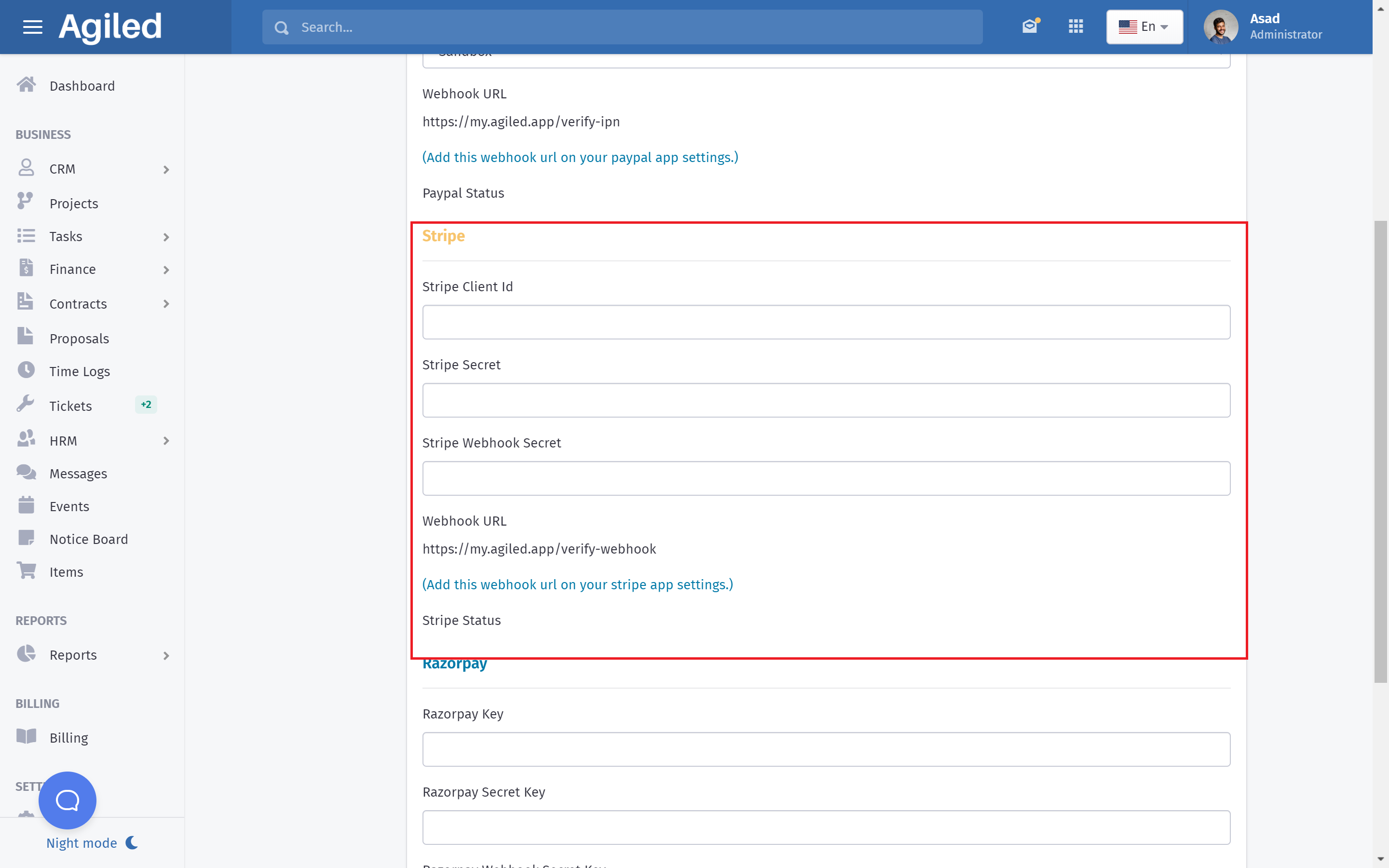
Go to Settings - Payment Gateways, scroll down to Stripe settings and add your keys as shown in the picture below.
Add your Publishable key from Stripe in the Stripe Cliend Id field in Agiled.
Add Secret Key from Stripe in the Stripe Secret Field in Agiled.
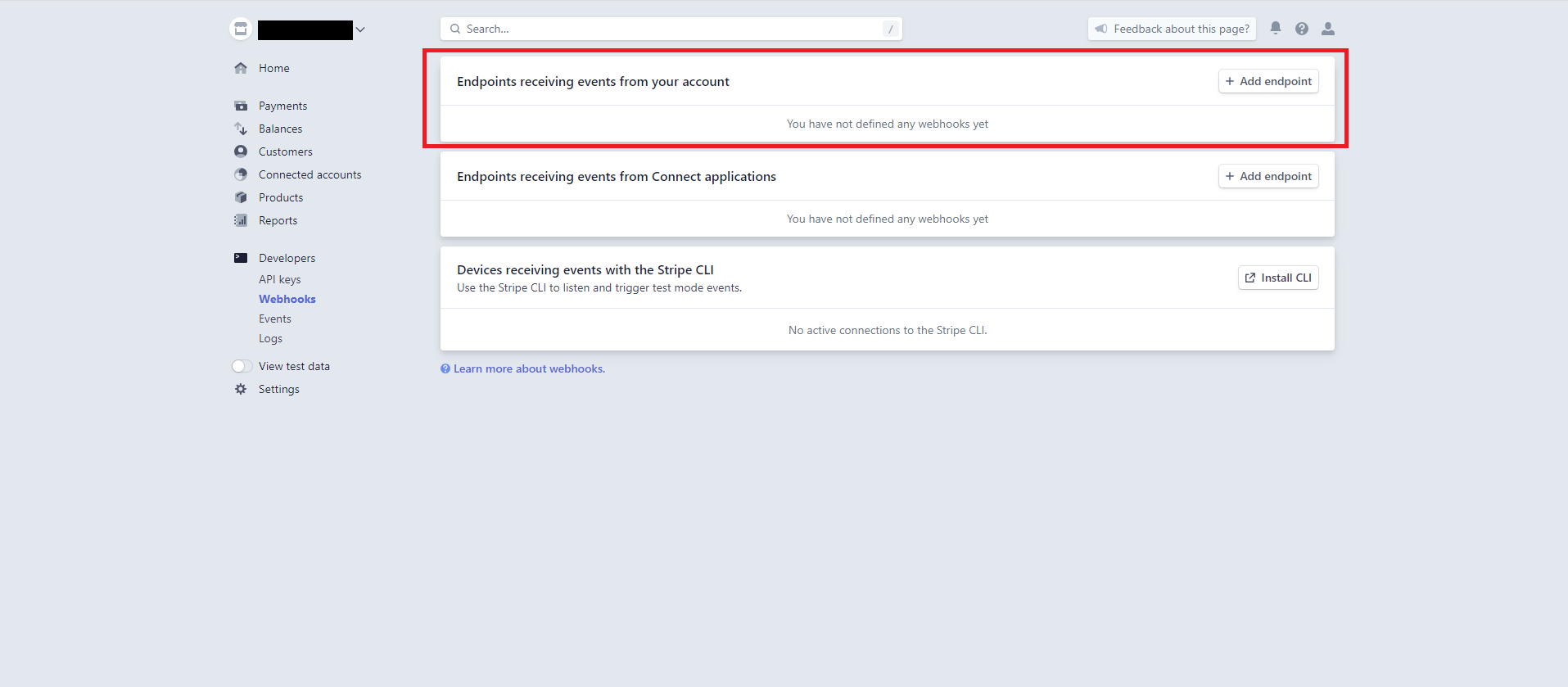
Optionally you can add Stripe Webhook to get updates about the payments.
To add Stripe Webhook Secret go to Stripe Webhook Dashboard and click on the "Add Endpoint" as shown in the picture below.
In the new screen add Webhook URL shown on your Stripe configuration page. Should be something like this
https://my.agiled.app/stripe/webhook/{id}
In the events to send select invoice.payment_succeeded and invoice.payment_failed event and click Add Event button.
Webhook will be created and it will take you to Webhook details screen.
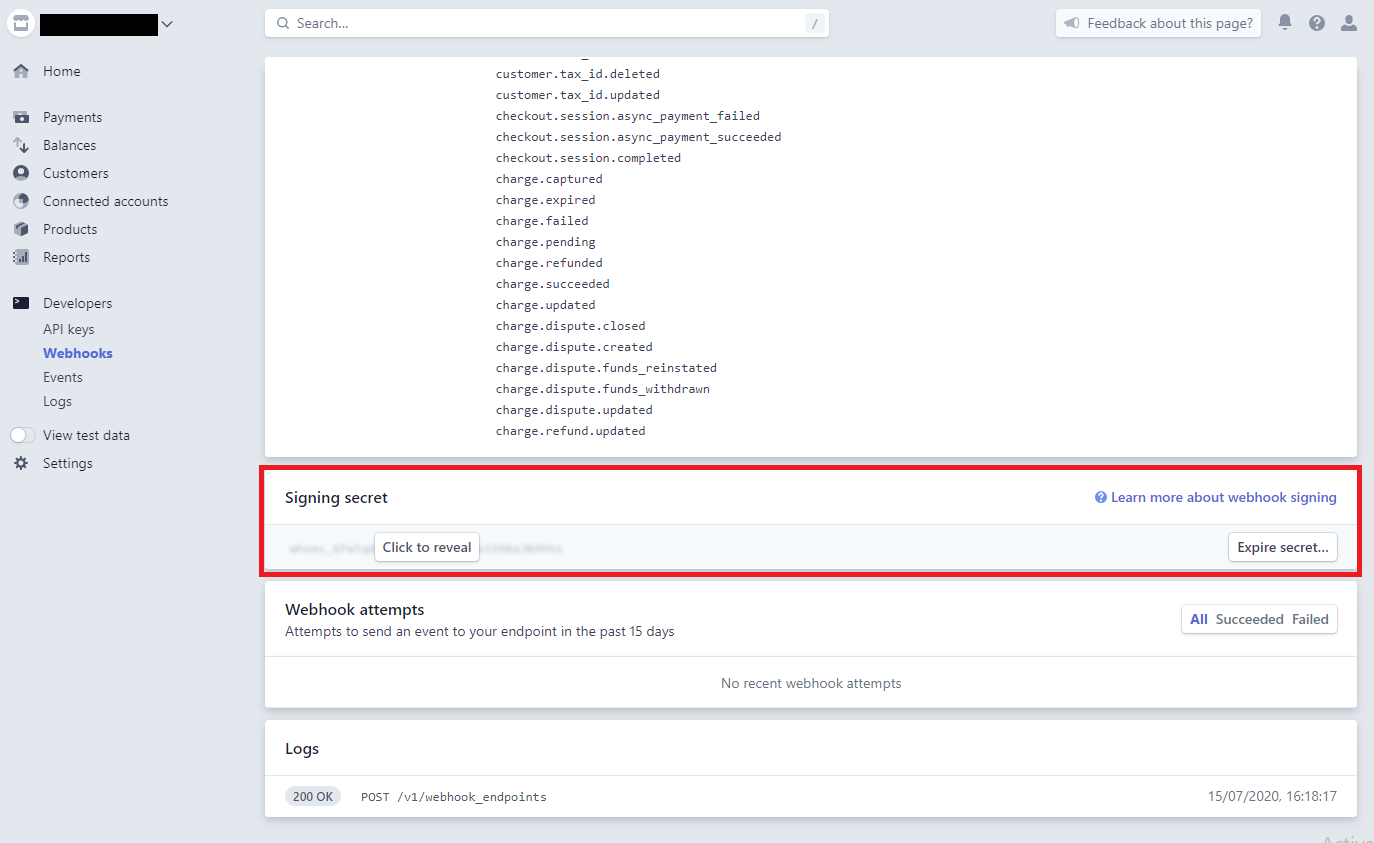
Click "Click to reveal" and copy the Signing secret in Agiled and click save.
Stripe payment gateway will be enabled and you can accept online payments on your invoices.
Was this article helpful?
More in Payment Gateways
- Accepting Payments with PaypalHow to start accepting payments with Paypal? To start accepting payments with Paypal you need to add Paypal API keys in Agiled. Go to Settings - Payment Gateway
- Accepting Payments with RazorpayTo start accepting payments with Razorpay you need to copy Razorpay API keys in Agiled. Go to Settings - Payment Gateways from your agiled account ,scroll down
- Accepting Payments with MollieTo start accepting payments with Mollie you need to copy Mollie API key in Agiled. Go to Settings - Payment Gateways from your agiled account ,click the tab Mo
- Accepting Payments with Square UpTo start accepting payments with Square you need to copy Square API keys in Agiled. Go to Settings - Payment Gateways from your agiled account ,click the tab S
Questions about this? Agiled Assist answers from these articles.