Email Templates
How to customize emails sent from Agiled? Agiled gives you complete control over the emails sent from your account to your client, employees and even yourself.
Updated 1 min read
How to customize emails sent from Agiled?
Agiled gives you complete control over the emails sent from your account to your client, employees and even yourself.
You can edit templates for almost every part like
- CRM
- HRM
- Finance
- Proposals
- Contracts
- Tickets
- Payroll
- Events
To change your email template go to Settings - Email Templates
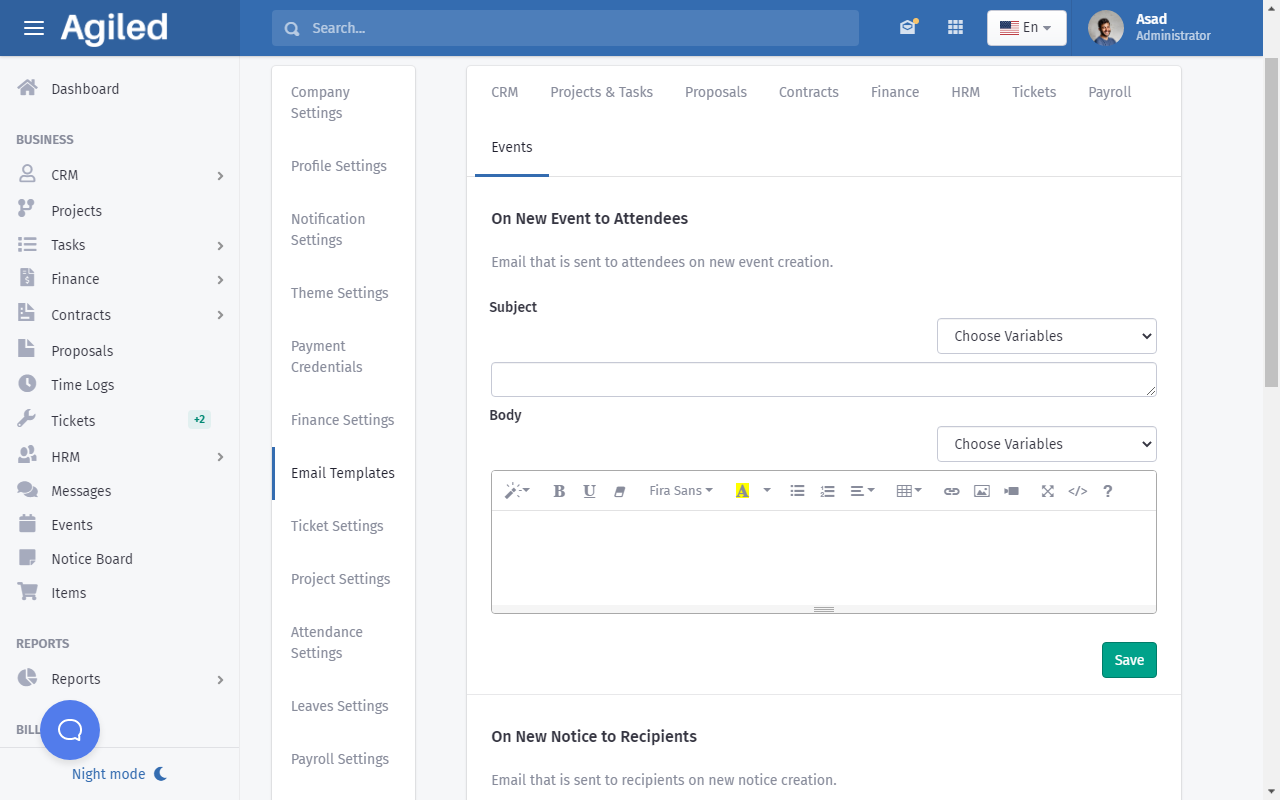
How to customize email template?
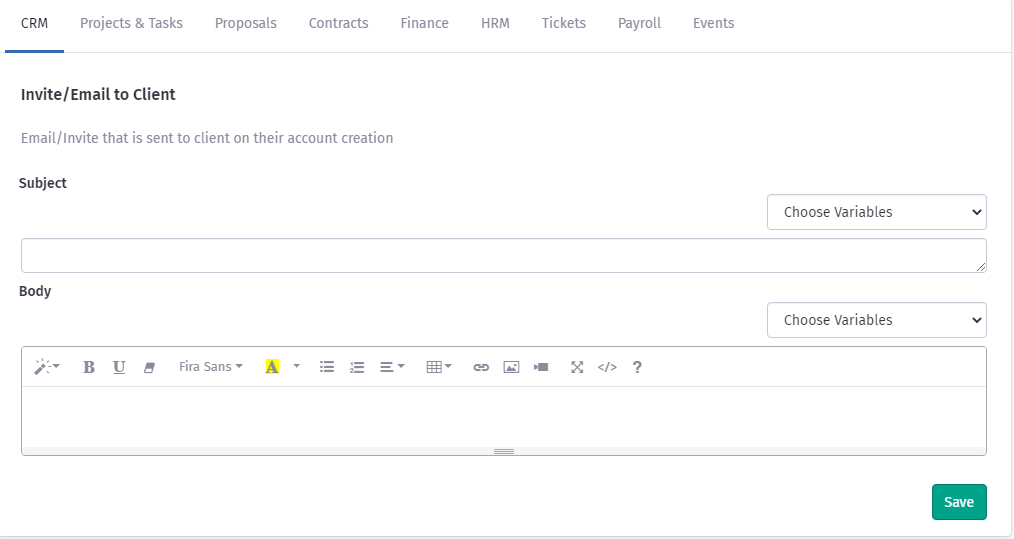
You can change subject and body of the email and use Variables to customize email for your recipients.
To change Subject Enter your Subject line in the Subject portion and use Variables from the drop down where necessary.
To change body of the email add text, image, videos table or any other rich text to your email and customize your email with a long list of variables.
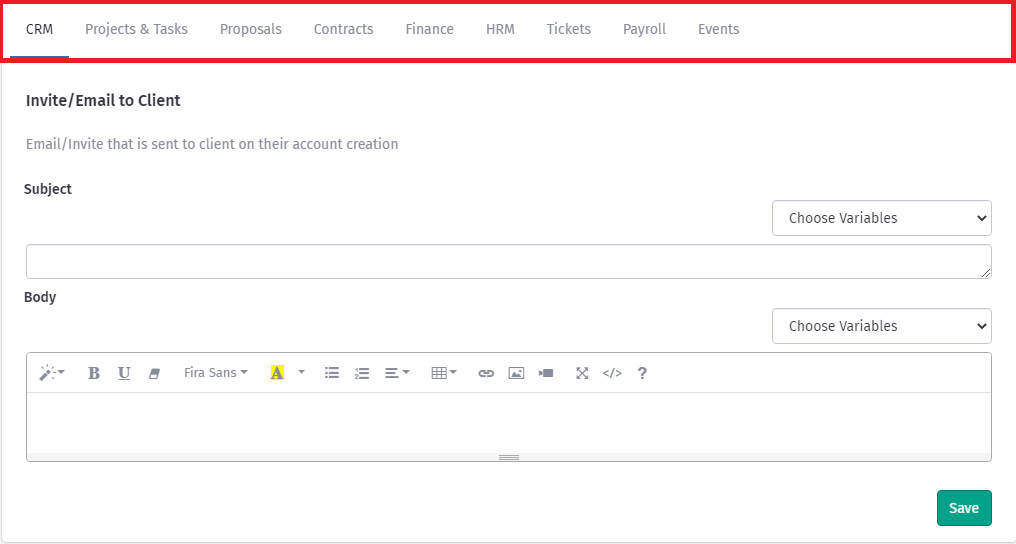
To quickly switch between different sections choose a different tab from the top bar as shown in the picture below.
Was this article helpful?
Related articles
- Adding Stripe Payment GatewayHow to add Stripe Payment Gateway? You can integrate Strip with Agiled to accept online payments on your invoices. To integrate Stripe you need to add your AP
- Creating InvoicesHow to create an Invoice in Agiled? To create an invoice, go to Finance -> Invoiceand click on Plus button. This will take you to create invoice screen. Follow
- How to customize Login PageYou can use your own branding and customize Login page of Client and Employee Portal according to your business as shown in the picture below. You can only cus
- How to add a new Client.You can add clients in Agiled to send them invoices, estimates, proposals, contracts, and to collaborate with them on projects. You can also invite them to the
Questions about this? Agiled Assist answers from these articles.