How to delete a Brand in Agiled
If you no longer need a brand, you can delete it in Agiled. Please note that when you delete a Brand everything related to the Brand or Company is deleted from
Updated 1 min read
If you no longer need a brand, you can delete it in Agiled. Please note that when you delete a Brand everything related to the Brand or Company is deleted from Agiled including projects, teammates, contacts, finances, etc. You cannot recover anything after the brand has been deleted.
Since this is a critical action, we schedule the deletion of Brand instead of immediately deleting it.
Here is how you can delete a brand in Agiled.
- Go to Settings -> Company Settings
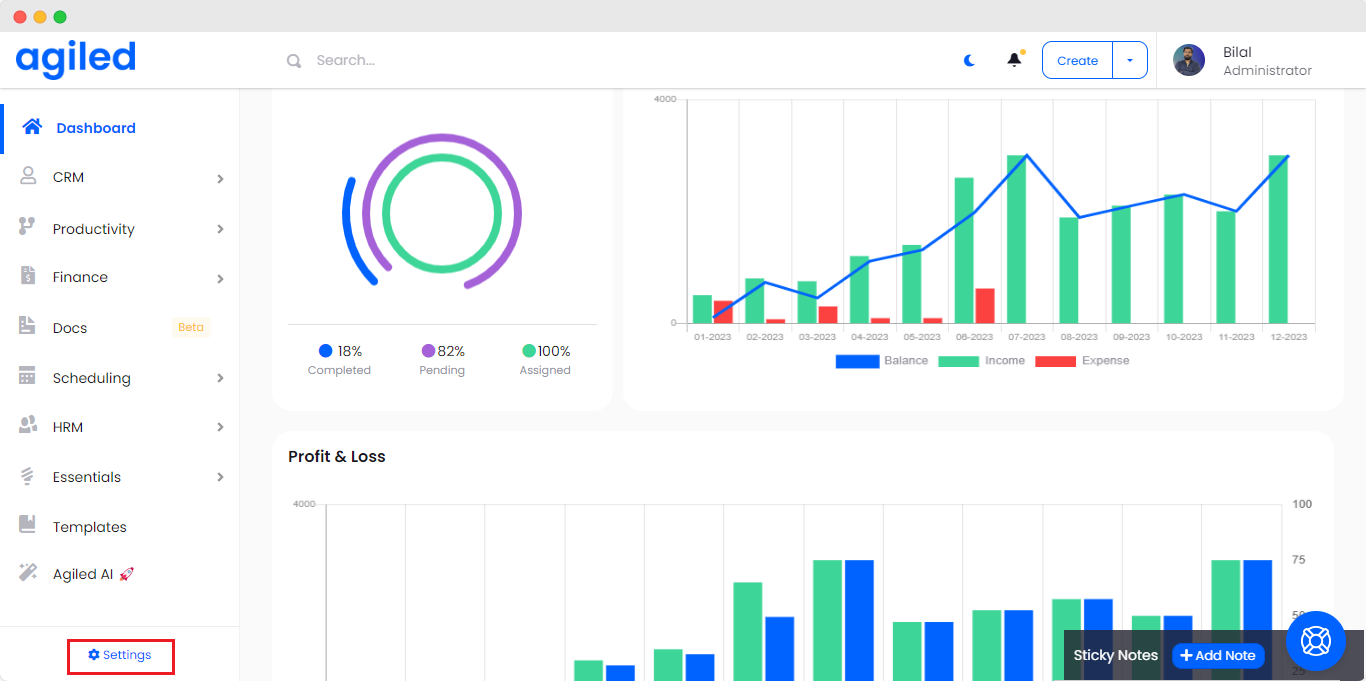
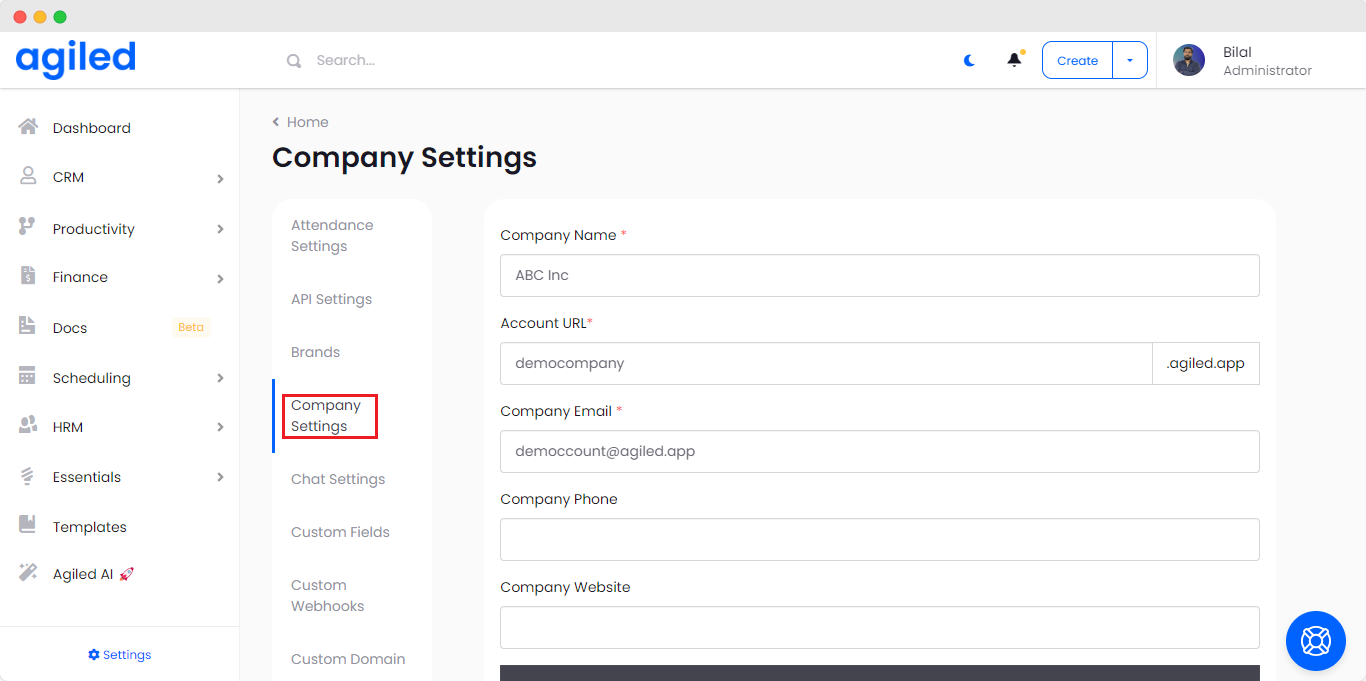
- Scroll down to bottom.
- Click on the “Delete this company account” button.
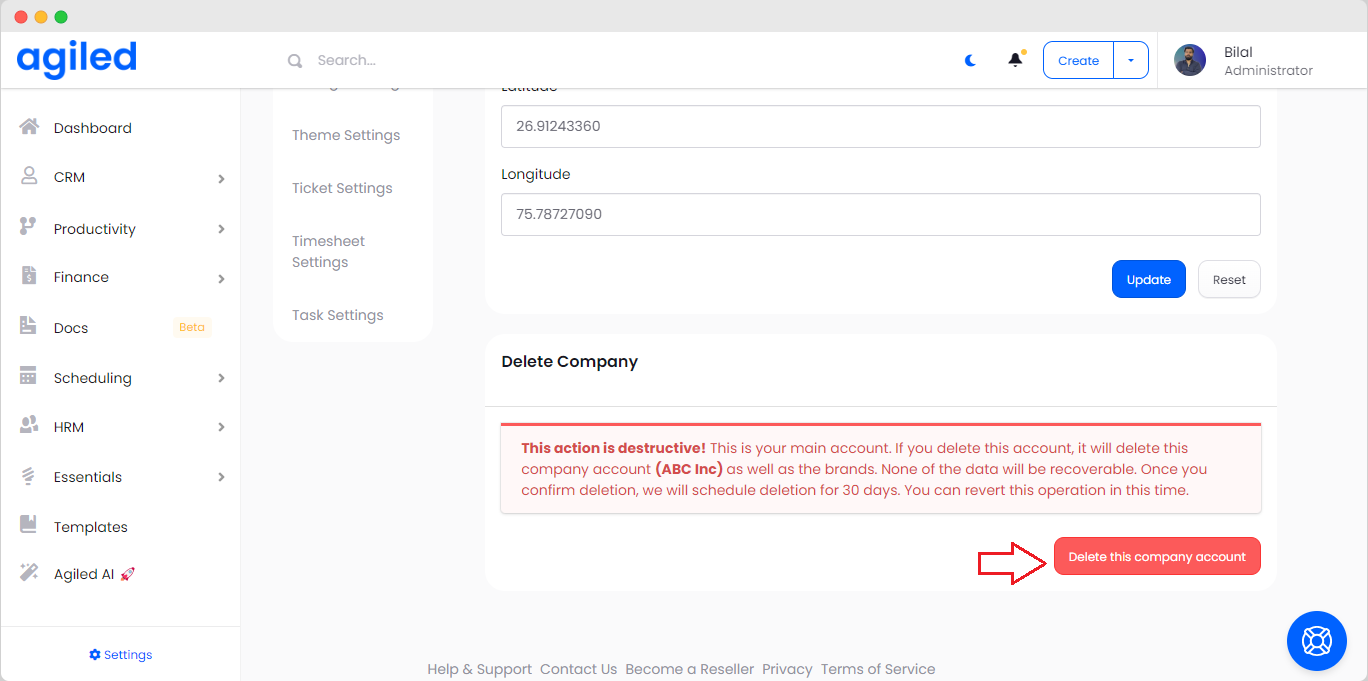
- A popup will appear asking you for confirmation.
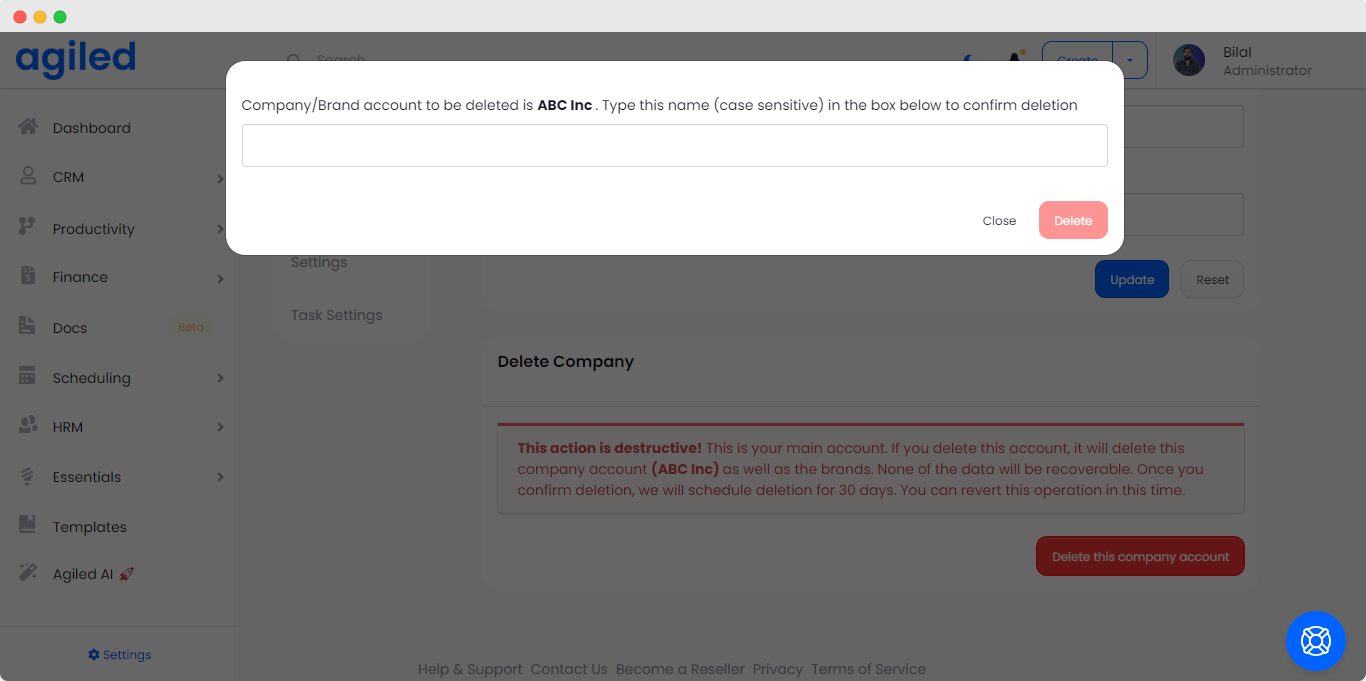
- Enter the name of the Brand to confirm ( Case Sensitive)
- Click on the Delete button.
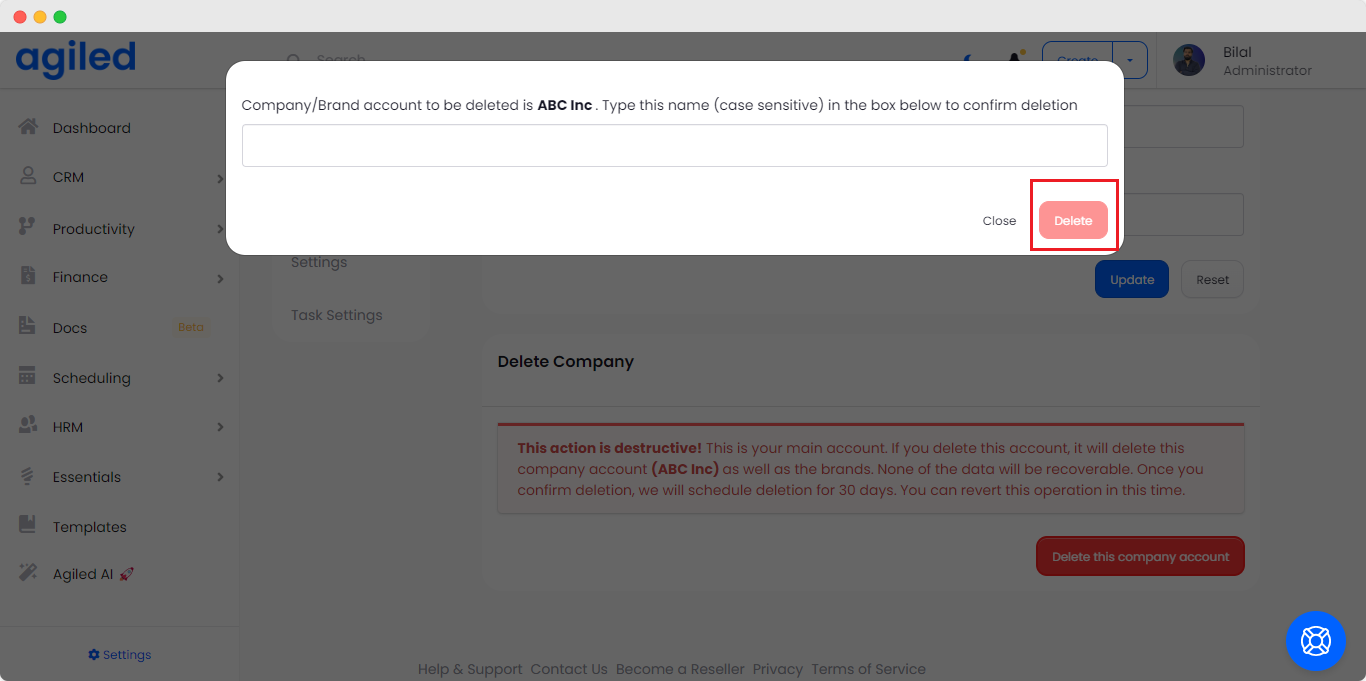
After you have confirmed that you want to delete this brand, we schedule the deletion for 7 days.
How to revert Deletion during scheduled deletion period?
If you change your mind during the 7 day period and want to revert the deletion, you can contact us any time during these 7 days at [email] with a request to revert this action.
What happens to the Brand subscription when I delete it?
When you delete a brand, it’s subscription is cancelled automatically.
Was this article helpful?
More in Brand Management
Questions about this? Agiled Assist answers from these articles.