How to add a new brand in Agiled?
If you own more than one Brand or Company, you can create a separate brand and manage everything under one main account. Each Agiled account comes with one Bra
Updated 1 min read
If you own more than one Brand or Company, you can create a separate brand and manage everything under one main account.
Each Agiled account comes with one Brand. If you want to manage multiple brands under one account, you can add an additional brand to keep your projects, contacts, contracts, finance, and other things separate.
Please note that only the main user of the account can create additional brands, other teammates cannot do it.
How to add a new brand in Agiled.
To add a new brand in Agiled
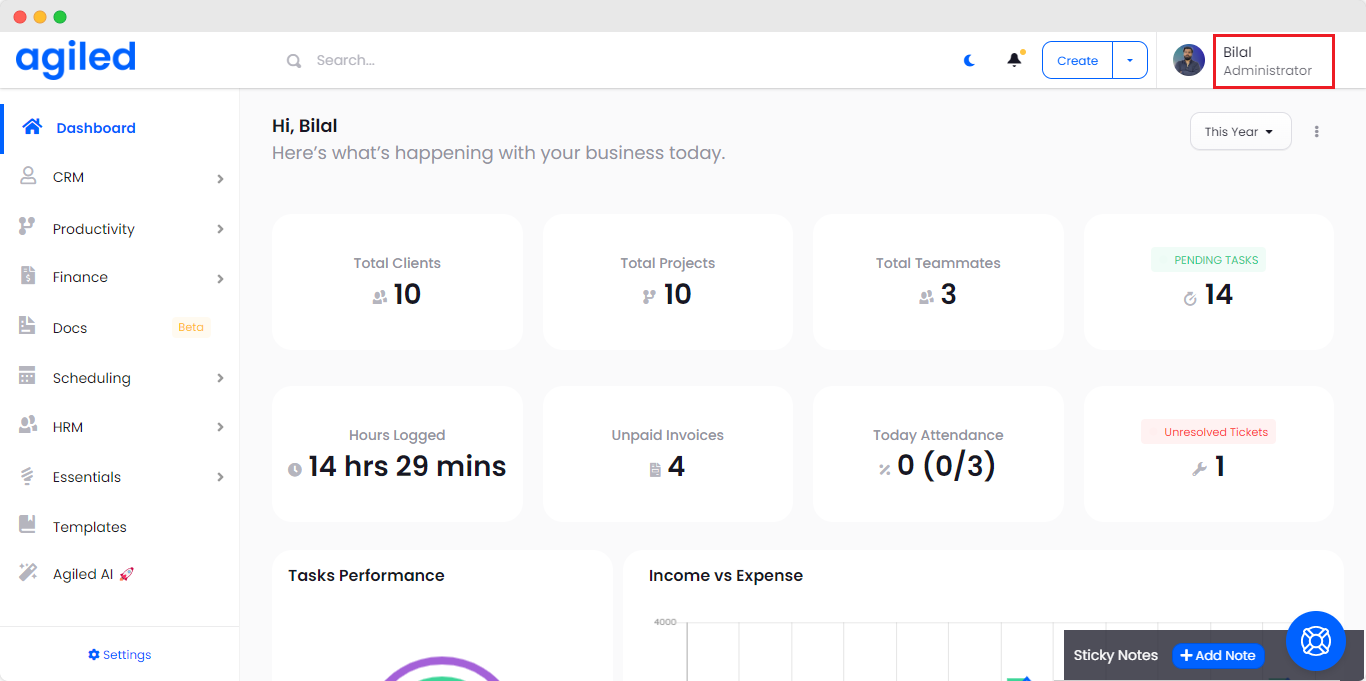
- Click on the your name in the top right corner.
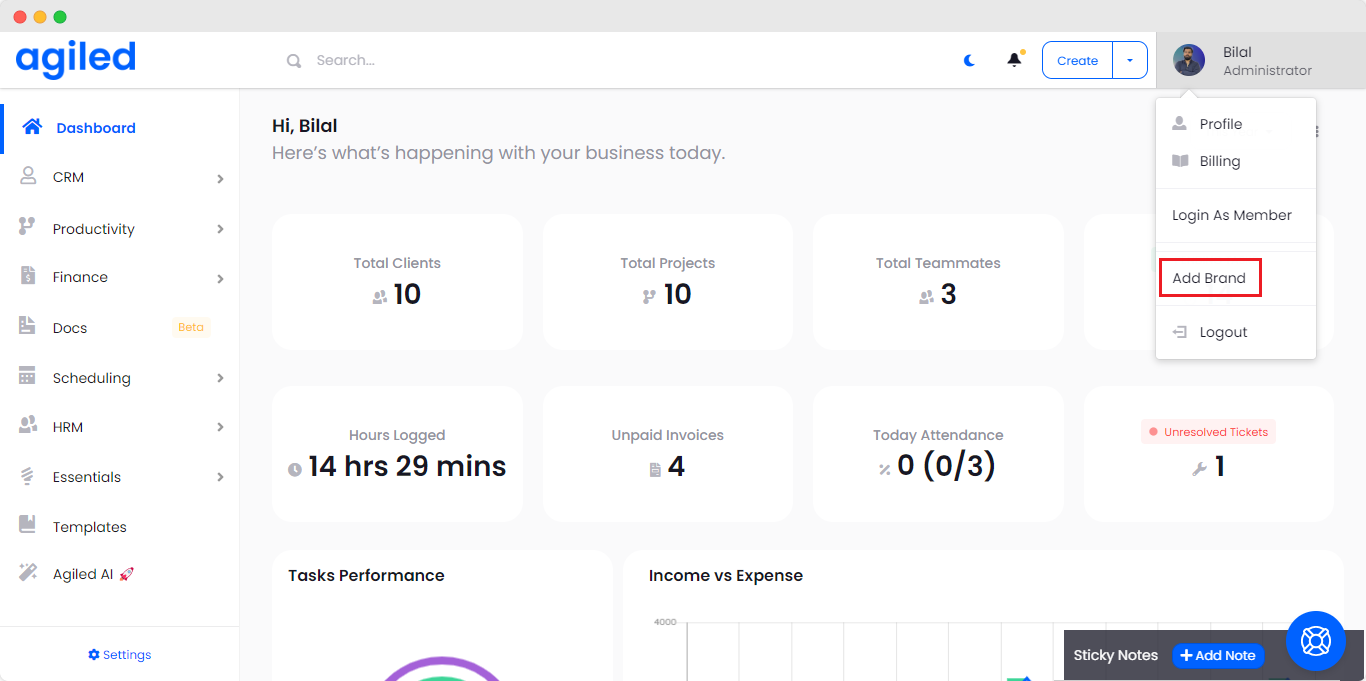
- Click on Add new brand from the dropdown menu.
- It will take you to the Brands settings page.
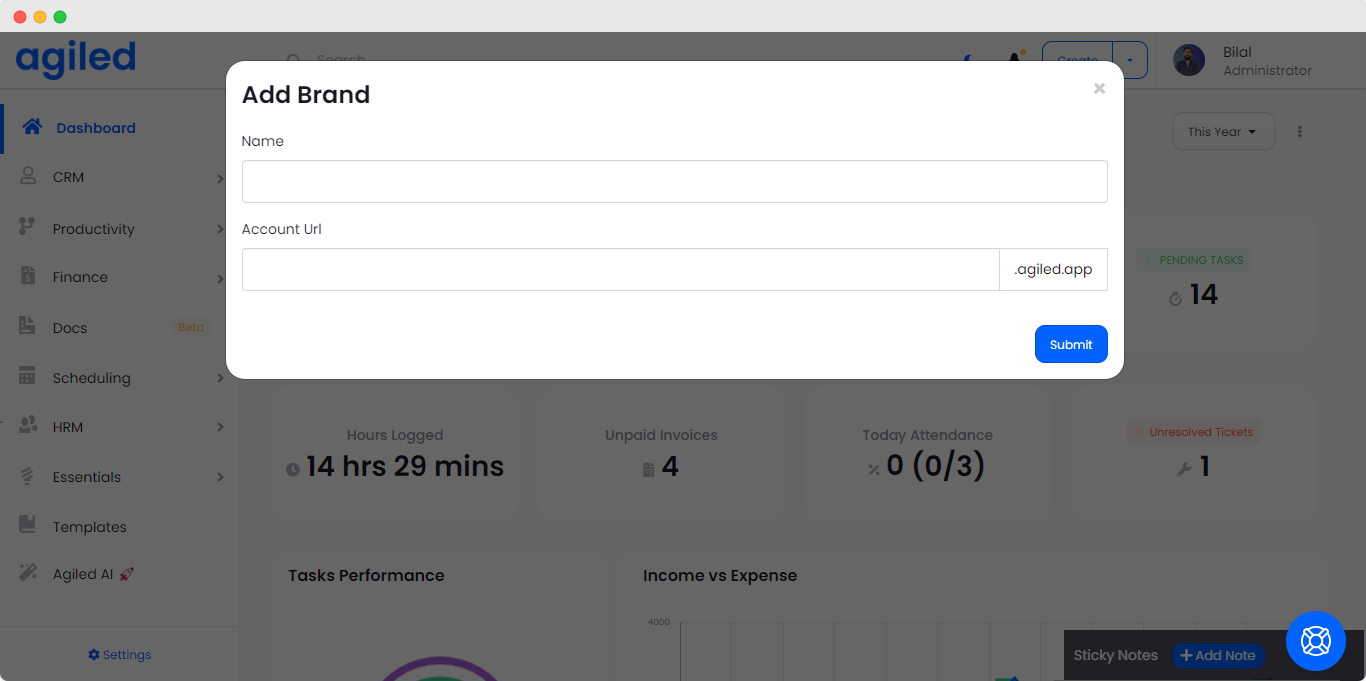
- Add Brand Name
- Set Brand URL.
- Click on the submit button.
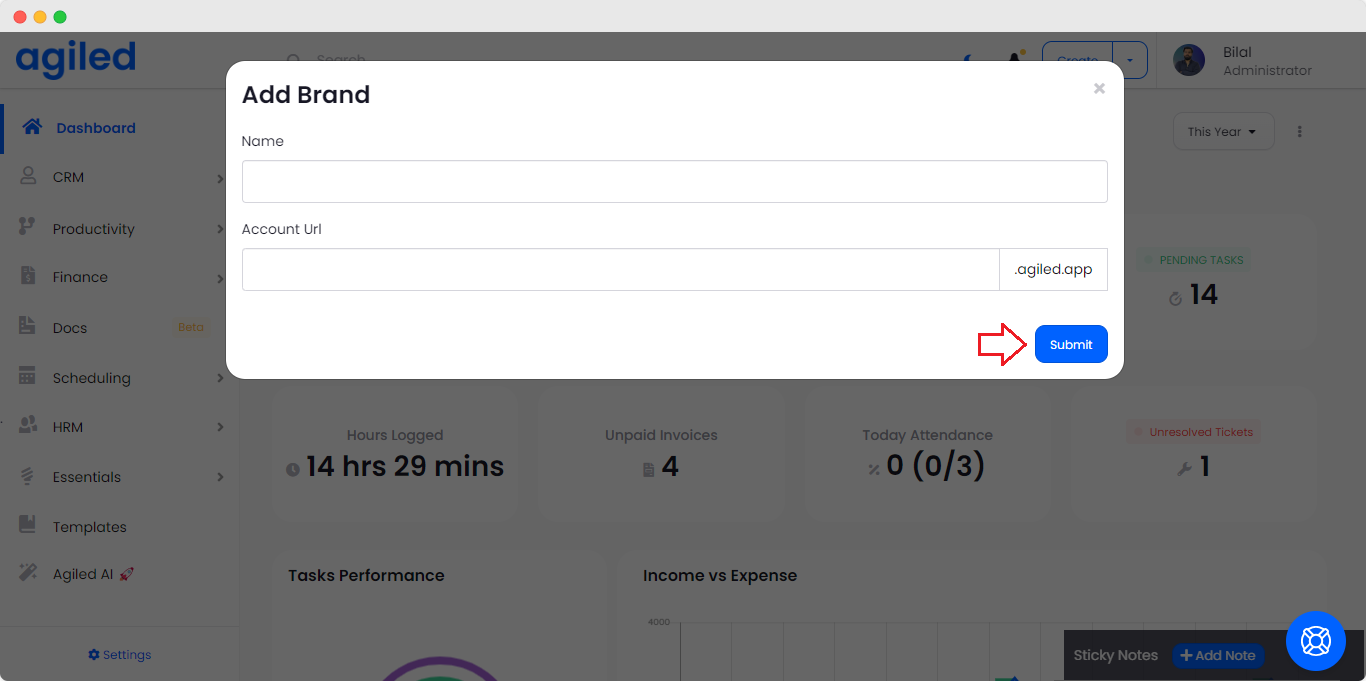
- New Brand will be created and you will be able to see it in the brands list.
- To complete the new Brand setup click on the three dots next to the brand and click on the Visit button.
- It will take you to the brand setup page.
- Setup the new Brand by adding all the information about new Brand.
- After the setup is complete, you can start using the new brand.
To switch between brands, you can click on the top right corner menu and select the brand you want to switch to.
New Brand’s Billing
Every brand you create in Agiled has separate billing and subscription i-e you will have to buy a separate subscription for each brand. To see and upgrade your Brand Subscription, you can go to the Billing section from the side Navigation.
Was this article helpful?
More in Brand Management
Questions about this? Agiled Assist answers from these articles.