Setting up custom domain
You can set up a custom domain in Agiled to use your own branding and for white labeling purposes. To setup custom domain in Agiled follow the steps given below
Updated 1 min read
You can set up a custom domain in Agiled to use your own branding and for white labeling purposes.
To setup custom domain in Agiled follow the steps given below:
Before you add your custom URL in Agiled you need to setup DNS records for your domain.
If you want to use subdomain as custom url (e.g clients.yourdomain.com) add a CNAME record for subdomain that points to my.agiled.app.
After you have added DNS records go to Settings -> Custom Domain in Agiled
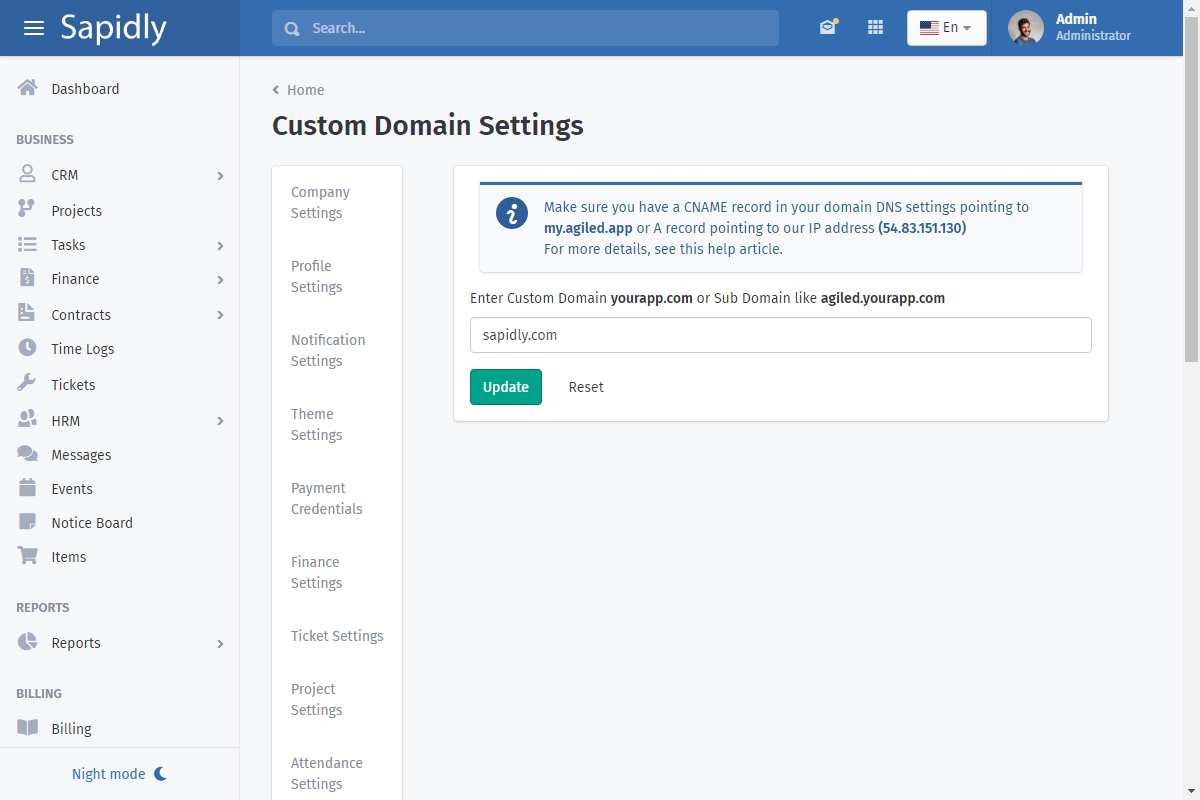
Add your custom url in the text box and click outside of text box.
Agiled will check if your DNS records are properly setup and propagated.
If your records are fine you will get a success message like this.
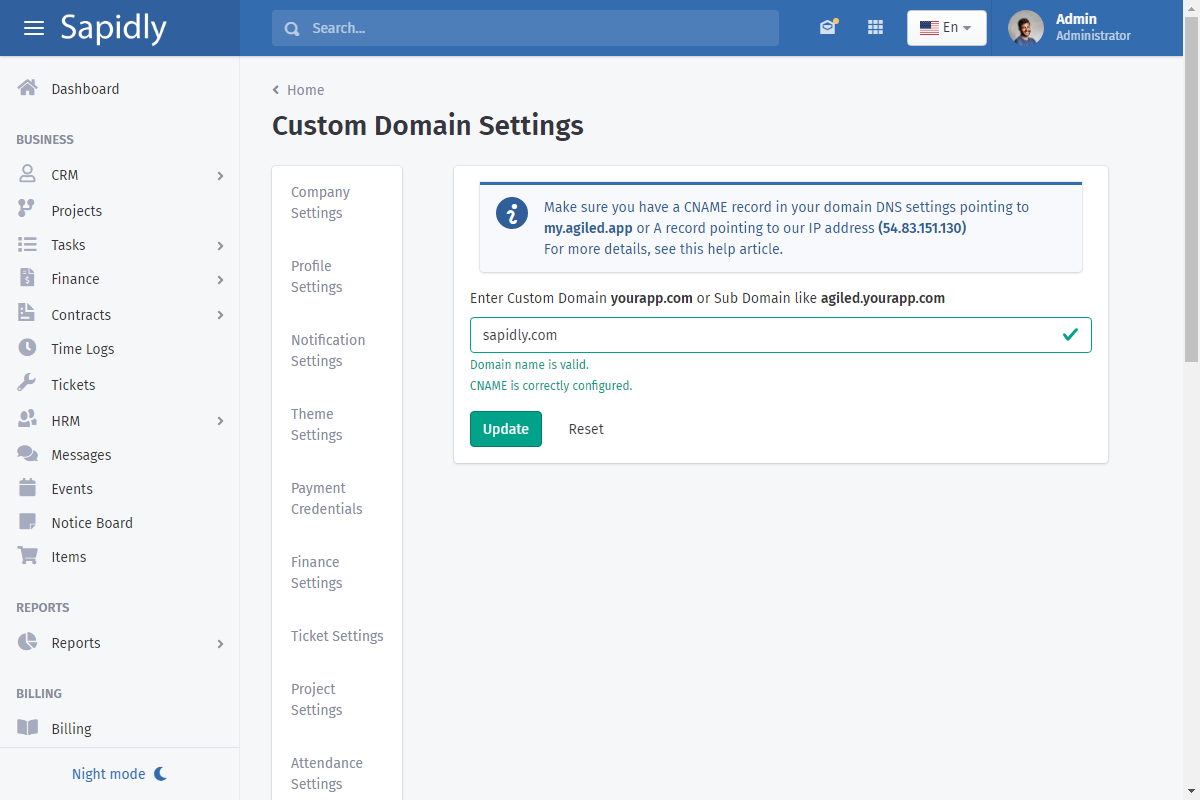
Click update and now you can Agiled on your custom url. You do not need to worry about SSL as SSL is auto generated by Agiled so your new url is SSL secured.
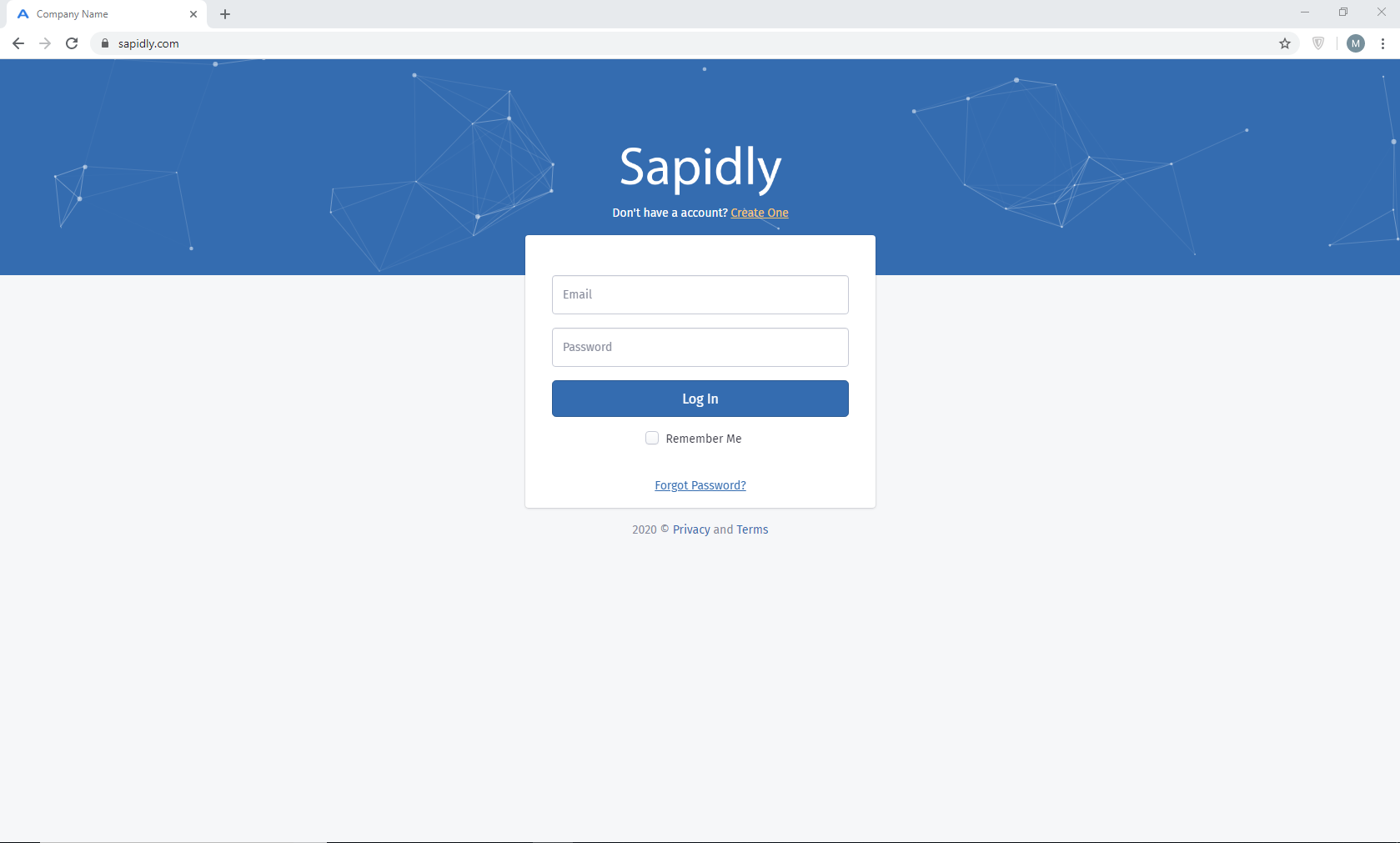
Here is an example what custom url will look like.
Instructions from popular registrars for adding a CNAME
Was this article helpful?
More in White Label
Questions about this? Agiled Assist answers from these articles.